
Figuring out the right TV size for your room is a lot simpler than most people think. It’s less about grabbing the biggest screen you can find and more about the delicate balance between viewing distance and screen resolution. When you get it right, you create a truly immersive experience. Get it wrong, and you’re stuck with eye strain or a nagging sense of buyer's remorse.
Let's be honest—the old "bigger is always better" mantra is a trap. As southern Wisconsin's home AV specialists since 2011, we’ve seen countless homeowners regret choosing a TV that simply overwhelms their space. The real keys to a great picture are viewing distance, resolution, and how the screen aesthetically fits your room. A massive screen in a small den is just as jarring as a tiny TV lost on a huge, empty wall.
Finding that perfect fit is all about creating a balanced and cinematic environment you'll actually want to spend time in. This philosophy is our primary focus, whether we're designing a dedicated custom home theater, integrating tech into a new home build, or upgrading a family's home audio solutions. The technology should always serve the space, not dominate it.
In a modern home, your TV is so much more than a screen—it's the visual hub of your entire smart home. Think about it. With a single voice command to Josh.ai, you could turn on the TV, have your Lutron lights dim to the perfect level, and fire up your Sonos home audio. That’s the movie night experience we aim to create.
This is where smart integration really shines. We make sure your new screen communicates flawlessly with high-performance gear like a Kaleidescape movie server for uncompromised quality or a rock-solid Ubiquiti network to handle all your streaming needs. It's especially important in new home builds, where we can pre-wire for everything from whole-home audio to brilliant outdoor landscape lighting from partners like Oelo. You can see how these elements come together in our guide to stunning home theater design ideas.
It's interesting to note that the most common TV sizes aren't actually the giant ones. Screens in the 32-55 inch range are projected to hold a massive 52.85% of the market share. There’s a scientific reason for this: the SMPTE standard recommends a 30-40 degree viewing angle for immersion. This means for many U.S. homes, a 55-inch TV is the perfect fit for a common 7-9 foot viewing distance. You can dig deeper into the data on television market trends.
If you're looking for a quick reference, this table matches your viewing distance to the ideal 4K TV size for that immersive, cinematic feel.
| Viewing Distance From Screen | Recommended TV Size Range |
|---|---|
| 4 – 5 feet | 42" – 50" |
| 5 – 6 feet | 50" – 60" |
| 6 – 7.5 feet | 60" – 70" |
| 7.5 – 9 feet | 70" – 85" |
| 9 feet and up | 85" and larger |
Use this as a starting point. It's a great way to narrow down your options before considering other factors like wall space and room aesthetics.
Before you even start browsing for a new TV, you need to get familiar with your tape measure. Picking the right size isn't just about what fits on the wall—it's about creating the best possible viewing experience. I've seen it all, from giant screens that overwhelm a small room to tiny TVs lost on a massive feature wall. Let’s get it right from the start.
First things first: your viewing distance. This is the single most important measurement you'll take. Grab your tape measure and run it from where your eyes will be—your go-to spot on the sofa—straight to where the center of the TV screen will sit. That number is your starting point for everything else.
Now, let's talk about the wall itself. Measure the total width and height of the open area you're planning to use. It's crucial to think beyond just the screen. You have to account for the TV's bezel (the frame) and, more importantly, ventilation. A TV needs to breathe, so plan for at least a few inches of clearance on all sides to keep it from overheating.
Here’s a pro tip we use on almost every home consultation: use painter's tape to mark the dimensions of the TV you're considering right on your wall. This simple trick gives you an immediate feel for how that size will look and interact with your furniture, like a fireplace mantle or a media console. It's the best way to visualize the scale before you buy.
This quick guide breaks down the process: get your measurements, factor in resolution, and make sure it all looks right in your space.
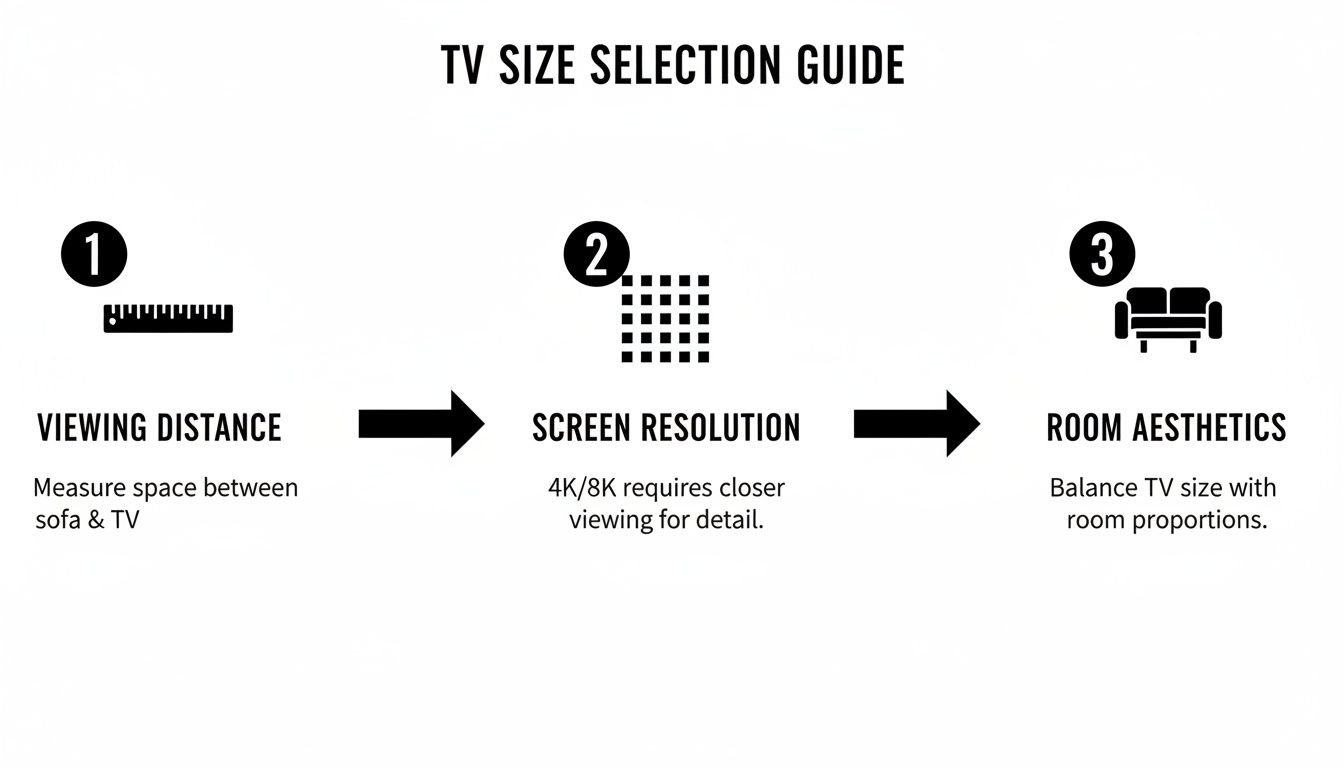
As you can see, it’s a balancing act. The biggest screen isn't always the best screen for your room.
Don't get tunnel vision and focus only on that one patch of wall. Step back and look at the whole room. How will the TV work with your furniture, windows, and the general flow of traffic? The goal is for the TV to feel like a natural part of the room, not an afterthought.
The furniture piece it sits on or below is especially important. A media console should always be a few inches wider than the TV itself. This provides stability and just looks better from a design perspective. If you need a hand with this, there are great guides on how to measure furniture that can help you get it right.
A huge mistake we often have to fix is poor ventilation. People build these beautiful, tight-fitting custom cabinets, but they forget that high-performance TVs generate a lot of heat. Without proper airflow, you're just asking for performance issues and a shorter lifespan for your new TV. We always tell our clients to leave at least 2-3 inches of open space around the top and sides.
Taking these measurements seriously is the essential first step, especially before you consider mounting it. You'll need to know exactly where your studs are and ensure the wall can handle the weight. We cover all those details in our guide on how to mount a TV on the wall. A little prep work now ensures your setup will be safe, functional, and look fantastic for years.
Once you have your viewing distance measured, it’s time to talk about resolution. This is where the magic really happens, and it's the difference between just watching TV and having a truly cinematic experience. The concept is pretty simple: the higher the resolution (think 1080p vs. 4K vs. 8K), the more pixels are packed into the screen, and the closer you can sit without the image looking blurry or pixelated.
A 4K TV, for instance, has four times the pixel density of an old 1080p model. That incredible detail means you can sit much closer to a 65-inch 4K screen than you could to a 65-inch 1080p TV and still get a razor-sharp picture. It’s what allows you to see every intricate detail from a high-end Kaleidescape movie server or appreciate the subtle textures in a nature documentary.
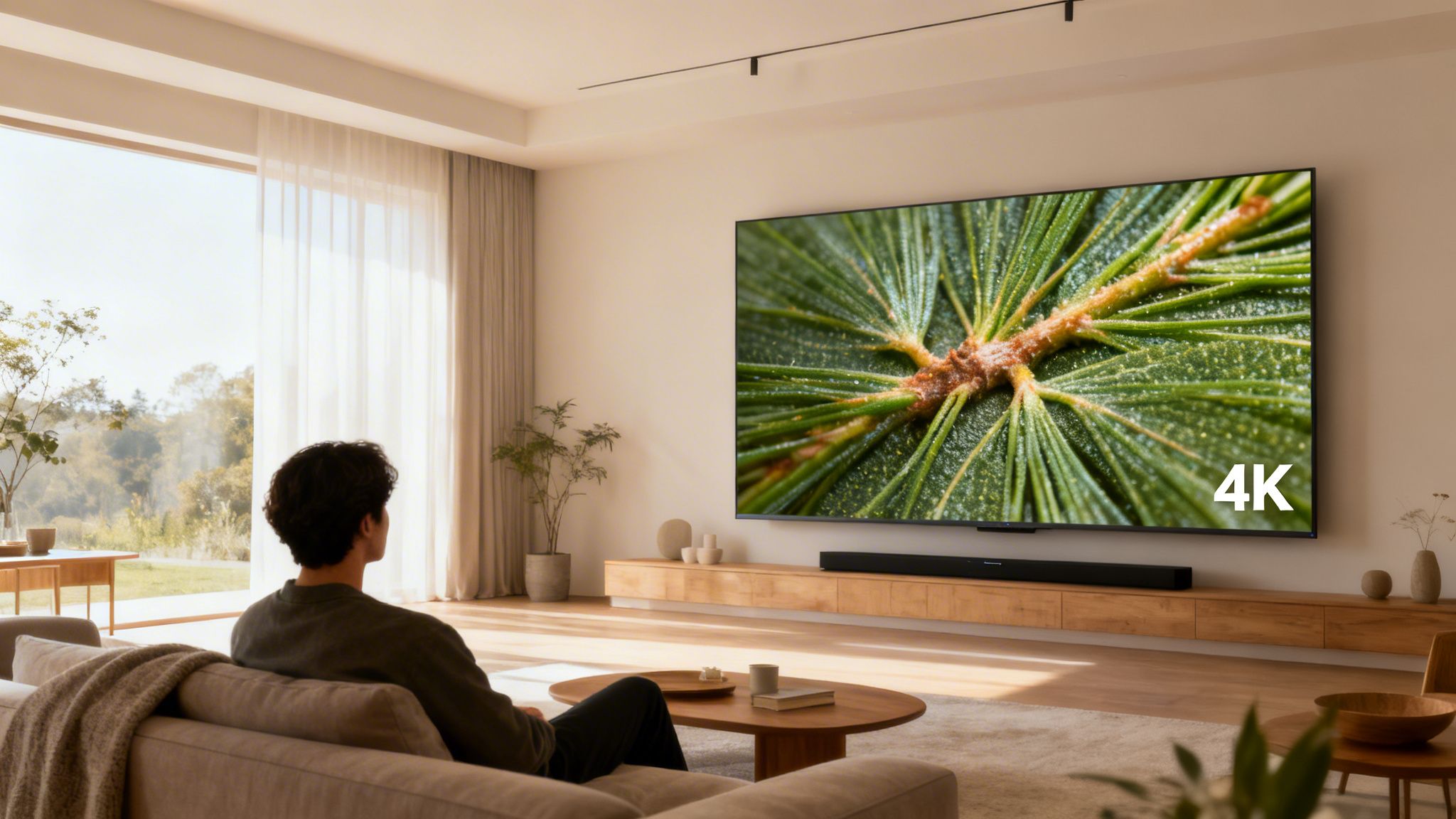
Beyond just resolution, we have to consider your field of view (FOV). This is simply the slice of your vision that the screen fills from your seating position. To get that truly immersive, "sucked-into-the-action" feeling, industry leaders like THX recommend the screen should fill about a 40-degree FOV.
This is one of the biggest reasons we advocate for custom design. We don’t just hang a TV on the wall; we meticulously calculate the perfect size and position for your specific seating layout. Getting this right ensures everyone has a great view, effectively eliminating the "bad seat" in the house.
While giant screens are popular, it’s no accident that the 46-55 inch range is a global favorite, projected to command 33.6% of the market share by 2025. It all comes back to room science. A 50-inch TV hits that ideal 40-degree FOV from about 6-8 feet away—a distance that perfectly matches countless living rooms. It's why this size is so versatile for everything from bedrooms to main family rooms.
As professionals, this is where we live and breathe. We don’t just follow formulas; we blend the technical rules of thumb with the practical realities of your home to create a setup that just feels right.
So, what does this all mean for your home? If your couch is fairly close to the TV wall, a 4K resolution is your ticket to going bigger without seeing a single pixel. For larger rooms where you’re sitting farther back, you’ll need a substantially larger screen to hit that same immersive 40-degree FOV.
In very large spaces, a TV might not be the best tool for the job at all. For that truly grand, theater-like scale, a projector and screen combination might be the better way to go. If that sounds like your room, you should check out our guide on the projector vs TV for home theaters.
This is where bringing in a professional can really pay off. We look at the entire picture—from making sure your Sonos soundbar is a good match for the screen size to ensuring your home’s Ubiquiti network is robust enough for seamless streaming. In new home builds, we can even integrate it all with smart lighting from Lutron to create a truly cohesive and effortless smart home environment.
Picking the right TV size is a huge part of the equation, but it's not the whole story. A television isn't just a screen you watch—it's a piece of furniture. For it to truly feel right, it needs to blend in with your room's design, your furniture, and even your smart home setup. This is where we move beyond the tape measure and start thinking like designers.
The interplay between your TV and your furniture is everything. You'll want to think about the best placement for your sofa and television to create a natural flow and a comfortable viewing spot. We always aim to mount the TV so the center of the screen is about 42-48 inches from the floor. This puts it right at eye level when you’re seated, which means no more craning your neck.
And don't forget the console table underneath. A common mistake is getting a console that’s the same width as the TV, or even smaller. For a balanced, intentional look, your media console should be at least a few inches wider on both sides. It grounds the screen and makes the whole setup feel more stable and professionally designed.
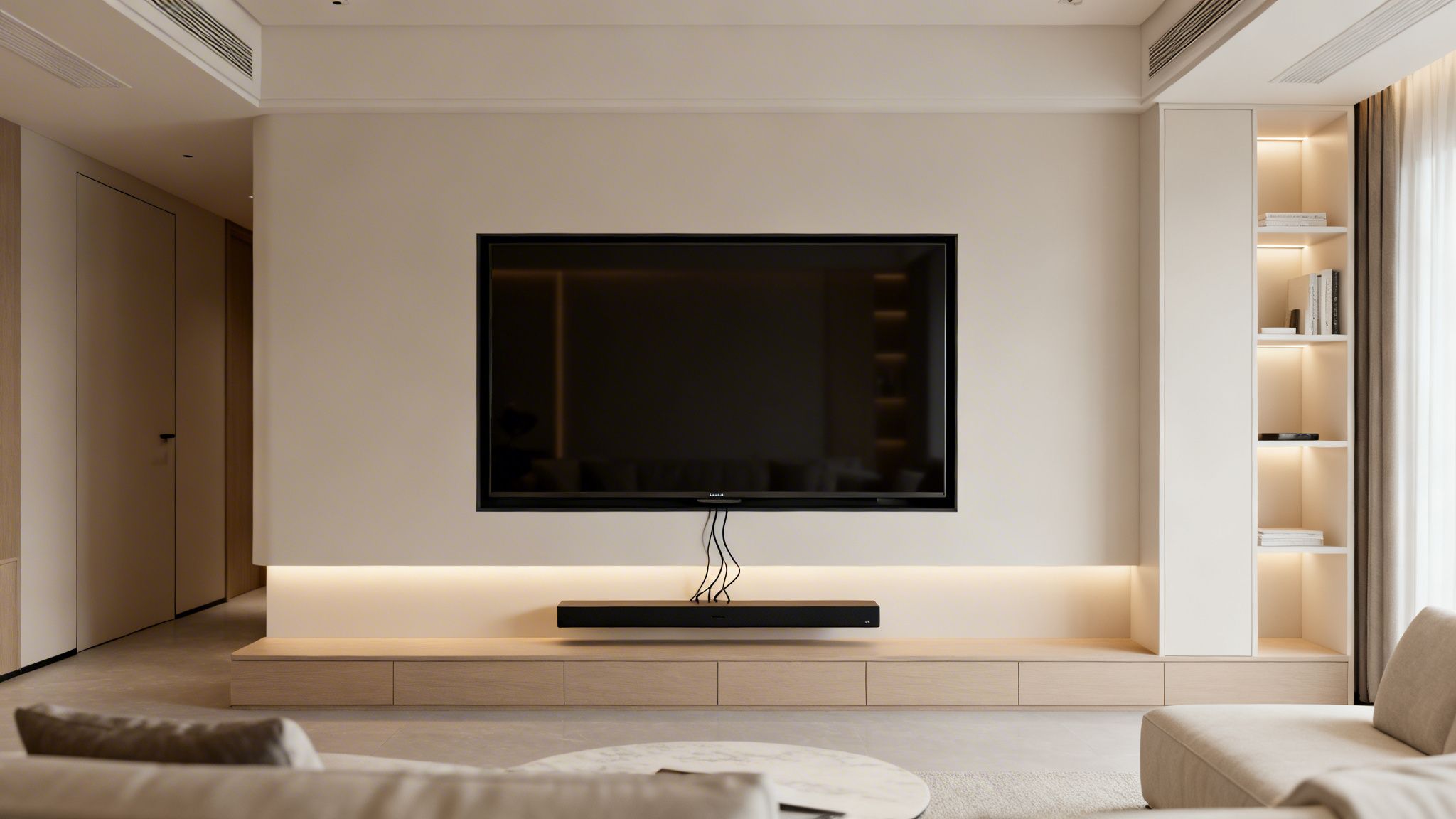
Today’s TV is often the visual hub of a connected home. The real magic happens when all the technology works together so smoothly that you don't even notice it's there. This is what we live for—designing systems that just work.
Think about what that looks like in practice. You settle into the couch and say, "Josh, watch the movie."
Immediately, your Josh.ai voice assistant kicks into gear. The TV flicks on to the right input, the Lutron smart shades close and the lights dim to the perfect movie-watching level. Your Kaleidescape movie server cues up the film in stunning quality as the Sonos soundbar fills the room with immersive audio.
That’s the kind of effortless automation we build. It all runs on a rock-solid Ubiquiti network behind the scenes, so there are no glitches or buffering. And of course, a huge part of making technology disappear is dealing with the clutter, which is why we’ve perfected our methods for hiding every last wire. You can see exactly how we do it in our guide on how to hide TV wires and cables.
For us, a successful installation is one where the technology disappears. It’s not about showcasing gadgets; it’s about creating an environment that responds to you effortlessly. This is particularly vital in new home builds, where we can pre-wire the entire house for a fully integrated system before the drywall even goes up.
This idea of a unified, intuitive system doesn't have to stop at your living room. We apply the same logic to the entire property, whether it's a home or a commercial space like a restaurant.
For homeowners, our primary focus is extending the smart home experience outdoors. We frequently partner with brands like Oelo to craft beautiful landscape lighting and sound systems that are fully integrated with everything inside. Imagine your garden lights turning on automatically at dusk while your favorite Sonos playlist starts streaming on the patio—all managed from the same app or voice command you use indoors. It’s about building one cohesive, intelligent environment for your home.
All the formulas and charts are a fantastic guide, but nothing beats real-world experience. We've spent years designing custom home theater and audio systems in homes all across southern Wisconsin, from sprawling suburban houses in Madison to sleek downtown condos in Milwaukee. Every room presents its own unique puzzle.
Let’s walk through a few common home layouts we encounter all the time to see how these sizing principles play out in practice.
This is a setup we see constantly: a comfortable living room where the main sofa sits about 10 feet (120 inches) back from the TV wall. The goal is usually a double-win—an immersive feel for family movie nights, but also a clean look that doesn’t overpower the room, especially when mounted over a fireplace.
For a 10-foot viewing distance, you're squarely in the 65-inch to 75-inch sweet spot. A 75-inch 4K TV, for example, gives you a cinematic 36-degree field of view that really pulls you into the action. It's large enough to be a beautiful focal point, and when you pair it with a full Sonos home audio solution, you get sound that truly matches the picture.
City living often means making the most of a smaller footprint. In a stylish downtown Milwaukee apartment, you might have a much shorter viewing distance—say, 7 feet (84 inches) from a chic sectional to the wall. This is where going too big is a classic mistake. An oversized screen in a tight space doesn't feel luxurious; it just causes eye strain and makes the room feel cramped.
At 7 feet, a 50-inch or 55-inch TV is the perfect fit. A 55-inch model, for instance, delivers a crisp 37-degree viewing angle that feels immersive without being overwhelming. There’s a reason this size is so popular. In fact, TVs between 30 and 50 inches accounted for USD 35.4 billion in sales in 2024, proving how well they suit the scale of many modern homes. This lines up with what we see every day, often pairing these screens with a compact but powerful Sonos soundbar for incredible audio. You can see more on this trend in the latest connected TV market size report.
At Home AV Pros, our free in-home consultations are all about avoiding guesswork. We measure your exact viewing distance and room layout to recommend a size that’s a perfect match, ensuring your investment is one you’ll be happy with for years.
Ready for the ultimate escape? A dedicated basement theater is where our custom home theater expertise really shines. With seating often set back 12 feet or more, you finally have the green light to go big. In these custom spaces, we’re not just hanging a TV; we’re creating an event.
An 85-inch screen is a great starting point here, but for a truly jaw-dropping experience, a projector system is often the way to go. Imagine a massive screen fed by a premium Kaleidescape movie server and powered by a full Sonos surround sound system. This is how you create a setup where every movie night feels like a trip to the cinema. It’s the perfect canvas for a truly powerful audio and video experience.
Even after you’ve measured your room and picked a potential screen size, a few key questions always seem to pop up right before you pull the trigger. We get it. These are the details that take a setup from just "good" to genuinely great.
Here are a few of the most common questions we hear from our clients right here in southern Wisconsin, along with our straight-to-the-point answers.
This is probably the number one question we're asked. While 8K sounds impressive, for the vast majority of homes, a top-tier 4K TV is still the much smarter choice.
The simple truth is that native 8K content is still incredibly hard to find. You’d really only see a noticeable jump in clarity on massive screens—think 75 inches and up—and only if you were sitting much closer than normal.
Our advice? Put that extra budget toward a premium 4K OLED or QLED panel. The dramatic improvement you’ll get in color and contrast, especially when paired with a great audio system like Sonos, will give you a far more immersive experience than an 8K screen with nothing to properly show off.
Getting the mounting height right is all about comfortable, long-term viewing. You want the center of the television screen to be at eye level when you're seated. For most living rooms, this sweet spot is somewhere between 42 to 48 inches off the floor.
One of the most common mistakes we see is mounting a TV way too high over a fireplace. It might look symmetrical, but it's a recipe for neck strain during your next movie marathon.
During our free in-home consultations, our certified installers take precise measurements of your furniture and seating arrangement. This allows us to calculate the perfect, ergonomic height for your specific room, ensuring every viewing session is a comfortable one.
Hiring a professional to mount your TV and integrate it into your smart home is about more than just convenience—it’s about safety, performance, and getting that clean, finished look. We don’t just hang a screen; we engineer a complete, easy-to-use entertainment system.
When you work with Home AV Pros, here’s what’s really happening behind the scenes:
Ultimately, this approach saves you a ton of frustration, protects your investment from accidental damage, and ensures all your new tech actually works together from the moment we leave.
Ready to create the perfect entertainment space without any of the guesswork? The team at Home AV Pros offers free in-home consultations to help you dial in the right TV size and design a system that fits your home perfectly. Visit us at https://homeavpros.com to get started.

Copyright © 2026. Home AV pros. All rights reserved.