
Getting your surround sound speakers set up properly is about more than just unboxing them and hoping for the best. It's a process of careful placement, smart wiring, and precise calibration. If you get it right, you can turn your regular living room into a truly immersive soundscape. A standard 5.1 system is the perfect entry point for most people, offering a massive upgrade over your TV's built-in speakers.
Let's walk through what it really takes to get from a box of speakers to a perfectly tuned home theater.
The secret to incredible surround sound is understanding that you're not just placing speakers—you're creating a "bubble" of sound with your seating area right in the middle. The goal is to make sound effects feel like they're happening all around you, not just coming from the front of the room.
To do that, you first need to know what each speaker is designed to do. Think of a 5.1 system as a team of specialists, each with a crucial role to play.
Here’s a quick breakdown of what each speaker in a classic 5.1 setup brings to the table. Understanding these roles is the first step in placing them correctly for maximum impact.
| Speaker Component | Primary Function | Ideal Placement Goal |
|---|---|---|
| Center Channel | Delivers dialogue and on-screen sounds | Anchors sound directly to the video display |
| Front Left/Right | Creates the main soundstage for music and effects | Forms a wide arc of sound in front of you |
| Surround Left/Right | Produces ambient and directional effects | Envelops you in the environment from the sides/rear |
| Subwoofer (.1) | Handles low-frequency effects (LFE) | Delivers deep, non-directional bass you can feel |
Getting these pieces to work in harmony is what separates a good system from a great one. The subwoofer, for example, is the unsung hero that delivers the chest-thumping bass during an action sequence, while the center channel ensures you never miss a word of dialogue.
While a DIY setup is a fantastic project, a truly seamless smart home experience often goes beyond just the speakers. This is where professional integration comes in. At Home AV Pros, we don't just install speakers; we create fully automated environments using premium brands like Sonos for multi-room audio.
Imagine walking in and saying, "Josh, it's movie time." Instantly, your Josh.ai voice command tells your Lutron system to dim the lights, your Kaleidescape movie server cues up the film, and your sound system calibrates for cinematic audio. This level of effortless control, all running on a rock-solid Ubiquiti network, is what we specialize in. Our primary focus is creating these integrated experiences for the home, but we apply this same philosophy to everything from dedicated home theaters in new home builds to restaurants and even outdoor landscape lighting and sound with systems like Oelo.
This isn't just a niche luxury anymore. The demand for high-quality audio is exploding. The global multimedia speaker system market is on track to hit USD 7.42 billion by 2034. Homeowners are clearly looking for more than just basic sound, with over 65% of consumers stating that sound quality is a top priority.
A great setup always begins with a great plan. Before you drill a single hole or run a single wire, take a step back and look at the bigger picture of your home entertainment room design. A little foresight here ensures every seat is the best in the house.
This planning phase is where you can also think about the finishing touches. Exploring different home theater accessories can give you ideas for everything from acoustic panels to custom shelving. Our focus has always been on creating home installations that are clean, reliable, and tailored perfectly to your space, whether it's a simple home audio solution or a complete custom home theater in a new construction.
Before you even think about plugging anything in, let’s talk strategy. I’ve seen countless setups, and the difference between a system that sounds okay and one that truly blows you away always comes down to the initial plan. A great surround sound experience isn't about just having speakers; it's about making them work together to wrap you in sound. This is your blueprint for immersion.
Your first job—and it’s a big one—is to nail down your primary listening position. We call this the "sweet spot." It's that one chair or section of the sofa where you’ll be for the best movie-watching experience. Everything, and I mean everything, in your system will be placed and calibrated relative to this spot. It’s the heart of your home theater universe.
Think of your room as an empty stage. Before placing the actors (your speakers), you need a director's plan. There's a real science to optimizing room layouts, but the core idea is simple. Once you know where you'll be sitting, you can build the soundstage around you. The classic starting point is creating an equilateral triangle between the front left and right speakers and your head.
For a standard 5.1 system, imagine a circle with your sweet spot at the dead center. Your front left and right speakers should sit at a 22-30 degree angle relative to your TV, while the surround speakers should be positioned slightly behind your listening position, at a 90-110 degree angle.
This simple process of planning, connecting, and then tuning the audio is the key to creating a cohesive soundscape.
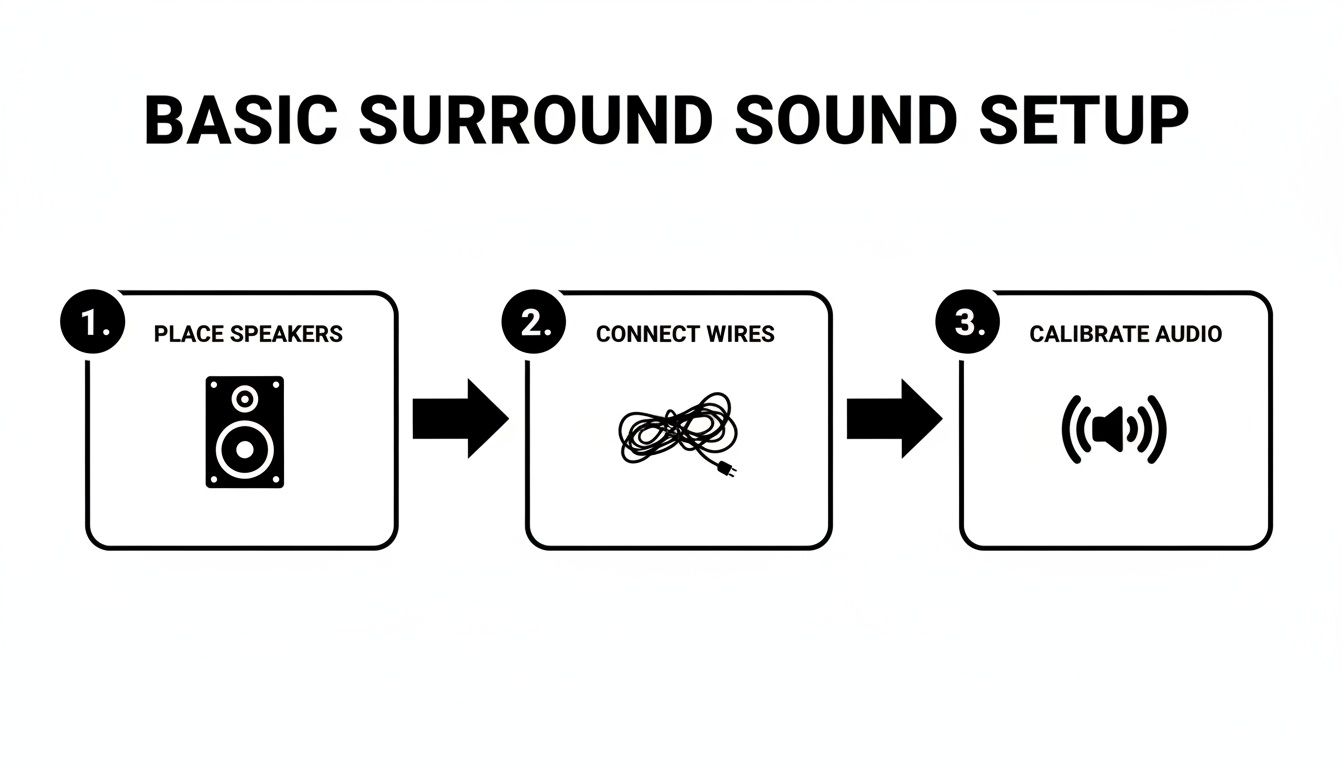
Each of these phases builds on the one before it. Get the placement right, and the final audio calibration will have a much bigger impact.
Of course, not all rooms or speakers are created equal. In a dedicated home theater, you can go all-out with massive floor-standing towers for an earth-shaking front soundstage. But in a family living room, that's not always practical. This is where discreet in-wall or in-ceiling speakers become a fantastic option, giving you stellar audio without disrupting the room's aesthetic.
Don't underestimate your room's surfaces, either. They have a massive effect on sound quality.
If you’re lucky enough to be building a new home, you have the ultimate advantage. At Home AV Pros, we love getting involved at the pre-wire stage. For our residential clients, we can run all the cabling for in-wall speakers and hidden subwoofers during a new build, giving you a completely invisible custom home theater that sounds incredible. Check out some of our past work to see what’s possible with a little planning in our gallery of home theater design ideas.
A modern surround sound system rarely lives in a bubble. It's often part of a complete smart home. We frequently design residential systems where Sonos speakers, Lutron lighting, and a Kaleidescape movie server all work together seamlessly. That’s where professional design really pays off—turning disparate components into a single, fluid experience.
Thinking of going beyond a basic 5.1? For more advanced layouts like 7.1 or Dolby Atmos, proper placement is non-negotiable.
A 7.1 system adds two more speakers directly behind you, which helps create more detailed and precise rear-channel sound effects. With Dolby Atmos (like a 5.1.2 setup), you're adding height channels. These can be in-ceiling speakers or upward-firing modules that sit on your front speakers. This is what creates that three-dimensional "bubble" of sound, making a helicopter flying overhead feel terrifyingly real.
At Home AV Pros, we map out these angles and speaker positions with precision. Our job is to make sure that even in a challenging room—weird angles, high ceilings, lots of glass—the audio is directed perfectly to your seat. We do this every day, from custom theaters in new home builds to retrofitting home audio solutions in existing homes, and even commercial spaces like restaurants.
Whether you're starting out with a Sonos Beam and a couple of wireless surrounds or planning a full-blown custom home theater controlled by Josh.ai, the fundamentals don't change. Start with a plan, respect your room's acoustics, and always, always build around that sweet spot. That foundational work is what separates a good setup from one you'll be excited to show off for years.
Alright, you’ve mapped out where every speaker will go. Now for the fun part: bringing it all to life by wiring everything up. This is where the rubber meets the road, and taking your time here is what separates a good-sounding system from a truly great one. A clean, secure connection ensures your AV receiver can send a crystal-clear signal to each speaker, which is the secret to that immersive audio you’re chasing.
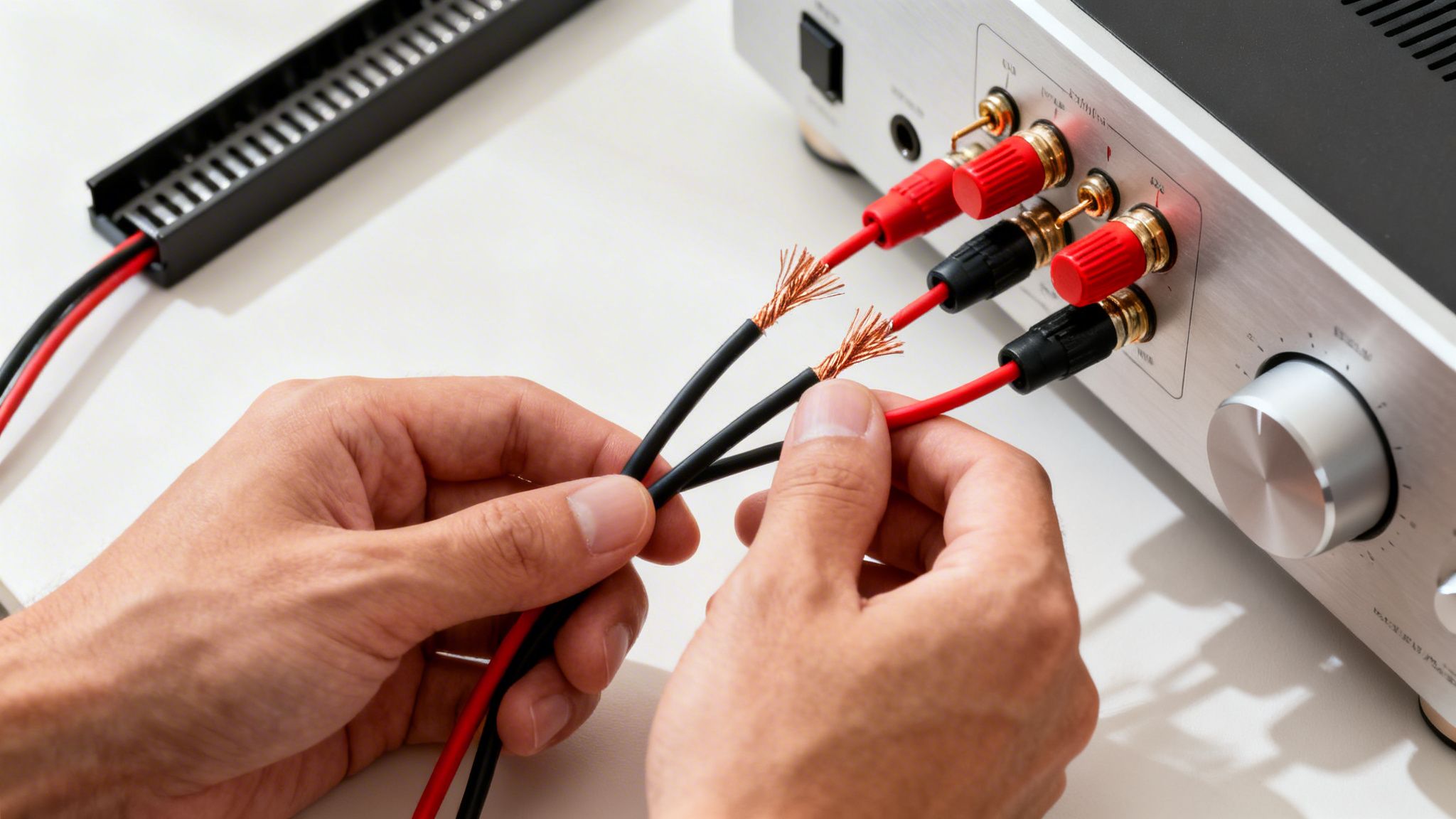
It’s about more than just plugging things in. The quality of your speaker wire and the care you take in making each connection genuinely affects the final sound, especially as you run cables across a larger room.
Let's start with the wire itself. Speaker wire is measured by its thickness, or gauge, where a lower number means a thicker wire. For most home theater rooms, a 14-gauge or 16-gauge wire is the sweet spot, giving you fantastic performance without breaking the bank. If you're running wire for more than 50 feet or powering some seriously high-end speakers, stepping up to a thicker 12-gauge wire is a smart move to prevent signal loss.
Once you have the right wire, it’s all about making a solid connection. You'll need to strip about half an inch of insulation off the wire ends, twist the copper strands so they don't fray, and secure them to the terminals on your receiver and speakers. And this brings me to the single most important rule of speaker wiring.
Pay Attention to Polarity—It's Non-Negotiable
You absolutely must connect the positive (red) terminal on the receiver to the positive terminal on the speaker. The same goes for the negative (black) terminals. If you mix them up, your speakers will be "out of phase," actively canceling each other out. The result? Weak, anemic bass and a soundstage that feels completely hollow. Most speaker wire has a stripe or ridge on one of the sleeves to make it easy to keep track. Don't ignore it.
For years, running physical cables was the only way to do it. Today, you've got amazing wireless options, particularly from brands like Sonos, that offer incredible convenience. You can set up a soundbar, a sub, and a pair of wireless surrounds in minutes and have a completely clean look with no cables to trip over.
But there’s always a trade-off. While wireless has made huge strides, a traditional hardwired connection remains the undisputed champ for pure reliability and performance. There’s a reason the global home theater audio market is projected to hit $29.8 billion by 2033—people want that cinema-grade experience. For audio purists, a wired connection can be up to 20ms faster than wireless, eliminating any potential lag between the video you see and the audio you hear.
Nothing ruins the look of a great home theater faster than a "spaghetti monster" of exposed wires. A huge part of our job at Home AV Pros is making all that cabling disappear, whether we're setting up a simple home audio solution, a dedicated custom home theater in a new home build, or a multi-zone audio system for a restaurant.
You have a few great options for achieving that clean, professional finish:
For more complex jobs like running wires inside walls, we always suggest calling in a pro. Our team has the right tools and, more importantly, the experience to run cables safely without damaging your home. For more ideas, you can check out our guide on how to hide TV wires and cables.
Ultimately, a simple Sonos setup is a fantastic and easy DIY project. But if you’re building a more sophisticated, integrated system with high-end components from Kaleidescape or smart home controls from Josh.ai and Lutron, trusting a professional ensures every piece works together perfectly from day one.
You’ve planned the layout and run all the wires. Now for the step that truly separates a good setup from a genuinely immersive one: calibration. This is where we tune the speakers to the unique acoustic signature of your room, making sure every sound hits your ears at the perfect time and volume.
Without proper calibration, you’re leaving a ton of performance on the table. It’s the difference between hearing a movie and feeling like you’re in it. Dialogue becomes clearer, effects have pinpoint accuracy, and the entire soundscape feels cohesive. This is the final polish that makes your investment worthwhile.
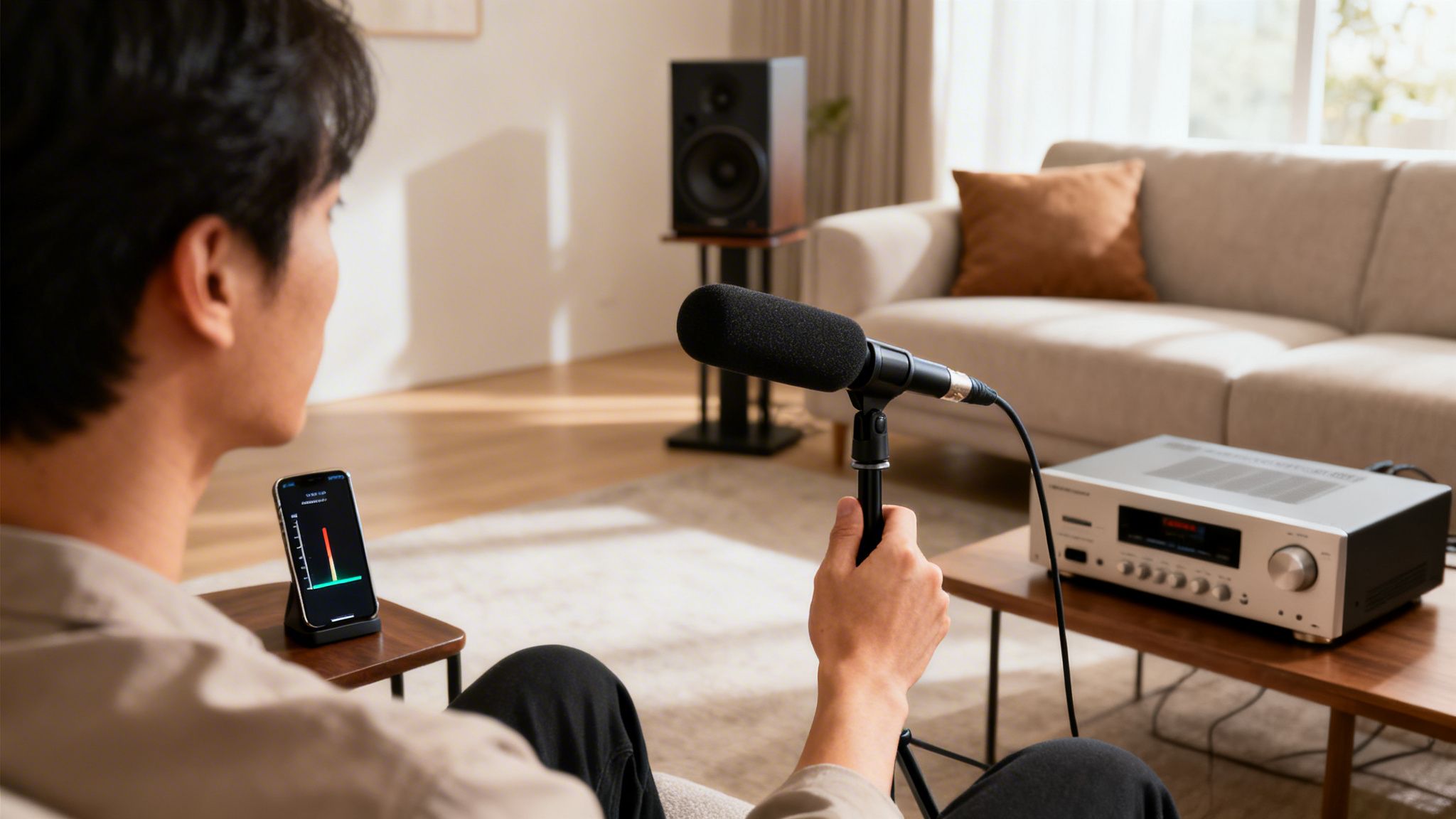
Just about every modern AV receiver includes a built-in auto-calibration system. You’ll see names like Audyssey, YPAO (Yamaha Parametric Room Acoustic Optimizer), or Dirac Live. These are your best friends. They use a small microphone—the one that came packed with your receiver—to "listen" to your room and make a whole slate of adjustments automatically.
Getting this done is straightforward:
Even wireless systems like Sonos have their own version called Trueplay, which uses an iPhone or iPad’s microphone to accomplish the same goal. It makes a huge difference.
From years of professional experience, I can tell you this: always run the automated setup first. It’s the single most effective thing you can do to improve your sound quality after speaker placement. It gets you 90% of the way to perfect audio with minimal effort.
Automated systems provide a fantastic baseline, but if you want to eke out that last 10% of performance, a little manual tweaking is in order. After the auto-calibration is complete, jump back into your receiver's manual speaker settings to double-check its work.
First, look at how the receiver classified your speaker sizes. In almost all cases, your speakers should be set to "Small." This might seem counterintuitive for big tower speakers, but it’s correct. This setting directs the deep, demanding bass frequencies to your subwoofer, which is specifically designed to handle them. Letting your main speakers try to reproduce those low rumbles can muddy up their midrange clarity.
Next, check the crossover frequency. This is the specific point where the receiver stops sending bass to your main speakers and "crosses over" to the subwoofer. The industry standard, and a great starting point for nearly any system, is 80Hz.
Finally, you can manually balance the volume of each channel. Grab your smartphone and download a free Sound Pressure Level (SPL) meter app. Go into your receiver's level-calibration menu and play its internal test tones. As the tone cycles through each speaker, hold your phone at the listening position and adjust that speaker’s volume until the app reads roughly 75 dB. Do this for every channel, and you'll have a perfectly balanced, seamless sound field where no single speaker shouts over the others.
This is the exact process we use to dial in high-end home audio systems, from dedicated custom home theaters with a Kaleidescape movie server to multi-room audio installations. These small, final adjustments are what deliver that truly polished and professional sound.
A great surround sound system isn't just about the speakers anymore. It’s about how that system talks to the rest of your home. When you weave your audio into a larger home automation setup, you transform it from a standalone feature into a core part of your daily life. This is where we go beyond just great sound and start creating real experiences.
Picture this: you walk into the living room and say, "Josh, it's movie night." In an instant, your Josh.ai voice assistant gets to work. The Lutron lights dim to a perfect movie-watching glow, the automated shades glide down to kill any glare, and your high-end Kaleidescape movie server cues up the film. Your AV receiver clicks on, selects the right input, and dials in the perfect surround sound mode. This isn't a futuristic dream; it's the kind of seamless integration we build for residential clients every single day.
The secret to making all this technology feel simple is creating "scenes." A scene is essentially a single command that triggers a whole cascade of actions. It eliminates the need to juggle half a dozen remotes just to watch a movie. By tying all your devices together—your TV, sound system, lights, and media players—you get an environment that just works.
At Home AV Pros, this is our specialty. We excel at taking all these different pieces of technology and making them work together in perfect harmony, especially for residential entertainment. It's a crucial part of any custom home theater or new home build, where you might have dozens of devices that all need to play nicely together.
The desire for this kind of high-quality, integrated audio is exploding. The market for professional audio installations is on track to grow by $637.4 million by 2030. And while simpler plug-and-play solutions like soundbars are also booming—that market is expected to reach $8.5 billion by 2034—many homeowners are realizing they want the richer, customized experience that only a professionally integrated system delivers. You can discover the full soundbar market analysis on imarcgroup.com to see the trends for yourself.
None of this magic happens without a bulletproof foundation: your home network. Every command, every stream, and every interaction relies on it. A weak or unreliable network is the number one source of smart home frustration, which is why we almost exclusively install professional-grade networking gear from brands like Ubiquiti on our home projects.
This ensures your Sonos whole-home audio never skips a beat, your Kaleidescape movie streams in flawless 4K, and your Josh.ai commands are followed instantly.
For us, designing a smart home system isn't just about the cool gadgets. It's about ensuring the underlying infrastructure is robust enough to support them. A weak Wi-Fi signal is the number one cause of frustration in a smart home, which is why we prioritize building a reliable network from day one.
A powerful network doesn't just make movie night better. It improves everything from your home office video calls to the reliability of your security cameras. For a closer look at this, check out our guide on how to improve Wi-Fi signal strength.
This philosophy of integration isn't confined to the media room. We use the same principles to build immersive audio and video experiences across an entire property.
Whether it’s a new construction, a dedicated custom home theater, or a high-end restaurant, our goal is the same. By bringing together trusted brands like Lutron, Sonos, and Josh.ai, we take a complex web of electronics and turn it into a simple, reliable, and truly enjoyable experience for everyone.
Even with a solid plan, a few questions always pop up during a surround sound project. It's completely normal. Let's walk through some of the most common ones we hear from homeowners to clear things up.
The difference really comes down to how many speakers you're working with and how they're placed.
A 5.1 system is the classic home theater setup. It gives you five speakers—a center channel for dialogue, a front left and right for the main soundtrack, and two surrounds to your sides for ambient sound. The ".1" is always the subwoofer, which handles all the deep, low-frequency effects that you feel more than hear.
A 7.1 system builds on that by adding two more speakers, this time directly behind your seating area. This creates a much more convincing 360-degree bubble of sound. While 5.1 is a fantastic leap for most living rooms, that 7.1 setup truly shines in larger, dedicated home theater rooms where you have some space behind the couch. The realism of a helicopter flying overhead or a car racing past you is just that much better.
You bet. As long as your AV receiver is compatible with Dolby Atmos, adding height channels is one of the single best upgrades you can make. It introduces a vertical, three-dimensional element to the sound that’s incredibly immersive—think of rain falling from above or jets flying overhead.
You’ve got two main ways to add that height dimension:
Adding two height speakers to a 5.1 system gives you a 5.1.2 setup, which has become the go-to configuration for bringing incredible Dolby Atmos sound into the home.
This is a great question, and there's a right way to approach it. For your front soundstage—that’s your center, front left, and front right speakers—the answer is a definite yes. They should not only be the same brand but from the exact same product line. This is called timbre-matching.
Timbre-matching ensures that as sound moves across the screen, its tone and character stay perfectly consistent. If a car drives from left to right, you don't want it to sound like a sedan on the left, a truck in the middle, and a sports car on the right. A matched front three prevents this jarring effect and keeps you locked in the movie.
For your side surrounds, rear surrounds, and subwoofer, you have a lot more flexibility. While matching everything is a nice ideal, it's far less critical than getting that front soundstage right.
Look, setting up a basic system with bookshelf or tower speakers can be a really satisfying weekend project. But there are definitely times when bringing in a professional is the smarter, safer, and ultimately better-performing option. At Home AV Pros, we tackle these more complex jobs every day, with a primary focus on homes.
You should seriously consider hiring a professional if:
A professional installer does more than just run wires. We use specialized calibration tools to tune your system perfectly to your room's unique acoustics, ensuring you get every ounce of performance from your investment, whether it's for a custom home theater, a new home build, landscape lighting and sound, or even a commercial space like a restaurant.
Ready to move beyond a simple setup and get an entertainment experience that’s truly effortless? The team at Home AV Pros designs and installs custom audio, video, and smart home systems that are powerful, reliable, and beautifully woven into your home.

Copyright © 2026. Home AV pros. All rights reserved.