
A new TV is fun right up until it’s time to get it on the wall.
The box is still in the living room. The room layout suddenly matters more than it did yesterday. You start thinking about stud placement, outlet location, glare from the windows, where the soundbar should go, and whether those cables are going to hang down where everyone can see them.
That’s why the average cost of tv mounting is only useful as a starting point. Mounting a TV isn’t just about getting the screen off the console. It’s often the first step in creating a cleaner media wall, a better family room, or a more connected smart home setup that works with Sonos audio, Josh.ai voice control, Lutron lighting scenes, and the rest of the house.
A wall-mounted TV changes a room fast.
It clears furniture, improves sightlines, and makes a space feel finished. Done poorly, it does the opposite. The TV ends up too high, the bracket is wrong for the room, wires stay visible, and the setup looks temporary even though the wall now has permanent holes in it.
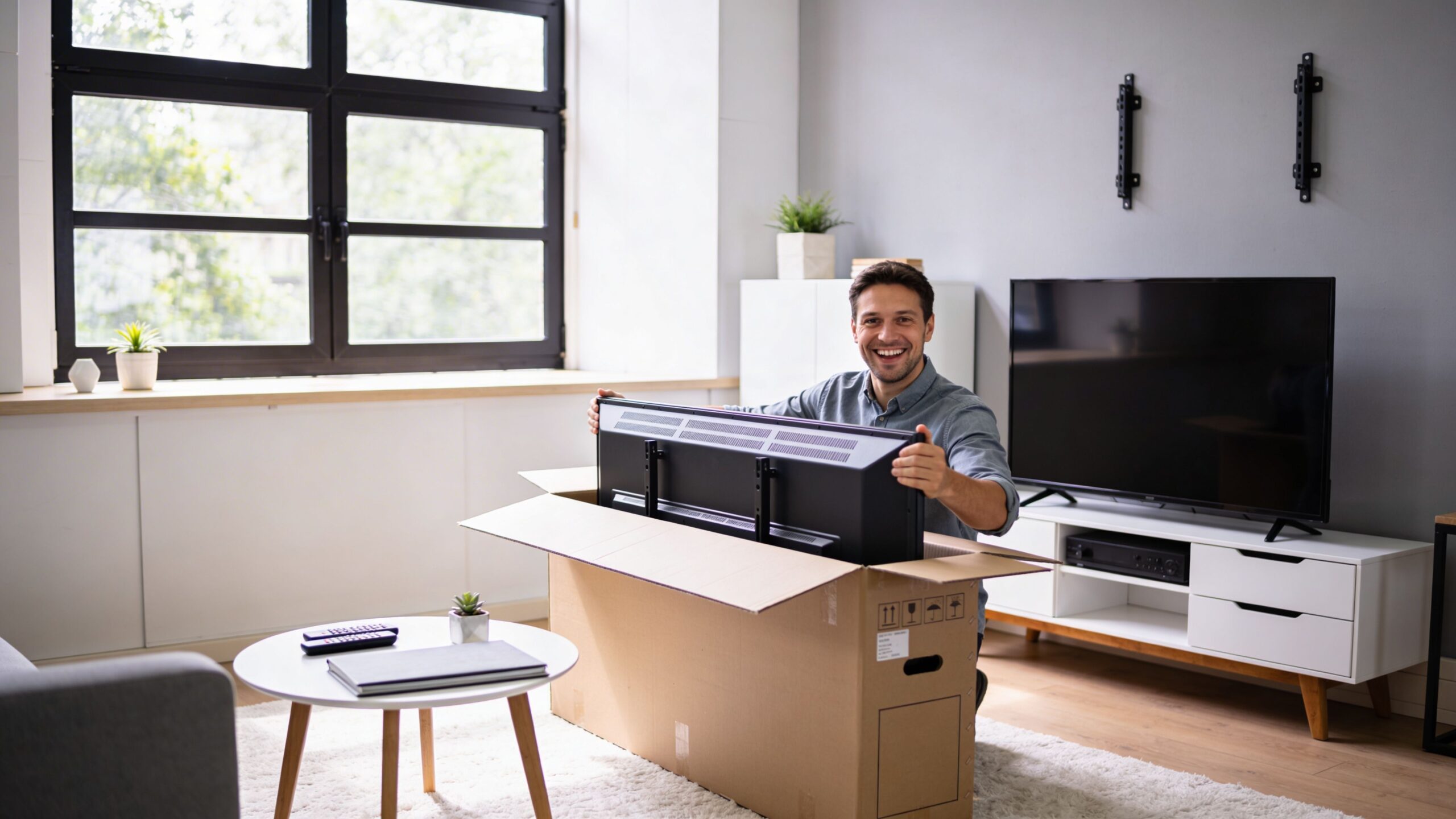
In real homes, the mounting job is rarely isolated. A homeowner may want a Sonos Arc under the TV, a recessed power solution, hidden HDMI lines for a streaming box, or a control layer that ties the room into Josh.ai or Lutron. In a basement theater, that same decision might connect to a much larger plan involving a projector, acoustic treatment, or a Kaleidescape system later on.
That’s also why cable planning matters early. If you’re already thinking about a cleaner media wall, this guide on how to hide TV wires and cables is worth reviewing before anyone drills into the wall.
A good mount job should look quiet. You notice the room, not the hardware.
For homeowners, TV mounting often becomes the gateway project. It leads to whole-home audio, better Wi-Fi, security cameras, automated shades, outdoor lighting, or a dedicated home theater. For some properties, it extends into restaurant AV, new home builds, outdoor audio, permanent lighting, or network upgrades. But the home side usually starts with one simple question: what will it cost to mount this TV correctly?
A homeowner sees a national average and expects a simple install. Then the room adds a soundbar, power relocation, a masonry surface, or a mount that needs to clear a fireplace mantel. The price changes fast because TV mounting is usually part hardware, part carpentry, part electrical planning, and part room design.
In major U.S. markets, the average cost of professional TV mounting in 2026 ranges from $153 to $353, with a national average of about $252, according to Angi’s TV mounting cost guide. That baseline is useful for rough budgeting. It is not a finished quote.
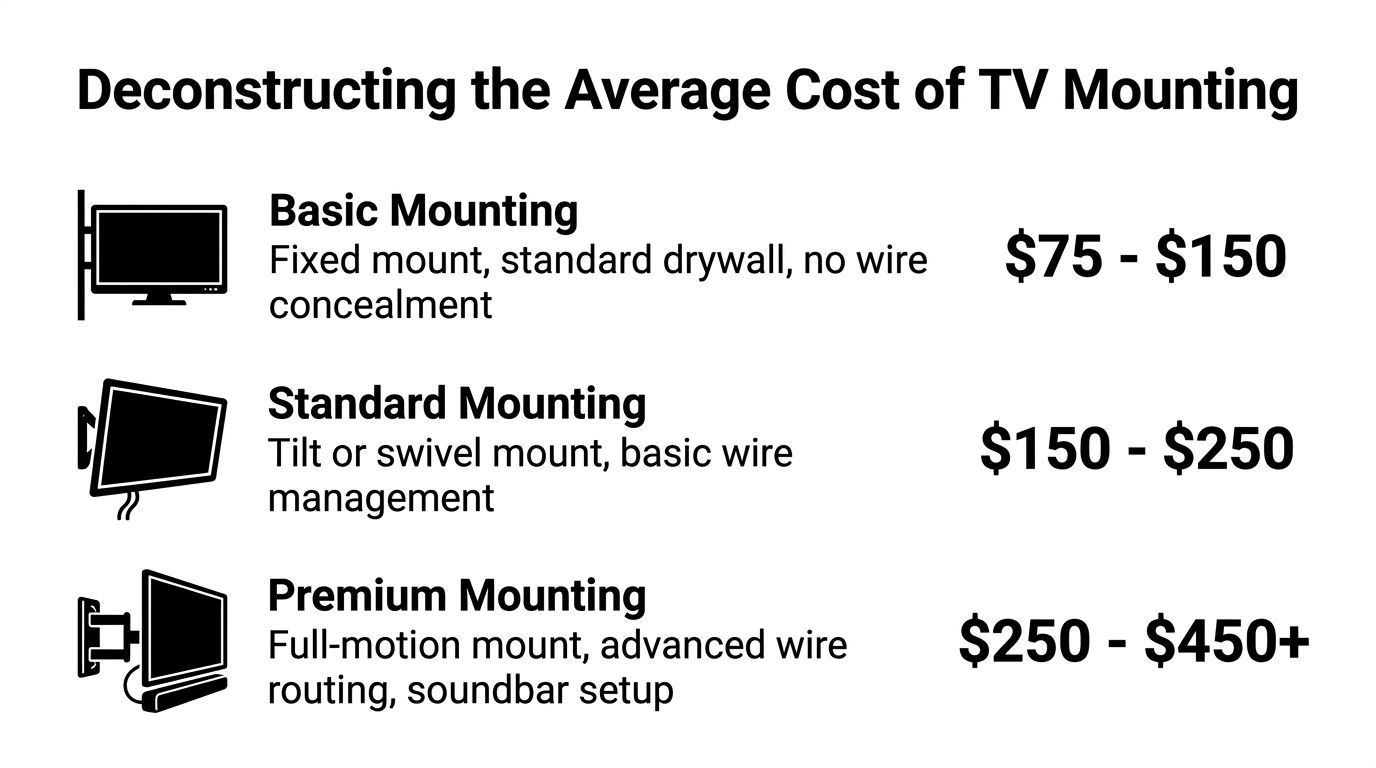
A standard professional quote usually covers a predictable set of tasks:
The hardware spread alone explains why averages only go so far. The same source notes that fixed mounts cost $20 to $80, tilting mounts range from $30 to $100, full-motion articulating mounts run $70 to $250, and ceiling or specialty custom mounts can reach $100 to $500. A quote also changes if the installer is correcting poor placement. Homeowners who want the screen positioned properly for viewing comfort should review this guide on the best height to mount a TV on the wall before the bracket goes up.
| Service Tier | Includes | Estimated Cost Range |
|---|---|---|
| Basic Mounting | Fixed mount, standard wall install, simple setup | $153 to $353 |
| Standard Mounting | Tilt mount or more refined placement, added installation complexity depending on room and hardware | Varies by mount type and wall conditions |
| Premium Mounting | Full-motion or specialty mount, advanced integration, more complex installation scope | Varies based on hardware and room requirements |
Those tiers matter because a TV can serve very different roles in a room. In one house, it is a straightforward family-room screen. In another, it is the anchor point for a Sonos Arc, hidden source devices, and control through Josh.ai. In that second case, the mount is not the whole job. It is the foundation the rest of the system depends on.
Home improvement pricing changes with scope, access, finish requirements, and the surprises hidden behind the wall. Palacios Construction explains that dynamic well in its article on why project estimates vary. The same logic applies to TV mounting. A clean TV wall can involve structure, finish materials, wiring paths, outlet location, and coordination with soundbars or control gear.
That is especially true in the Wisconsin and Illinois homes we see around Home AV Pros' service area. Older plaster walls, stone fireplaces, basement media rooms, and remodel-era wiring all affect labor and planning. National averages give a starting point. Regional quoting offers a more accurate estimate because it reflects the actual walls, homes, and smart-home goals in front of you.
Installation price usually comes down to one question. How much work does it take to mount the TV safely, place it correctly, and leave the room looking finished?
That answer changes fast once you account for bracket style, wall construction, cable routing, accessory placement, and whether the TV needs to work as part of a larger system instead of as a stand-alone screen.
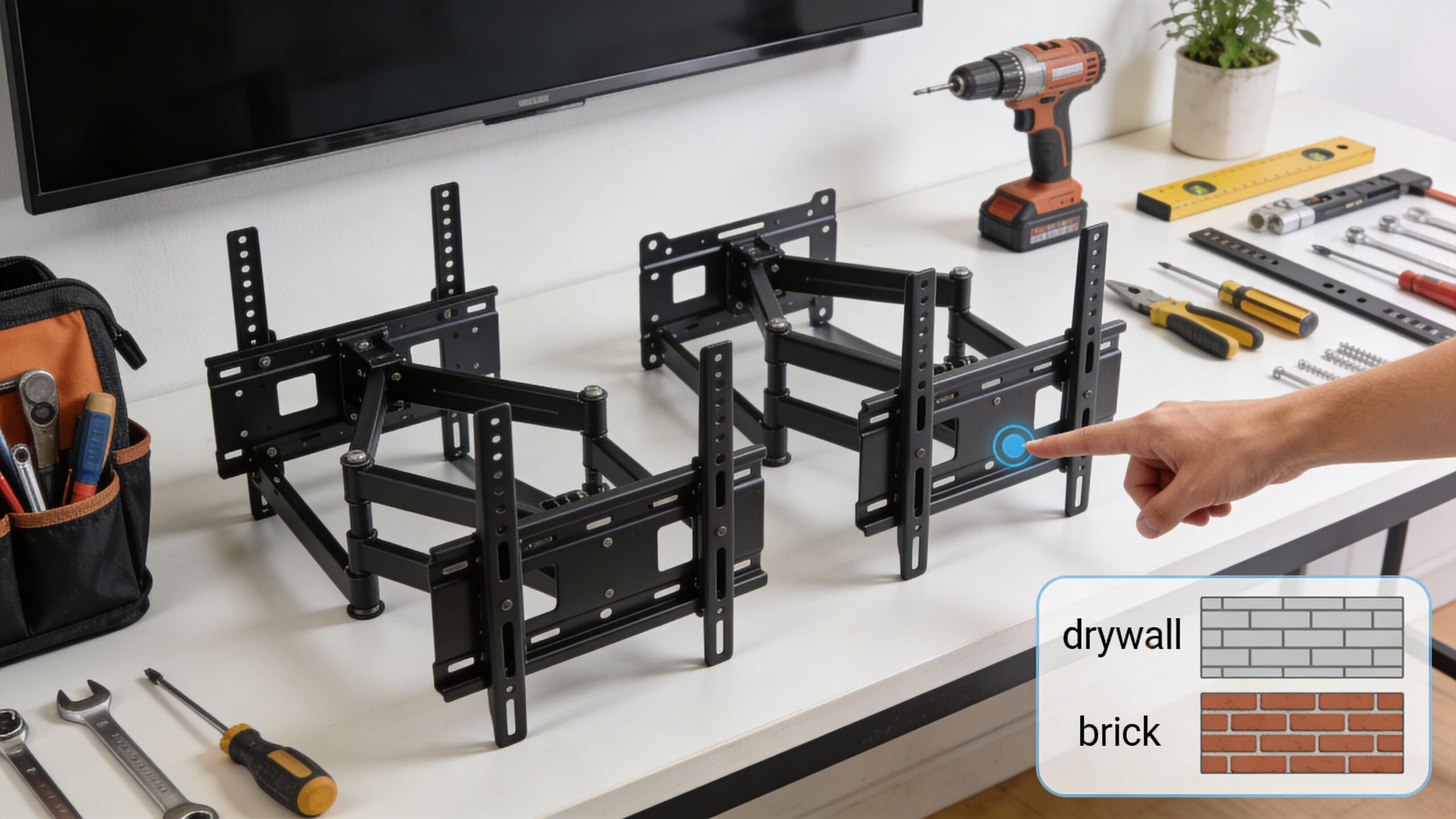
TV size affects labor, but mount style often changes the price more.
A fixed mount on a smaller bedroom TV is usually straightforward. A large-screen install on a full-motion arm takes more time to lay out, fasten, and test under load. According to Taskrabbit’s TV mounting cost guide, full-motion articulating mounts cost more for both hardware and labor than fixed mounts, and they can push the total project well above a basic install.
The reason is practical, not arbitrary. Articulating mounts pull the load away from the wall, introduce more moving parts, and put more stress on the fastening points during daily use. On larger TVs, I pay close attention to stud location, bracket width, extension depth, and how the mount behaves when the screen is tilted or pulled forward. A bracket can look secure when the TV sits flat, then reveal flex or alignment issues once it is extended.
Wall type is one of the biggest pricing variables in Wisconsin and Illinois homes.
Standard drywall over wood studs is usually the cleanest scenario. Plaster, brick, stone, concrete, and metal stud walls slow the job down because the fastening method changes and the finish risk goes up. Older homes around this region often add another layer of uncertainty. Stud spacing may be inconsistent, plaster can crack if handled poorly, and masonry surfaces are rarely as flat as they look from across the room.
Common cost drivers include:
Cable management is where a basic mount starts turning into an AV installation.
Some homeowners are fine with a surface raceway. Others want the TV wall to disappear visually, with power, HDMI, streaming hardware, and audio gear hidden or neatly staged. That choice affects labor, materials, and planning time. It also affects serviceability later, especially if the room will grow into a smarter setup with Sonos, Josh.ai, lighting control, or hidden source devices.
Placement matters just as much as concealment. Before locking in a location, it helps to review the best height to mount tv on wall so the screen works for the seating position and the room, not just the empty wall.
A well-planned installation often includes:
Here’s a useful visual example of mounting considerations in practice.
Room location changes both the difficulty and the finish standard.
A simple bedroom wall usually gives the installer good stud access, reasonable viewing height, and easier cable routing. A fireplace wall often does the opposite. The TV may need to sit higher than ideal, the surface may be stone or brick, and there may be very little room to hide wiring cleanly. If the goal is a minimal look, labor increases because the tolerances are tighter and mistakes are more visible.
Broader integration also starts to matter here.
In many of the family rooms and basement media spaces Home AV Pros sees across Wisconsin and Illinois, the TV is tied to more than one system. It may need to align with a Sonos soundbar, leave room for lighting scenes, connect to a networked streaming setup, or fit into a future-control plan. Once the screen becomes part of the home's AV infrastructure, the mount is only one line item in the scope.
DIY has obvious appeal. If you already have tools and the wall is simple, it can look like a money-saving weekend job.
Sometimes it is. Sometimes it turns into drywall repair, a second trip to the store, and a TV that still isn’t centered.
DIY can make sense when the setup is modest and expectations are simple.
That said, the moment the project includes a larger screen, difficult wall material, hidden cable paths, or a soundbar and device stack, the margin for error shrinks.
The common problems are predictable.
One is bad placement. The TV goes too high, too far off-center, or too close to a mantel. Another is poor anchoring. A bracket that seems secure with the TV pushed against the wall may behave very differently once the screen is pulled forward or adjusted.
Then there’s finish quality. Cable routing often ends up as the weak point. A homeowner may get the bracket mounted, but the room still looks unfinished because the wiring plan wasn’t solved. The same goes for accessory alignment. A Sonos bar that sits too low, too high, or too far forward looks off even if the TV itself is level.
Cheap mounting becomes expensive the moment you have to patch the wall and do it again.
Professional mounting isn’t only about labor. It’s about judgment on site.
An experienced installer can spot placement conflicts, choose the right anchor strategy, manage wall-material issues, and keep the finished layout clean. That matters most in the rooms people use every day.
The value often shows up in areas homeowners don’t think about at first:
If you’re still considering the do-it-yourself route, this practical guide on how to mount a tv on wall gives a good sense of what the job involves before you commit.
A fair way to think about it is this: DIY can save money on a simple installation. Professional work reduces risk and usually produces a cleaner result when the room matters.
A TV mount in Milwaukee or northern Illinois can look straightforward until the installer hits plaster over masonry, an old fireplace chase, or studs that do not land where a modern layout needs them. That is why national averages only get you so far in this region.
Older housing stock changes the labor. Homes across Milwaukee, Madison, Lake Geneva, and nearby Illinois communities often have plaster, brick, stone, tile, or fireplace walls that take more time to drill, anchor, and finish cleanly than standard drywall.
According to Puls’ TV mounting price guide, stone or brick wall mounting ranges from $200 to $800, compared with drywall at $15 to $600. The same source notes that labor on masonry surfaces can run 2 to 4x standard time, and fireplace installs with wire concealment can reach up to $800.
That lines up with real field conditions here. A wall may look simple from the seating area but still require masonry anchors, specialty bits, slower drilling, surface protection, and a more careful cable path. In many Midwestern homes, the challenge is not hanging the bracket. It is getting the screen, power location, soundbar height, and wire concealment to work together without leaving the room looking patched together.
Regional pricing also ties back to how people use these rooms. In Wisconsin and northern Illinois, the family room TV is often part of a larger system that includes Sonos audio, whole-home Wi-Fi, lighting control, or voice control through Josh.ai. Once that is part of the plan, mount height, outlet placement, and conduit access matter more because they affect how the whole room performs.
Design matters too. Clean wall layouts, lower-profile hardware, and hidden wiring fit better with the latest interior design trends for 2026, especially in renovated living rooms where the TV shares space with millwork, tile, and statement lighting.
For homeowners comparing local options, this page on Milwaukee TV mounting services gives a more useful regional reference point than a broad national average.
Home AV Pros often gets called in when the project includes more than one trade decision. A single TV install can overlap with Sonos setup, Josh.ai control, Lutron lighting or shades, Ubiquiti networking, prewire, or a larger media-room upgrade. In that kind of project, the mount is not a standalone line item. It is part of the infrastructure for a room that needs to look right now and still support future upgrades later.
Averages are useful for ballpark planning. They’re not enough to price your room accurately.
The cost depends on your wall, your TV, your mount choice, your cable expectations, and whether this is just a screen install or part of a larger smart home plan. That difference matters. A family-room TV with Sonos audio and clean concealment needs a different approach than a simple guest-room mount.
The most efficient path is a custom quote based on the actual space.
That’s especially true if you’re also thinking about a media room, whole-home audio, automated lighting, outdoor sound, new construction wiring, or a dedicated theater with brands like Josh.ai, Lutron, Sonos, Kaleidescape, Oelo, and Ubiquiti in the mix.
Good TV mounting should fit the room’s design, not fight it.
If you’re planning a remodel or trying to keep the room aligned with broader home aesthetics, it also helps to review ideas outside AV. These latest interior design trends for 2026 are a useful reference for how clean walls, integrated lighting, and material choices influence the final look of a living space.
A precise in-home consultation usually answers the important questions quickly. Is the wall suitable. Which mount type makes sense. Can cables be hidden cleanly. Will a soundbar fit properly. Is this room ready for future automation. Those details determine whether the finished setup feels intentional or improvised.
It depends on the wall, the mount, and the cable plan.
A simple drywall installation moves much faster than a fireplace or masonry install. Accessory setup can also add time, especially if the room includes a soundbar, streaming devices, or hidden cabling.
Yes, but the fastening method matters.
Metal stud walls usually need a different strategy than wood-framed walls. This isn’t a place to guess. The correct hardware and load approach depend on the stud gauge, mount type, and TV size.
The cleanest results usually come from planning the TV, power, and soundbar location together.
That way the screen height, bracket depth, and soundbar position all line up visually. It also avoids the common mistake of mounting the TV first and trying to force the speaker and wires into the leftover space afterward.
Not always, but it often helps create the cleanest finish.
If the nearest outlet is below the screen, visible cords can undermine an otherwise good installation. Many homeowners choose a solution that keeps power and low-voltage cabling less visible so the wall looks intentional once everything is connected.
No, but it has trade-offs.
The viewing height is often less comfortable, and the wall material can make installation more demanding. Fireplace installs can still work well when the bracket, height, cable route, and heat considerations are handled carefully.
If you want a TV setup that looks clean, works reliably, and fits into a larger home system, talk with Home AV Pros. They handle TV mounting, home theater, Sonos-based audio, smart home automation, networking, lighting, and low-voltage planning for homes across southern Wisconsin and nearby northern Illinois.

Copyright © 2026. Home AV pros. All rights reserved.