
A lot of Madison homeowners start the same way. A package alert pops up while they’re at work, they open an app, and the front porch view is blurry, delayed, or missing the one angle that matters. The driver is already gone, the box is half out of frame, and the next thought is usually, “I need a better doorbell camera near me.”
That search sounds simple. It usually isn’t.
A doorbell camera can be a basic gadget you grab off a shelf, or it can be the first piece of a front-entry system that works with lighting, audio, networking, and voice control throughout the house. The difference shows up later, when the camera has to stay online in a Wisconsin winter, trigger the right alerts, work with your existing chime, and fit cleanly into a home that may already have Sonos, Lutron, Josh.ai, Ubiquiti, or Eero in place.
For homeowners in southern Wisconsin and nearby northern Illinois, that difference matters more than most product pages admit. A quick install can get video on your phone. A properly planned install can make the front door behave like part of the house, not a lonely app with its own set of problems.
The modern doorbell camera isn’t just a security add-on anymore. It’s often the first device people use every day in a connected home. It handles deliveries, unexpected visitors, after-school arrivals, and the quick check you do before opening the door at night.
That shift is part of a much larger move in the market. The global doorbell camera market was valued at $1.77 billion in 2023 and is projected to reach $4.6 billion by 2030, with a CAGR of up to 15%, driven by security concerns and smart home adoption, with North America leading the market according to doorbell camera market statistics.
Many begin with three practical goals:
Those are reasonable expectations. The problem is that many retail installs stop there, even when the homeowner wants much more.
A doorbell camera becomes far more useful when it connects to the rest of the house. Instead of living in its own app, it can become part of routines and responses already built into the property.
A well-planned system can tie the front entry into smart home services so the doorbell works in context with automation, not in isolation.
A good front-door system should feel invisible until you need it. Then it should respond fast, look clean, and make sense immediately.
In practical terms, that can mean the video appears where you want it, notifications arrive in a useful way, and the device doesn't fight with the home's Wi-Fi, chime, or automation platform. For a homeowner with Lutron lighting, Sonos speakers, or Josh.ai control, that’s the dividing line between “it works” and “it works the way the house should.”
Madison-area homes are not all built the same. Some have older transformers. Some have deep porches that affect field of view and night performance. Some have thick exterior walls that weaken front-door Wi-Fi. New construction homes often need cleaner trim, better wire planning, and tighter integration with other low-voltage systems.
That’s why the search for a doorbell camera near me shouldn’t end with product selection. It should lead to a plan for power, placement, network reliability, app behavior, and whole-home compatibility.
Doorbell camera specs can look like a pile of marketing terms. What matters is how those specs change daily use in Madison, from dark winter afternoons to summer storms and busy package days.
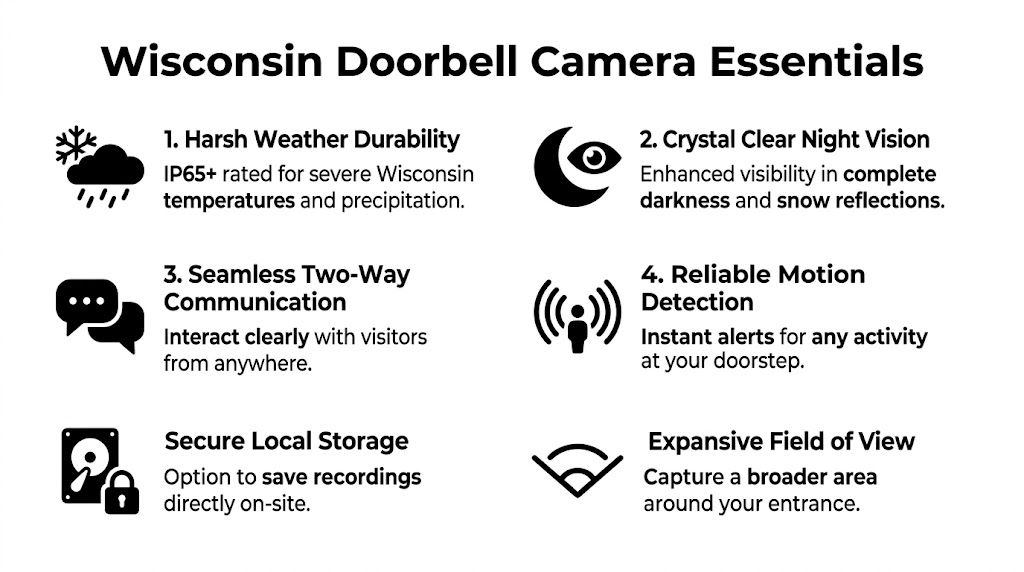
Resolution is not just a number on a box. It determines whether you can recognize a face, read body language, or save a clip worth reviewing later.
A professional-grade 5MP sensor can deliver 2560×1920 resolution, outperforming typical 1080p consumer models by capturing more light, reducing noise, and enabling clear identification up to 15 feet away, which is why it matters for evidentiary-quality footage according to the Dahua 5MP doorbell camera datasheet.
Think of it this way. A lower-resolution camera may tell you someone came to the door. A stronger sensor gives you a better chance of seeing who it was with enough detail to trust the clip later.
Battery models can look attractive because they avoid wiring work. For some homes, they’re the right choice. But in Wisconsin, cold weather exposes their limits fast.
Hardwired doorbells usually give you more stable performance, fewer charging interruptions, and better support for continuous responsiveness. They’re especially useful when the front door sees regular traffic or when the camera is part of a larger automation setup.
Wisconsin doesn’t give cameras an easy job. Snow glare, sleet, wind, and early darkness all affect image quality. So does the way your front entry is built. Covered porches create shadows. Reflective siding can confuse exposure. Snowbanks can blow out a weak night image.
Look for a model that handles low light well and is built for real outdoor use. That matters more than polished app screenshots.
Practical rule: If the camera looks good only in a sunny product demo, keep shopping.
A wide field of view sounds good until the lens stretches the image too much or misses the doorstep. The right answer depends on the shape of your entry. Some homes need a taller view to catch packages close to the threshold. Others need broader coverage across steps, railings, and walkways.
This is one place where product choice and mounting position work together. The wrong angle can create blind spots even with a decent camera.
For homeowners comparing options, this guide to wireless outdoor security cameras and selection factors helps frame the larger decision around coverage, network demands, and installation realities.
Two-way audio is only helpful if voices are clear and the app connects quickly. This matters more than people expect. Delivery instructions, speaking to a contractor, or checking on a child arriving home all depend on audio that doesn’t lag or distort.
Useful questions to ask about audio:
“Works with smart home” can mean almost nothing. Sometimes it means basic app coexistence. Sometimes it means actual control logic.
For a higher-end home, the main question is whether the doorbell can be integrated cleanly with the systems already in place.
A strong doorbell camera doesn’t just capture video. It fits the way the home already functions.
The box-store version of this project sounds easy. Remove old doorbell. Mount new unit. Connect app. Done.
Sometimes that happens. Often it doesn’t.
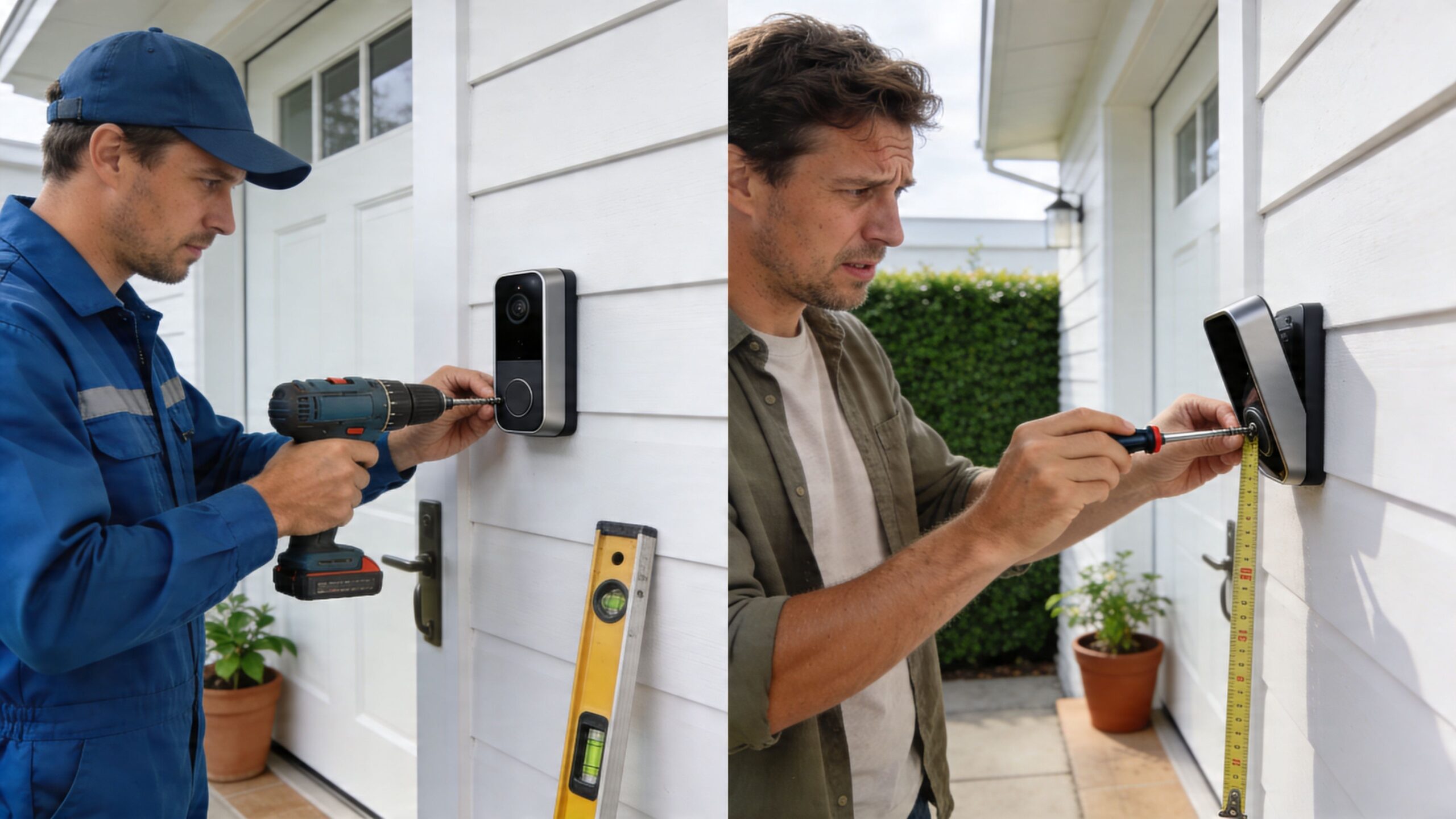
The first problem is usually power. The existing transformer may not support the new device correctly. The second is network coverage. Front-door locations are often one of the worst Wi-Fi spots in the house, especially in homes with masonry, foil-backed insulation, or long setbacks.
Then aesthetics become the issue. A camera that sits crooked on siding, exposes old holes, or relies on a wedge in the wrong place can stand out for all the wrong reasons. On a custom home, that’s not a small detail.
A lot of homeowners also discover that the app setup was the easy part. The harder part is getting the camera to behave well with indoor chimes, phones, tablets, TVs, network gear, and automation systems.
An estimated 35% of smart home failures stem from poor integration, and professional installers can reduce long-term support calls by up to 50% by addressing wiring, network, and compatibility issues upfront according to this doorbell camera integration guidance.
That statistic lines up with what happens in the field. The camera itself usually isn’t the problem. The weak point is the connection between the camera and everything around it.
A professional install typically includes:
If the front door camera needs a workaround on day one, it usually needs support on day thirty.
High-end homes distinguish themselves from generic installations. A property with Josh.ai, Lutron shades, Sonos audio, exterior lighting, and managed networking needs more than a “compatible” sticker. It needs someone to think through behavior.
For example, if the camera sends too many motion events, the homeowner stops trusting alerts. If the front entry is on weak Wi-Fi, live view lags. If the chime behavior conflicts with another control system, family members stop using it.
Those aren’t product defects. They’re design defects.
A well-selected camera in the wrong environment will disappoint. A solid camera with the right wiring, proper mount, stable network path, and clean programming usually becomes a quiet, dependable part of the house.
That’s why a doorbell camera near me search should include the installer, not just the brand. The camera is the visible part. The reliability comes from the unseen work behind it.
The cheapest doorbell camera is rarely the least expensive option over time. The actual cost includes the hardware, installation, subscription choices, maintenance, false alerts, network changes, and the time you spend fixing what never should have been a problem.
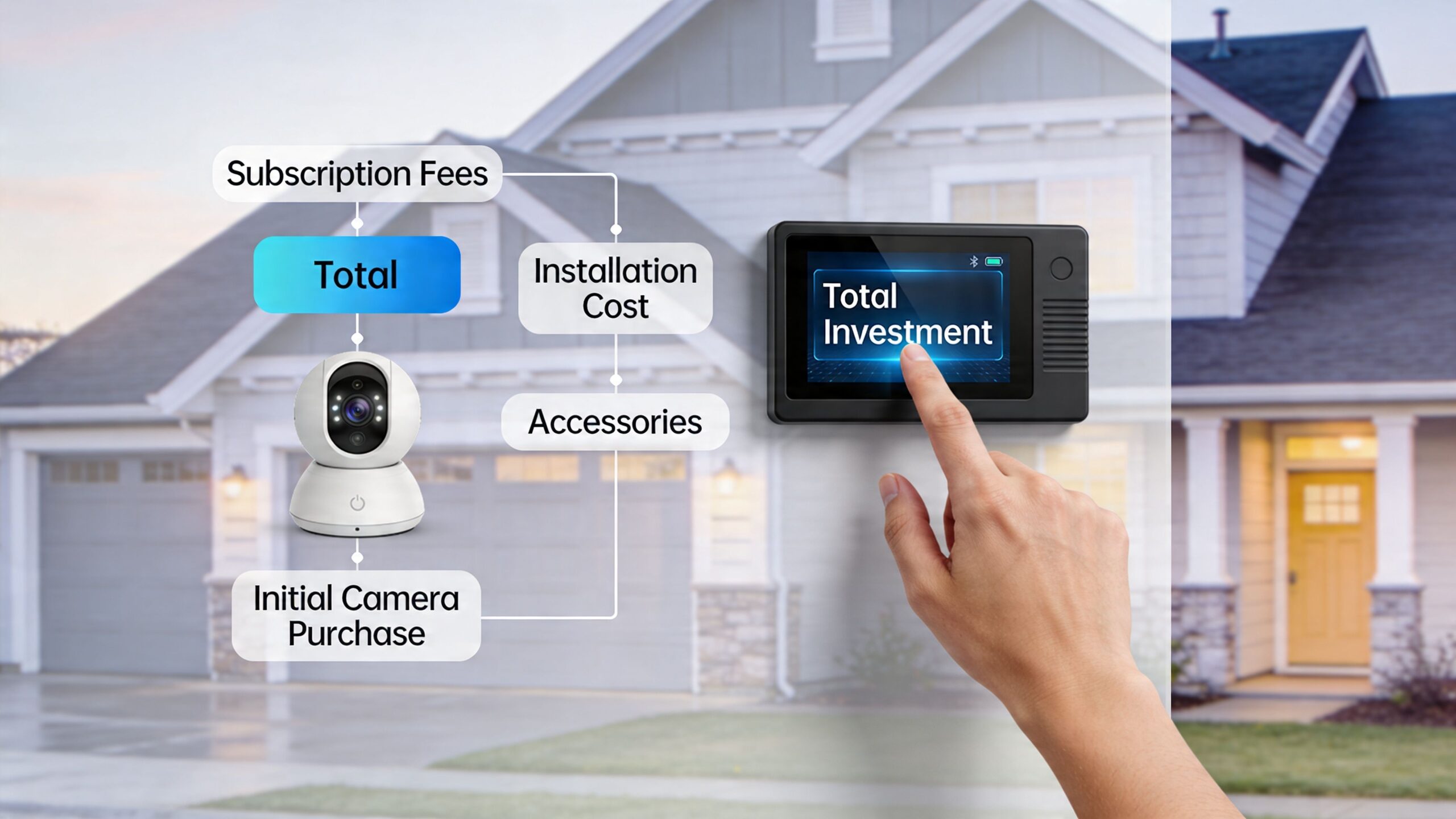
When homeowners compare options, they often focus on the shelf price first. That makes sense, but it can hide the categories that ultimately shape satisfaction later:
A simple budget comparison often ignores that last category. It shouldn’t.
No-subscription models appeal to a lot of homeowners, especially if they’re already paying for several smart home services. Sometimes those models are a very good fit. Sometimes the savings come with weaker alert quality or less polished event handling.
Real-user data from 2025 shows no-subscription models can generate 40% more false alerts in suburban settings because of less advanced AI, compared with subscription-enhanced services that offer advanced package and person detection, according to this doorbell camera false alert comparison.
That matters because false alerts create their own cost. People start ignoring notifications. The system becomes background noise. Then the one alert that matters gets lost in a pile of useless ones.
The expensive part of a weak setup usually arrives after purchase.
For homeowners pricing the full picture, this breakdown of security camera system installation cost factors helps frame where the investment usually goes.
If the front door camera is part of a broader home system, the most economical path is often the one that avoids rework. That doesn’t always mean the most expensive device. It means the right combination of hardware, power method, storage approach, and installation quality.
Some households do well with local storage and a simpler feature set. Others benefit from a subscription-backed ecosystem because the package detection, person alerts, and event review are stronger. The right choice depends on the home, the owner's expectations, and whether the camera needs to play nicely with other systems already installed.
Cheap hardware is easy to replace. Bad planning is what gets expensive.
A local installer should do more than mount a device and leave. You’re hiring someone to make the front door reliable, clean, and compatible with the rest of the house.
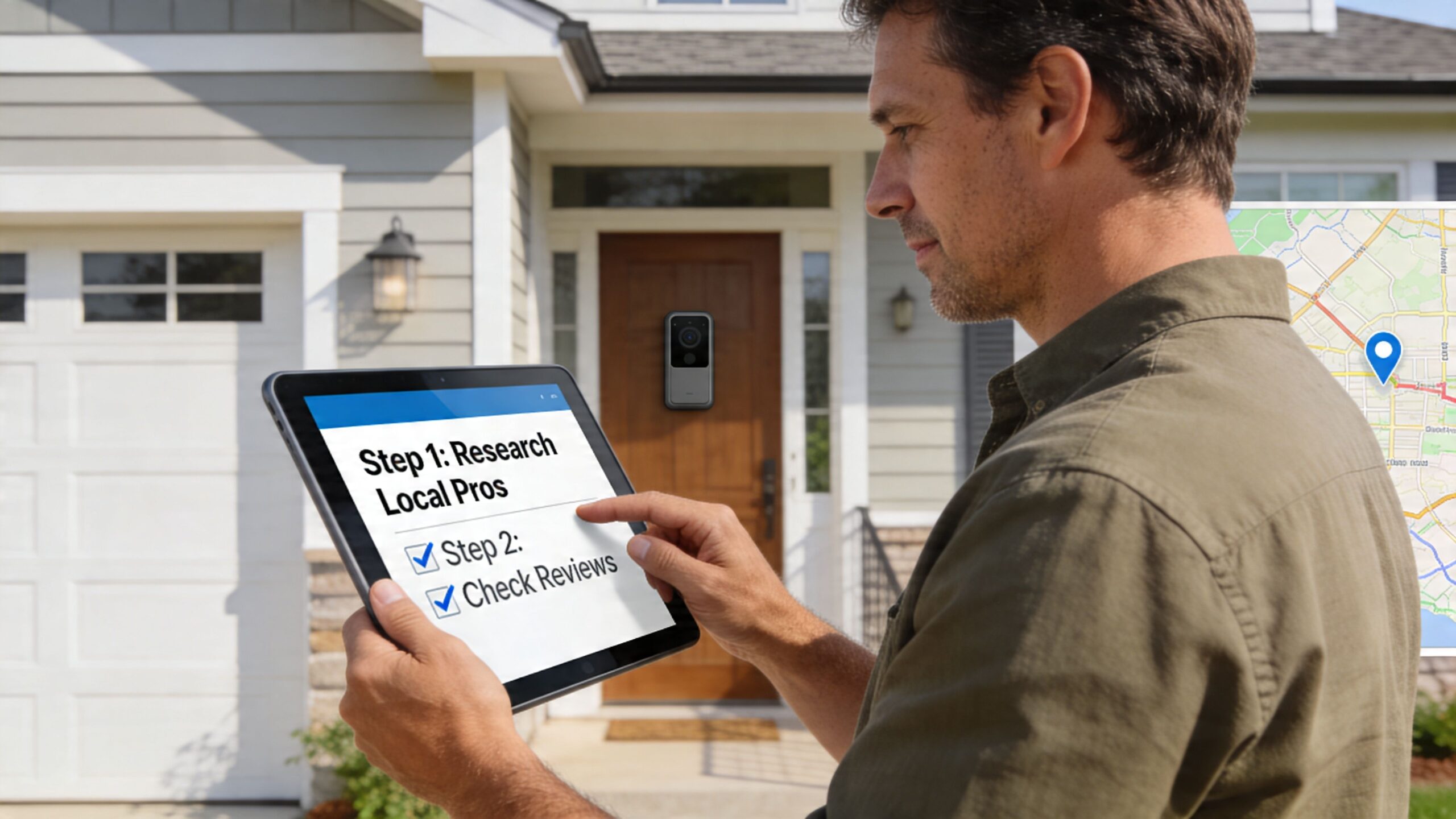
Don’t begin with brand names. Begin with behavior.
Write down what you expect from the system:
This first step keeps the conversation focused on outcomes, not gadget shopping.
Wisconsin changes the conversation. Doorbell cameras built for professional installation, including certain eufy and Lorex models, are rated for -4°F to 122°F, which matters in harsh winters where battery-only DIY models often struggle, according to these video doorbell temperature specifications.
That doesn’t mean every wired unit is automatically right. It means the installer should ask smart questions about exposure, wind, transformer condition, and front-door Wi-Fi before recommending anything.
A credible local firm should also understand how homeowners find service companies online. If you’re comparing providers and want a useful outside perspective, this guide on local SEO for home services explains why some companies appear prominently in local search and what that visibility often signals about service-area focus and business setup.
The in-home consultation should reveal whether the installer is thinking beyond the device.
Ask questions like:
An installer who answers clearly is usually planning clearly.
A useful benchmark is whether they discuss network design, mounting height, field of view, chime behavior, and app configuration without being prompted. If they only talk about the camera brand, that’s a warning sign.
Here’s a quick visual overview of what homeowners should look for when evaluating installation work and setup quality:
A solid proposal should break out equipment, labor, and any supporting work such as transformer replacement, network adjustments, trim accessories, or control-system setup. It should also explain what’s being programmed and what apps or platforms the homeowner will use.
If you’re comparing local options for a doorbell camera near me, a provider of local security camera installation services should be able to show how a single doorbell fits into a larger security and automation plan, whether that’s just one entry point or a whole-home low-voltage package.
A doorbell camera is a small device with a large job. It sits at the point where security, convenience, networking, and daily routine all meet. In a well-designed home, it shouldn’t feel separate from the rest of the system.
That matters most in homes that already use automation and entertainment beyond basic smart plugs and phone apps. A front-door event can become part of a wider response inside the house. Lighting can support the entry. Audio can deliver an announcement where it’s helpful. Voice control can make video access simpler. The technology starts to feel coordinated instead of crowded.
This is also where a home-focused integrator sees the project differently than a retail installer. The goal isn’t just a working button camera. The goal is a house where systems cooperate. For some families, that means a doorbell tied into Josh.ai and Lutron. For others, it’s one piece of a larger plan that might include whole-home Sonos audio, Ubiquiti networking, Kaleidescape in the theater, Oelo exterior lighting, exterior sound, or infrastructure for a new build.
Home AV Pros handles those categories as part of broader residential work that also includes custom home theater, new home builds, home audio solutions, outdoor lighting and sound, permanent lighting, and selected commercial projects such as restaurants.
A homeowner searching for a doorbell camera near me usually thinks they’re solving one problem at the front porch. In many homes, they’re making a decision that affects several others:
If you’ve ever wondered why some installs feel polished and others feel improvised, that’s usually the reason.
For homeowners researching providers, it can also help to understand how local contractors get found and why local visibility often reflects service-area relevance, category focus, and review consistency.
Some questions come up in almost every consultation. The answers below focus on what homeowners in Madison and the surrounding area usually need to know before moving forward.
| Question | Answer |
|---|---|
| Do I need an existing wired doorbell to install a smart video doorbell? | Not always. A wired setup is often the cleanest path, but some homes need transformer work, alternate power planning, or a different model choice. The right answer depends on the entry location and the home's wiring. |
| Are battery doorbells a bad idea in Wisconsin? | Not automatically, but they’re usually a compromise. Cold weather, busy entry traffic, and slower wake behavior can make them less appealing for primary doors. Many homeowners prefer hardwired power for reliability. |
| Can a doorbell camera work with Josh.ai, Lutron, or Sonos? | Some can, but “works with” and “integrates well” are not the same thing. The real issue is how the system behaves in daily use, including alerts, voice control, display options, and whether the camera fits the home's larger automation logic. |
| Will a doorbell camera fix poor front-door security by itself? | It helps, but it’s only one part of the entry strategy. Placement, lighting, network stability, and overall camera coverage all affect results. |
| Do I need a subscription? | It depends on the platform and your expectations. Some homeowners prefer local storage and fewer ongoing fees. Others want stronger package detection, smarter alerts, and easier event history, which can make a subscription worthwhile. |
| Can the camera be installed cleanly on brick, stone, or siding? | Usually yes, but the mounting method should match the surface. A good installer plans for angle, cable path, weather exposure, and finish so the camera looks intentional. |
| What if my Wi-Fi is weak at the front door? | That should be addressed before the camera is finalized. Weak signal at the entry causes lag, dropouts, and unreliable notifications. In many homes, the network needs adjustment before the camera can perform well. |
| How long does a professional install usually take? | It varies by wiring condition, mounting surface, network needs, and integration scope. A straightforward replacement is one thing. A camera tied into broader automation is another. |
| Can a doorbell camera show packages clearly? | Some models handle this much better than others. Camera angle, field of view, and mounting height all affect package visibility. Homes with deep porches or unusual step layouts need extra attention here. |
| What about privacy? | Privacy should be part of the setup, not an afterthought. That includes user permissions, notification behavior, storage decisions, and making sure the camera is aimed only where it should be. |
Most homeowners aren’t just asking about a camera. They’re asking whether the system will be dependable after the installer leaves.
That’s why the best conversations usually focus on these practical topics:
Ask who handles follow-up when an app changes, a phone is replaced, or the family wants notifications adjusted. Some companies install hardware and disappear. Others treat the job as an ongoing system relationship.
A front door doesn’t exist in isolation. In many homes, it sits inside a larger plan that may include indoor and outdoor cameras, managed Wi-Fi, automated shades, distributed audio, home theater spaces, and exterior lighting. The more those systems overlap, the more important proper integration becomes.
The right installer should be able to explain the trade-offs in plain English, not hide behind brand names.
A clean install isn’t just about a straight camera. It includes the right mounting height, neat trim work, weather-conscious placement, sensible app setup, and a finish that doesn’t look retrofitted if the rest of the home is custom.
If you’re comparing options, use this filter:
For many Madison homeowners, the answer becomes obvious once they think beyond the product page. The front door is used too often, and seen too often, to tolerate a solution that’s just barely acceptable.
If you want help planning a doorbell camera that fits your home, wiring, network, and automation goals, contact Home AV Pros. A good next step is an in-home conversation about the entry itself, how you want alerts and video to work, and whether this is a simple replacement or the start of a larger smart home upgrade.

Copyright © 2026. Home AV pros. All rights reserved.