
Most homeowners start in the same place. You know you want better visibility around the house, maybe at the front door, the driveway, or the back patio, but once you start shopping, every camera looks like the right one until you read the next product page.
That’s where people get stuck. They compare brands, resolutions, subscriptions, and app screenshots, but they never step back and ask the question that matters most in how to choose a home security camera system: are you buying a gadget, or are you building a system that will work with your home for years?
The camera aisle and the online marketplaces are full of simple promises. Peel-and-stick setup. Motion alerts. Cloud clips. Two-way talk. For some homes, that’s enough. For many Madison-area homeowners, it isn’t.
A real security setup has to fit the house, the network, and the way you live. If you already have smart lighting, distributed audio, automated shades, a theater room, or plans for a new build, cameras shouldn’t sit off to the side as a separate island of tech. They should be part of the same ecosystem.
That shift matters because cameras are no longer niche hardware. U.S. household adoption rose from 42% in 2023 to 61% in 2026, a projection that equals about 74.9 million households owning indoor or outdoor security cameras, according to SafeHome’s home security industry annual report. The category has matured, and buyer expectations have changed with it.
A standalone camera can send alerts to your phone. A true system can do more useful work with less friction.
Think about the difference:
For homeowners who already use platforms like Lutron or Josh.ai, or who want cleaner control across the house, that difference shows up every day. A good system doesn’t ask you to juggle technology. It disappears into the routine of the home.
A camera system works best when it feels boring in the right way. It records reliably, surfaces useful alerts, and doesn’t make you babysit another app.
This is also why security planning often overlaps with broader automation work. The same household thinking about cameras is often also considering smart home services, networking, lighting scenes, outdoor audio, or even permanent exterior lighting. In practice, the smart decision is rarely “which camera is best?” It’s “which system belongs in this house?”
Consumer kits work well when the home is small, the goals are narrow, and the owner is comfortable managing the trade-offs. Professionally designed systems make more sense when the property is larger, the expectations are higher, or the house already has other smart systems in play.
That’s especially true in homes with custom theaters, new construction planning, whole-home audio, outdoor lighting, Oelo permanent lighting, or stronger networking needs built around platforms like Ubiquiti. The camera decision isn’t isolated. It touches everything else.
Before you compare lenses or storage plans, decide what problem the cameras need to solve. Homeowners often say they want “better security,” but that can mean very different things.
Some want visible deterrence. Some care most about package theft at the front entry. Others want to check on kids getting home from school, keep an eye on a second property, or confirm whether a late-night motion alert is a person, a deer, or blowing branches.
The simplest way to choose correctly is to write down the top priority for each part of the property.
Use questions like these:
The deterrence case is strong. Homes with security cameras are 300% less likely to be burglarized, and 60-70% of burglars avoid properties with visible security cameras, according to CCTV Security Pros’ roundup of security camera statistics. That doesn’t mean every camera placement works equally well. It means the system should visibly cover the moments and places that matter.
Walk your property and separate locations into three buckets:
This exercise usually exposes bad assumptions. Many homeowners start by focusing on the backyard because it feels vulnerable, then realize the actual daily risk is the front approach and package area. Others want one camera to do everything, then learn one angle can’t give both broad awareness and detailed identification.
Practical rule: If you can’t explain what a camera is supposed to capture, you probably haven’t chosen the right camera or the right location.
Goals also shape what you should record and how. Audio, neighbor sightlines, shared boundaries, and visible public areas can all raise privacy questions. If you want a broader overview of those issues, especially before installing anything with audio or wider street-facing coverage, this guide on understanding home security and strata laws is a useful outside reference.
A few common mistakes show up again and again:
When priorities are clear, hardware decisions get much easier. A porch theft problem, a detached garage, and a family wanting whole-home control do not need the same setup.
Specs matter. They just matter in context.
A lot of camera marketing treats every home like an empty box with perfect light and no trees, glare, snow, or obstructions. Real homes in southern Wisconsin don’t behave that way. The right hardware depends on distance, mounting height, weather exposure, and what you’re trying to identify.
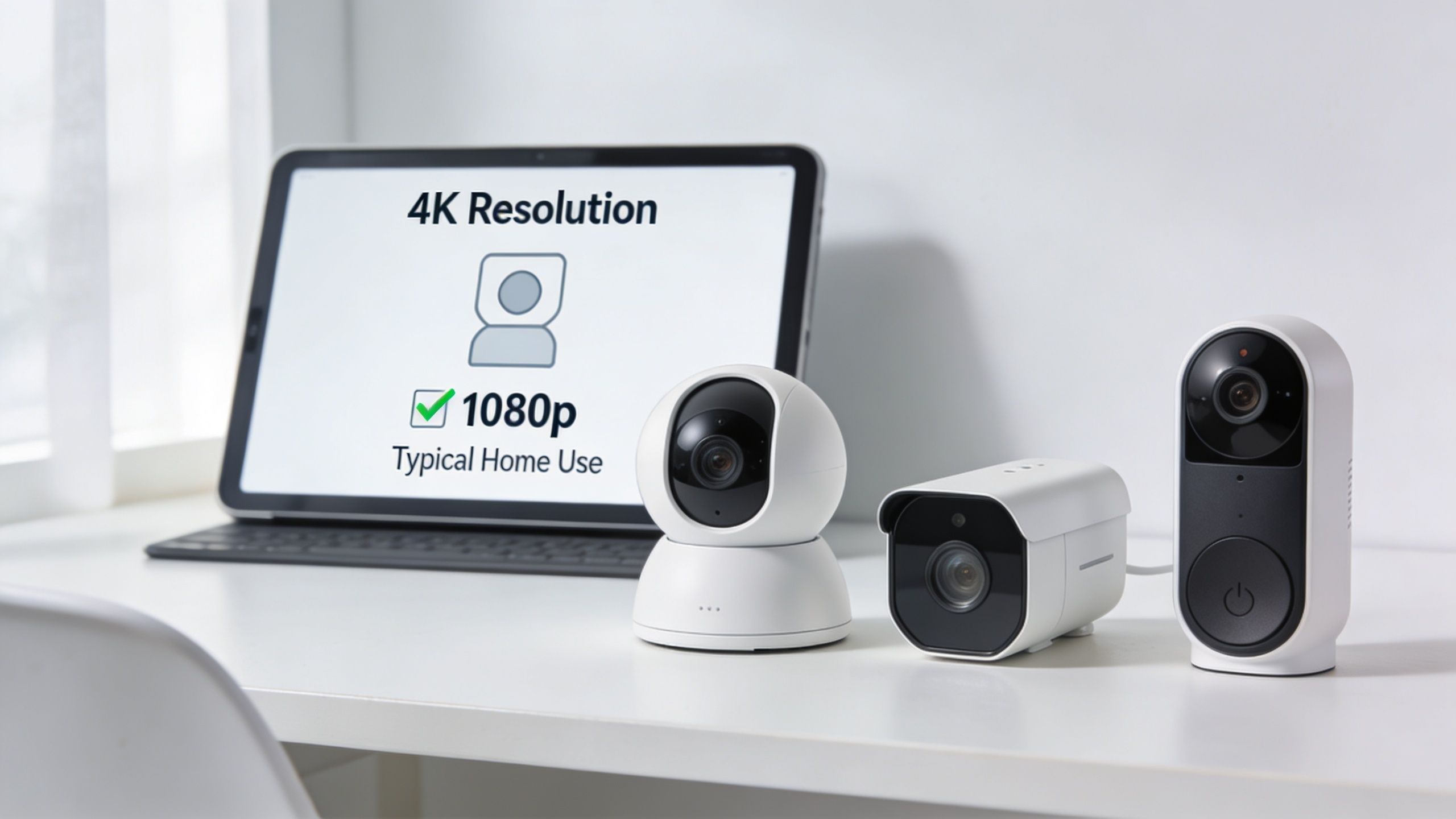
One of the most misunderstood specs is field of view, usually shortened to FOV. Homeowners often assume wider is always better. It isn’t.
A wider angle covers more area, but it can make faces and objects look smaller at distance. A narrower view may give better detail in a specific lane or entry path. ADT lists outdoor cameras with a 95-degree viewing angle and indoor models with a wider 128.6-degree angle, which shows how much camera type affects room coverage and camera count, as explained in ADT’s guide to home security camera types.
A practical example:
If you’re comparing wired options for reliability and power, this breakdown of what a PoE security camera is helps explain why many professionally designed systems favor that approach.
Different goals call for different camera behavior.
| Goal | Hardware priority | Common mistake |
|---|---|---|
| Front door awareness | clean face-level view, fast notifications, reliable night performance | mounting too high |
| Driveway monitoring | angle that covers vehicle approach without wasting pixels on the street | using one ultra-wide camera |
| Backyard perimeter | weather-resistant housing and strong low-light performance | aiming through glare or foliage |
| Indoor check-ins | wider field of view and discreet placement | putting the camera where backlight ruins the image |
This is also where camera style matters. Bullet, turret, dome, and doorbell formats all solve different problems. The right form factor depends on vandal resistance, mounting surface, desired visibility, and how much adjustment the location needs.
Higher resolution can help, especially when you need more detail in a larger scene. But more pixels also mean more load on your network, storage, and remote viewing. If the camera is poorly placed, high resolution won’t rescue the footage.
What usually works better is this: place the camera for the event you care about, then choose the resolution and lens that support that exact shot. That’s more effective than chasing the biggest number on the box.
For homeowners comparing mainstream options, outside roundups can be useful if you read them critically. This list of best home security systems for 2025 can help you see how consumer systems are packaged, but the important part is translating broad comparisons into your own property layout.
Modern cameras can do much more than detect generic motion. Person detection, package detection, and activity zones can make alerts far more usable.
That matters because bad alerts train homeowners to ignore the app. Good AI tuning reduces noise from traffic, trees, or harmless movement and surfaces the events you want to see.
Here’s a quick visual primer before we go further.
Buy fewer cameras with better placement before you buy more cameras with more features. Coverage errors are harder to fix than spec mismatches.
In most homes, the winning formula isn’t “most expensive everywhere.” It’s a mix:
That’s the difference between collecting footage and building a system that people use.
Most camera buying guides stop at resolution, app screenshots, and whether you can talk through the doorbell. That leaves out the part that determines whether the system will feel polished or frustrating six months later.
Current buyer guides largely neglect how cameras integrate with broader smart home ecosystems, including questions around Lutron automation and Josh.ai voice control, as noted in ADT’s home security camera buyer’s guide. For homeowners building a connected home, that gap is a big one.
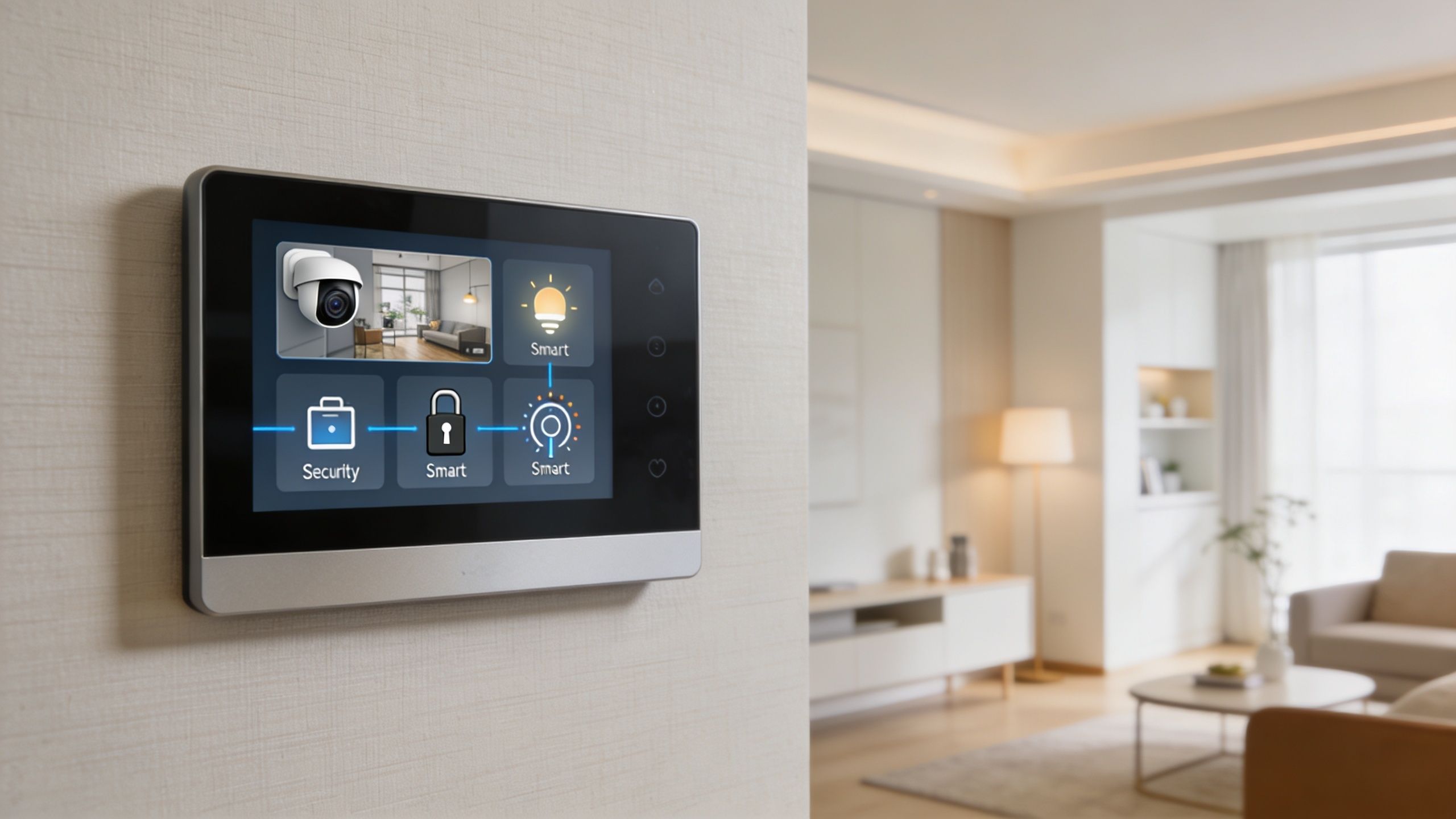
A good smart home doesn’t pile up apps. It connects systems in ways that remove friction.
Examples that make sense in a real home:
If the house also includes Kaleidescape, automated shades, or exterior lighting scenes, integration design matters even more. Every added system increases the need for clean control logic.
This is the part many homeowners don’t see until something starts buffering.
Cameras consume bandwidth, create constant traffic, and depend on stable switching, Wi-Fi coverage, or hardwired infrastructure. If the network is weak, the camera system will feel weak too. That’s why a structured network, often built around business-grade gear such as Ubiquiti in larger or more demanding homes, matters so much.
A broader trend helps explain why home networks feel more crowded every year. This article on predicting 30 billion internet devices is a helpful reminder that the modern home is supporting far more connected hardware than most routers were ever expected to handle casually.
If you’re already fighting dead zones or inconsistent wireless coverage, address that before adding more cameras. A stronger foundation usually starts with better access point placement, hardwired backhaul where possible, and smarter device distribution. For a practical overview, this guide on how to improve WiFi signal strength covers the basics.
This is one of the biggest system decisions, and it has no universal answer.
Cloud storage is convenient. Remote access is straightforward, clips are easy to review, and many consumer systems are built around it.
Local recording through an NVR or similar platform gives you more control, avoids dependence on monthly cloud retention for everything, and appeals to homeowners who care about privacy and ownership of footage.
The right storage plan depends less on marketing and more on how you feel about privacy, recurring fees, and who controls access to your recordings.
A hybrid approach can also make sense. Some homeowners want local recording for core coverage and cloud convenience for certain alerts or doorbell events. The point is to decide this early, because storage choices affect hardware, wiring, network design, and long-term usability.
This is why camera planning often crosses into other parts of the property. In a home-focused integration project, cameras may sit alongside whole-home audio, outdoor sound, lighting control, home theater, new construction wiring, or outdoor area lighting. In other settings, the same design thinking can carry into restaurants or select commercial spaces, but the residential workflow is where these integration details usually matter most.
There’s nothing wrong with DIY. For some homes, it’s the right answer.
If the property is small, the owner is comfortable with apps and mounting hardware, and the goal is a basic front-door-plus-backyard setup, a self-installed system can be perfectly reasonable. The mistake is assuming that same approach scales cleanly to a larger home, a custom build, or a house with multiple smart platforms already in place.
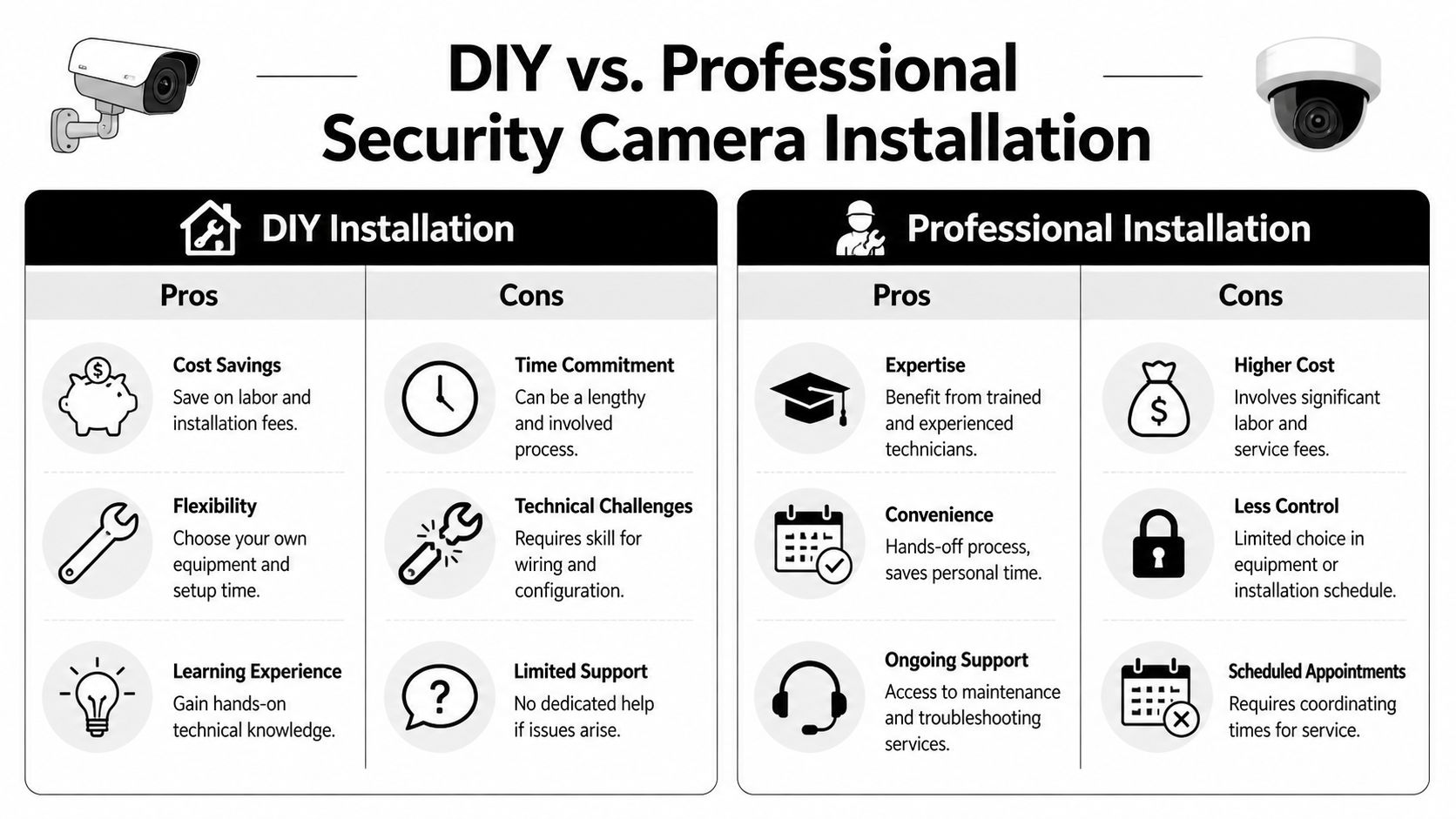
A clear decision framework exists for choosing installation method. Basic DIY systems fit smaller spaces, while advanced systems with more complex features on larger properties warrant professional installation. That can help avoid the misconfiguration that affects 30-40% of DIY security installations, based on the framework summarized by WTC Electric’s camera system quiz.
DIY tends to work well when the answers to these questions are simple:
If yes, DIY may be enough. You’ll save on labor and keep direct control of the setup.
The trouble usually isn’t the initial setup. It’s everything after.
Common issues include:
| DIY friction point | What it looks like in real life |
|---|---|
| Placement shortcuts | blind spots, backlit footage, camera aimed too high |
| Power compromises | battery maintenance or awkward cable runs |
| Network assumptions | lagging streams, offline cameras, poor remote access |
| App overload | one more disconnected platform to manage |
| Finish quality | visible wiring, mismatched mounts, cluttered surfaces |
Those problems aren’t always dramatic. They’re annoying. And small annoyances are what cause people to stop trusting or using their system.
A professional install buys planning, infrastructure, and accountability.
In a more complex home, that can mean hidden wiring in finished spaces, camera locations chosen around real sightlines instead of convenience, network hardware sized for video load, recording configured properly, and integration built around the rest of the house. It also matters in new home builds, where prewire decisions are cheap early and painful later.
For homes that include Lutron, Josh.ai, Sonos, Kaleidescape, Ubiquiti, outdoor lighting, home audio, or permanent lighting, professional design keeps the project coherent. That’s where an installer such as local security camera installers can assess coverage, wiring paths, network requirements, and how the camera platform will coexist with the rest of the system.
Professional installation makes the biggest difference when the camera system isn’t standalone. Once security touches lighting, control, networking, and architectural finish, details compound quickly.
Choose DIY if you want a basic setup, enjoy the work, and can live with some trial and error.
Choose professional installation if you want cleaner execution, stronger integration, fewer compromises, and support after the install. That becomes the logical choice in larger homes, design-sensitive spaces, and properties where reliability matters more than experimentation.
By the time most homeowners reach the end of the process, the questions become more practical. Not “which brand has the flashiest feature,” but “what should I decide before moving forward?”
Here’s the checklist I’d use for a Madison-area home.
Can one platform handle cameras, lighting, voice, and entertainment cleanly?
Sometimes, but not automatically. Systems involving Ubiquiti Protect, Josh.ai, Lutron, displays, and distributed audio often require integration planning so the control experience stays simple.
Should I install cameras during a remodel or new build?
Yes, if you already know security matters to you. Prewiring makes cleaner camera placement, stronger power options, and better future flexibility much easier.
Is local recording worth it?
For many homeowners, yes. It’s often the better fit when privacy, retention control, and recurring fees are important considerations.
Can security planning happen alongside other home projects?
Absolutely. In practice, camera design often overlaps with whole-home audio, home theater, automated shades, exterior lighting and sound, new construction low-voltage planning, and even Oelo permanent exterior lighting. Coordinating those decisions usually produces a cleaner result than treating each system separately.
A good camera system doesn’t just check boxes on a product page. It fits the property, records the right moments, works with the rest of the home, and stays easy to use after the novelty wears off.
That’s the true standard. Not the brand name. Not the spec sheet. Not whether the app looked polished in an ad.
For most Wisconsin homeowners, the right answer sits somewhere between convenience and control. If the home is simple, DIY may be enough. If the home is connected, custom, larger, or part of a broader automation plan, a professionally designed system usually prevents the compromises that show up later.
If you want help sorting through the options, Home AV Pros can evaluate your home, your network, and your existing smart systems so the camera solution fits the way you live. That can include security cameras, home audio, home theater, new home build planning, outdoor lighting and sound, and other connected-home upgrades designed as one coordinated system.

Copyright © 2026. Home AV pros. All rights reserved.