
Most homeowners start shopping for a projector the wrong way. They compare model names, chase brightness claims, and assume the screen size they want will somehow work itself out later. That usually ends with a projector that looks fine in a showroom and disappointing at home.
A better approach is to treat the projector as one part of a complete room system. The room, the screen, the lighting, the control system, the audio, and the content source all affect whether movie night feels polished or frustrating. If you're trying to figure out how to choose a home theater projector, start with the space, then narrow the specs, then solve placement, then build the system around how you live.
The first decision isn't projector brand. It's whether you're building a dedicated theater or upgrading a multi-purpose room.
Those are very different jobs. A basement media room with dark walls and controlled lighting gives you more freedom with projector choice. A family room with windows, lighter finishes, and daytime use puts more pressure on screen selection, lighting control, and mounting.
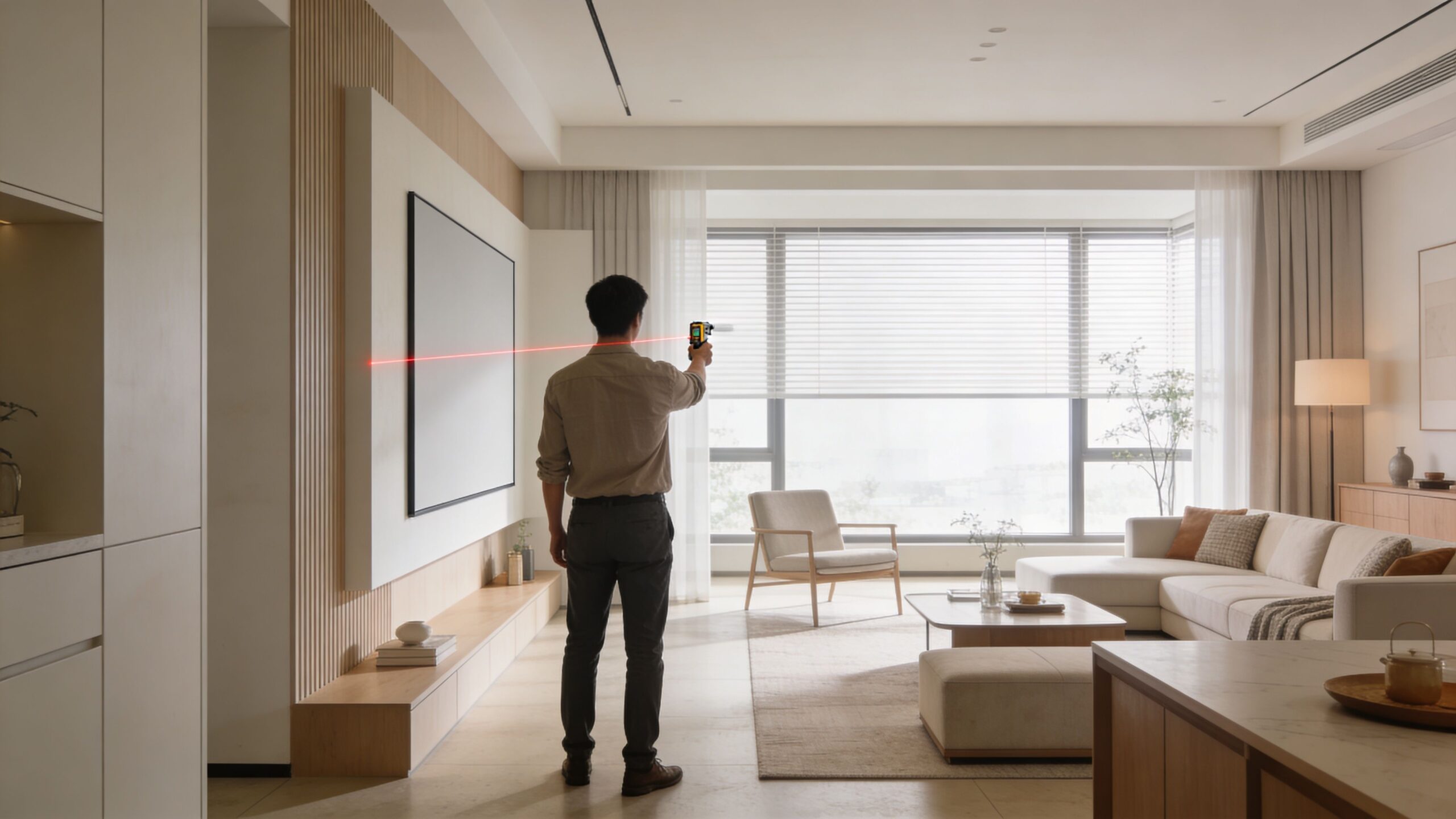
Before looking at models, measure four things:
If you're unsure what screen size fits your room and seating, a home theater room dimensions calculator is a useful starting point. It won't replace an in-home design, but it will keep you from aiming at a screen that's too large for comfortable viewing.
A dedicated theater lets you prioritize image quality first. You can darken finishes, control reflections, and keep the projector placement where it belongs.
A living room usually demands compromise. The projector may need to share space with windows, furniture, ceiling fans, or architectural details. That's where automated shading and lighting control stop being luxury add-ons and start becoming core performance tools.
Practical rule: If the room gets bright during the hours you actually watch TV or sports, solve the light problem before you spend extra money chasing projector specs.
Lutron shades are a good example of system thinking. A projector in a room with well-managed daylight often performs better than a theoretically stronger projector fighting uncontrolled glare. For homeowners who want a clean, one-button experience, tying shades and lighting scenes into the theater matters just as much as the projector itself.
Throw ratio is the specification that tells you whether a projector can create the image size you want from the mounting location you have. A Best Buy projector buying guide notes that a 1.8:1 throw ratio produces a 5-foot wide image at 9 feet, and that projectors with zoom ranges from 1.3x to 2.0x offer useful placement flexibility without compromising image sharpness.
That matters in real homes. If the projector can only make a 100-inch image from your room depth and you want a significantly larger screen, no amount of wishful thinking fixes that. You either change the projector, change the mounting location, or change the screen size.
A quick room check should answer these questions:
A projector for streaming films in a dark room is one thing. A projector for football on Sunday afternoon, gaming, and everyday TV is another.
That use case changes everything from brightness target to screen material to control workflow. It also affects whether you should look at a long-throw projector, a more furniture-friendly setup, or whether a large TV is the smarter call. In some rooms, that answer is yes, and that's why comparing the trade-offs in a projector vs TV for home theater conversation is worth doing early.
The best projector setups feel obvious once they're installed. That only happens when the room gets measured accurately, not optimistically.
Projector spec sheets are full of details that sound important. Some are. Some are sales language. The job is to separate the specs that shape the image from the ones that mostly clutter the page.
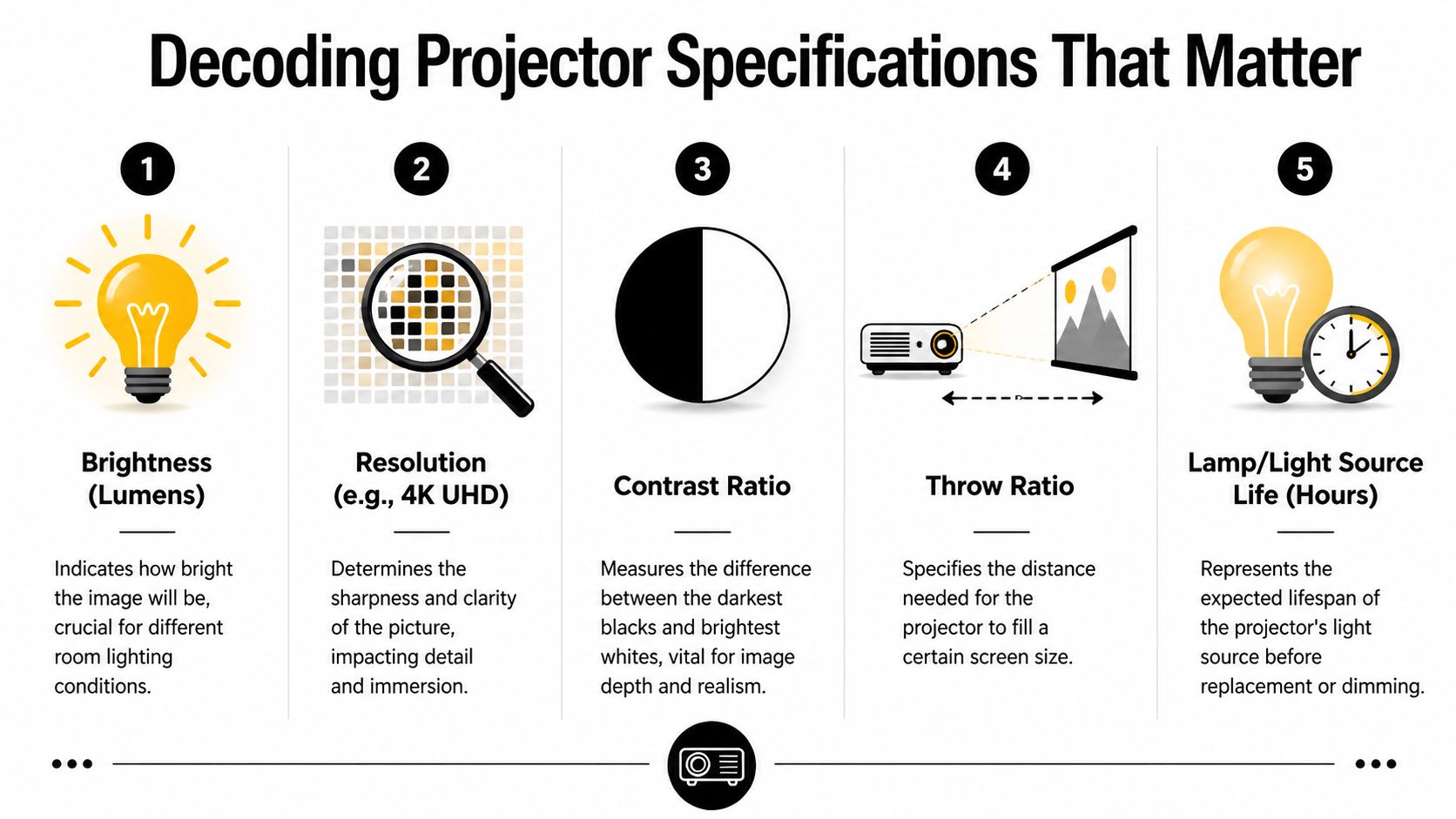
For serious home theater, 4K UHD is the standard to target. BenQ's home theater guidance states that 4K UHD (3840×2160) delivers 8.3 million pixels per frame, exactly four times the 2.07 million pixels of 1080p, which becomes especially important on screens over 100 inches because lower-resolution images can start to show pixelation on large displays. The same guide also ties that resolution advantage to compatibility with 4K content from sources such as Netflix and Kaleidescape in modern home setups, as explained in BenQ's home theater projector buying guide.
That doesn't mean every homeowner needs the most expensive projector on the market. It does mean that if you're building around a large screen and premium sources, starting with 1080p usually creates regret.
Brightness numbers get too much attention on their own. A projector doesn't live on a spec sheet. It lives in a room.
For dark, dedicated spaces, very high brightness isn't automatically better. Too much emphasis on raw output can push you toward models designed more for presentation or casual mixed-use viewing than cinematic black levels and shadow detail. In brighter rooms, more output becomes important, but it still has to be balanced with screen type, room finishes, and contrast performance.
A practical way to think about it is this:
| Room type | What to prioritize |
|---|---|
| Dark dedicated theater | Black levels, contrast, accurate color, quiet operation |
| Multi-use media room | Enough brightness for daytime use, good contrast, smart light control |
| Open living room | Screen compatibility, ambient light strategy, placement flexibility |
The right projector isn't the one with the biggest number. It's the one that still looks composed in your room at the times you actually use it.
Homeowners often notice brightness first in a showroom. They notice contrast after installation.
Contrast is what gives depth to dark scenes, preserves shadow detail, and prevents the image from looking flat. In a proper theater, that sense of dimensionality matters more than a spec race for maximum output. If you watch a lot of films rather than mostly sports or casual TV, contrast deserves more attention than most buyers give it.
This is also where room design helps the projector. Darker finishes, better light control, and a proper screen let a projector show what it's capable of.
Lamp, LED, and laser projectors don't just differ in marketing language. They feel different to own.
Laser models have become popular for good reasons. They offer quick startup and shutdown, stable brightness behavior, and a cleaner experience for homeowners who don't want to think about lamp replacements. In custom installs, that convenience matters because the projector becomes part of a larger routine. You want it to respond predictably when the room powers on.
For buyers comparing image quality and room ambiance, it can also help to understand how people talk about light quality in adjacent categories. This short guide to understanding CRI in lighting is useful context because it explains why light characteristics affect how colors appear in a space, even though projector performance is evaluated differently than architectural lighting.
When narrowing choices, focus on these first:
If you want the short version, don't shop for a projector the way people shop for TVs. TV buying is often screen-first. Projector buying is room-first, installation-first, and system-first.
A mediocre projector in the right position usually beats a good projector installed poorly. Placement isn't a finishing detail. It's where image quality is either preserved or squandered.
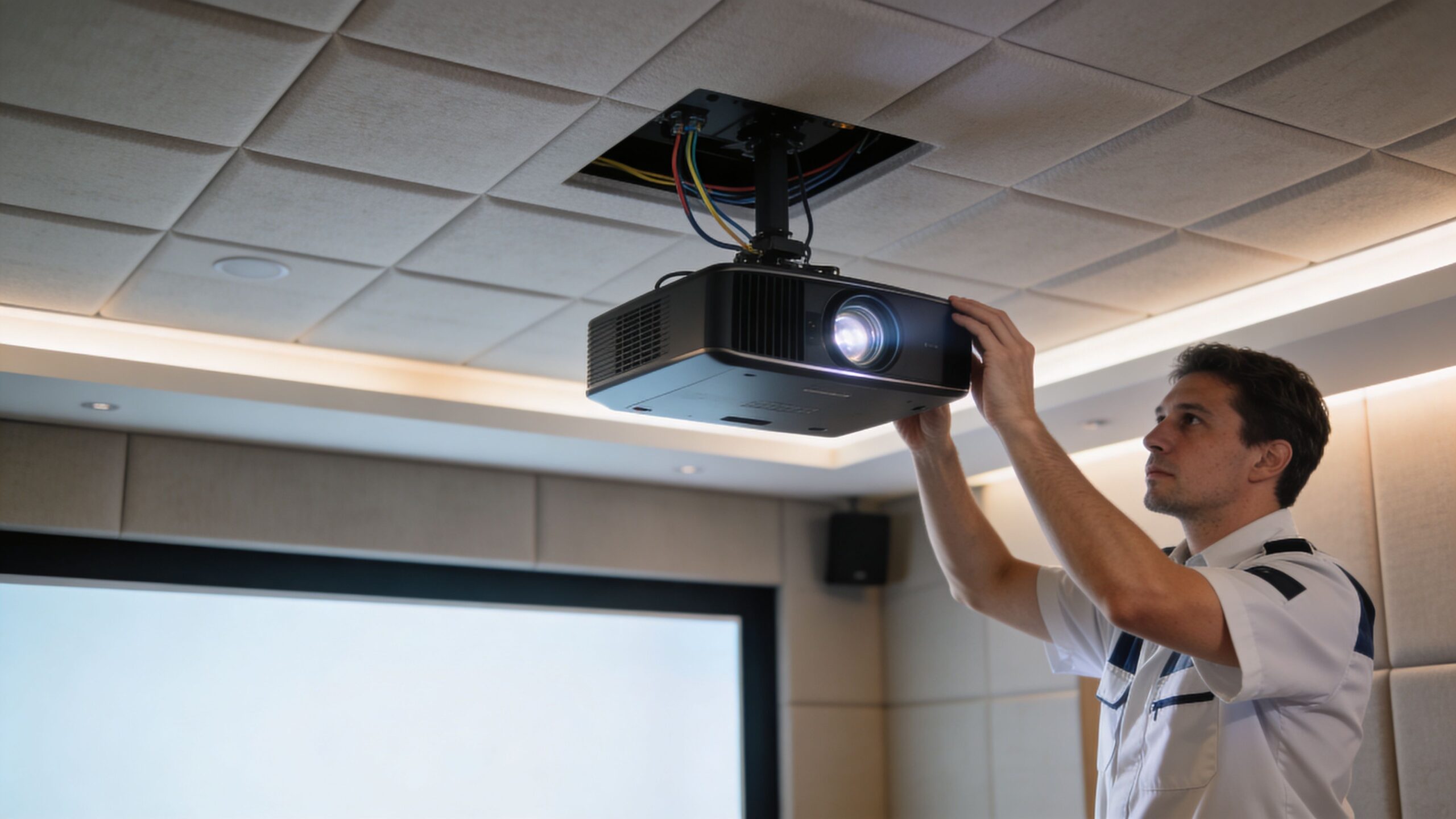
When the image hits the screen squarely, the picture looks crisp from corner to corner and the whole setup feels intentional. When the projector is too high, too far off-center, or mounted wherever a joist happened to be convenient, the system starts leaning on digital fixes.
That's where people get into trouble. They mount first, correct later, then wonder why the image feels softer than expected.
A proper installation plan accounts for:
The most important installation trade-off to understand is optical lens shift versus digital keystone correction.
Lens shift moves the image optically. Keystone manipulates it digitally. Those are not equivalent tools. AWOL Vision's projector angle guide notes that using digital keystone can reduce image resolution by up to 25% at a 20° tilt, effectively pushing a 4K image closer to 1080p in perceived detail, while optical lens shift preserves quality because it repositions the image without digital loss, as described in this projector angle guide.
That difference is easy to see in person. Keystone can make the shape look corrected while throwing away detail. Fine text softens. Film grain gets muddier. Edges lose precision. Motion artifacts become more obvious.
If a projector has to rely heavily on keystone to fit your room, it's probably the wrong projector for that room.
Sony and JVC models are often strong examples in installations where lens flexibility matters. They tend to suit rooms with off-center mounting challenges, soffits, or seating layouts that don't allow a perfectly textbook position.
Homeowners often ask if a projector can "just go back there somewhere." Sometimes it can. Often it can't.
The projector has to land within a workable distance range for the screen size you've chosen. Too close, and the image won't fill the screen. Too far, and it overshoots. Even when zoom gives you some room to maneuver, that doesn't mean every location is equally good.
A clean install usually comes from deciding these in the right order:
This walkthrough helps visualize what proper setup looks like in practice:
Real houses aren't demo rooms. There are beams, vents, sloped ceilings, decorative fixtures, and furniture layouts that don't cooperate.
That's why placement planning has to be honest. If your room forces the projector off-axis, choose a model with the optical controls to handle it. If it doesn't, don't pay for flexibility you won't use. But don't assume digital correction is a free substitute. It isn't.
The cleanest installations are the ones where the hardware and the room agree with each other from the start.
A projector on its own can produce a large image. A well-integrated room creates an experience people use.
The difference shows up in the first ten seconds. One setup needs three remotes, a shade switch, an app for audio, and a little trial-and-error with inputs. The other responds to a single command and puts the whole room in the right state.
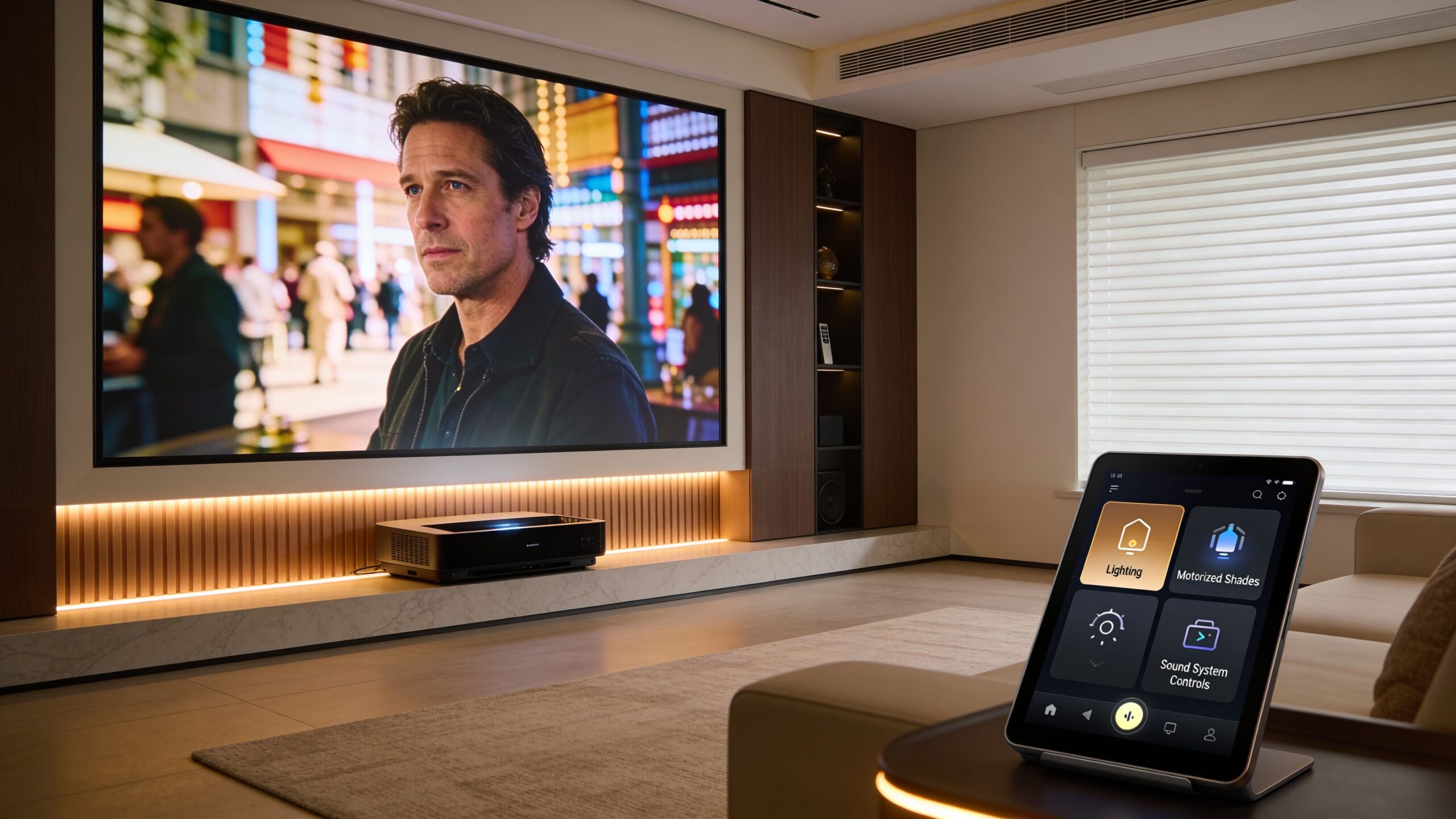
Smart home integration changes the value of the projector purchase. If the system is designed properly, "movie time" can trigger a chain of actions. Lutron shades lower. Lights dim to a preset scene. The projector powers on. The source switches to Kaleidescape or streaming. Audio wakes up in the right mode. When the movie ends, the room returns to normal.
Josh.ai fits especially well in theater spaces because voice control works best when it's predictable and contextual. You don't want a voice assistant doing party tricks. You want it to execute the same scene correctly every time.
A large projected image exposes weak supporting gear fast. If the picture looks cinematic and the sound doesn't, the room feels unfinished.
Sonos can work well in media rooms where homeowners want a clean interface and simple everyday use. In more dedicated theaters, a traditional surround platform may make more sense, especially when speaker placement, acoustics, and multiple listening positions are priorities. The right answer depends on whether the room is a theater first or a family room first.
Kaleidescape changes the conversation in another way. Once homeowners see premium movie playback on a well-calibrated projector, they understand why source quality matters. Compression, convenience, and reference presentation are not the same thing.
A projector magnifies everything. Good source material looks better. Weak source material looks worse.
Smart entertainment systems don't feel smart if they hesitate, drop connections, or fail to hand off commands cleanly. That's why the network matters.
A Ubiquiti backbone is often a sensible fit for homes with multiple streaming endpoints, control devices, cameras, and automation traffic. It gives the AV system a stable foundation instead of treating networking like an afterthought. That's especially important in larger homes, new builds, and remodels where theater, Wi-Fi, surveillance, and whole-home control all share infrastructure.
For homeowners planning cabinetry, built-ins, or open-concept layouts, these stylish media solutions for living rooms are a helpful reference because they show ways to make entertainment gear work visually within the room instead of looking tacked on.
Complete-system thinking is most vital. In rooms with high ceilings, projector and screen compatibility becomes a design issue, not just a product issue. Elite Screens notes that ALR screens perform best when the vertical projection angle stays under 8.5 degrees, and that exceeding that angle can degrade brightness and contrast by 20-30%, which becomes a real concern in taller rooms with less forgiving mount positions, according to Elite Screens' explanation of why vertical projection angles matter.
That affects automation planning because the wrong screen and mount combination can undermine the very room scenes you're trying to create. Good shade control and good lighting scenes won't rescue an ALR screen that's being hit from the wrong angle.
If you're designing around voice control, blackout shading, source switching, and room scenes, it's worth thinking in terms of a full home entertainment automation workflow rather than isolated products. That's also the point where some homeowners bring in an integrator such as Home AV Pros to coordinate projector placement, lighting, networking, and control logic as one system.
Projector budgets are easier to understand when you stop treating the projector as the entire project. The projector is one line item. The theater is the full equation.
Most homeowners are deciding between three broad levels of investment. The categories aren't rigid, but they are useful because each step up usually buys you a different level of compromise.
| Budget tier | What you can generally expect | Where compromises usually show up |
|---|---|---|
| Entry level | Big-screen impact, solid everyday viewing, basic 4K-class options in many cases | Lower contrast, weaker optics, less lens flexibility, more setup compromise |
| Mid-range | Better black levels, stronger lenses, cleaner processing, often a more refined ownership experience | Still room-specific, not every model handles difficult installs well |
| High-end | Premium optics, better image processing, stronger black performance, more installation flexibility | Cost moves beyond the projector into a full dedicated-room mindset |
The sweet spot for many homes is the middle. That's where projector quality often starts to feel deliberate rather than merely large.
A common mistake is spending almost everything on the projector and then trying to economize on the pieces that let it perform.
Those pieces usually include:
If the room is used mostly for streaming, sports, and family TV, don't buy as if you're building a screening room. Buy for convenience, stability, and all-around performance.
If the room is a dedicated theater, don't pretend a bargain projector plus a white wall will satisfy you long term. In that environment, better optics, better contrast, and a proper screen are easier to appreciate and harder to compromise on.
A realistic budget conversation should answer two questions. First, how important is image quality when the room is dark and quiet? Second, how often does the room need to work casually, during the day, with minimal effort?
That usually reveals where the money should go.
The last stretch of a projector project is where many good plans either get refined or diluted. The projector may be chosen, the mount may be installed, and the screen may be up. That still doesn't guarantee the room will look or feel right.
Finishing work matters because projection is unforgiving. Small setup errors stay visible every time the system turns on.
The screen has to match the room and the projector. In a dark dedicated theater, you can usually prioritize cinematic image traits. In a brighter media room, the screen may need to help preserve the picture when the room isn't fully dark.
A useful baseline comes from Carolina Custom Sound's guidance on brightness. In a fully dark dedicated theater, 1,000-2,200 ANSI lumens is often sufficient for a strong 90-120 inch image, while multi-purpose living rooms with partial ambient light typically need 2,000-3,000 lumens to avoid a washed-out look, as noted in this explanation of how to choose the best 4K projector.
Those numbers matter because they keep expectations realistic. If the room stays bright, the screen and lighting plan need to support the projector. If the room can be controlled, you can lean harder into image quality.
Out-of-box settings are made for broad appeal, showroom punch, and quick setup. They are not optimized for your screen, room, source chain, or viewing priorities.
Calibration improves grayscale, color balance, shadow detail, highlight behavior, and overall consistency. Even when a projector already looks good, proper setup usually makes it look more settled and more believable. Skin tones stop drifting. Dark scenes separate better. Bright scenes stop feeling harsh.
Good calibration doesn't make the picture look flashy. It makes it look correct.
Projector buyers sometimes focus so hard on image that they ignore the acoustic side until the end. That usually leads to a room that looks expensive and sounds echoey.
Acoustic treatment isn't just for dedicated audiophile rooms. It helps dialogue clarity, surround imaging, and overall listening comfort. If you're planning a theater with reflective surfaces, tall ceilings, or multiple seating rows, it's worth understanding the basics of acoustic treatment for home theater.
There are parts of a projector project that homeowners can absolutely handle. Measuring a wall, comparing room use, and narrowing priorities are all fair DIY tasks.
The tricky part is that projector systems combine carpentry, wiring, optics, lighting, acoustics, networking, and control. That's why the hard problems tend to show up late. The mount is slightly off. The fan blocks the image. The chosen screen doesn't like the projector angle. The automation works inconsistently. The room looks good at night but disappoints during the day.
Professional involvement becomes especially useful when you're dealing with any of these:
That broader coordination matters because many households aren't building a single isolated theater. They're also planning home audio, outdoor entertainment, security, networking, lighting, or even AV for a restaurant or other commercial space. The theater works best when it fits into that wider technology plan instead of being designed in isolation.
If you're weighing projector options and want the room, screen, lighting, audio, and control side to work together cleanly, talk with Home AV Pros. The company designs and installs custom home theaters, smart home systems, whole-home audio, landscape lighting and sound, new-build low-voltage packages, and selected commercial AV projects, with an emphasis on home-focused systems that are simple to use and built around the space.

Copyright © 2026. Home AV pros. All rights reserved.