
You just got the keys. The front door lock talks to an app, the thermostat has a digital brain, the doorbell sends alerts, and a touchscreen panel sits on the wall waiting for instructions. That first week in a D.R. Horton house is usually a mix of excitement and confusion. Homeowners know they have a smart home package. They’re just not always sure what they own, what’s already good, and what will start to feel limited once daily life settles in.
That’s the right place to start this conversation. The dr horton smart home package is a solid builder-provided foundation. It covers the basics well. It gives a new homeowner security, remote access, and a simple first step into automation. But it’s still a production-builder system designed to work for many buyers across many homes. That means convenience comes first, while customization, high-end performance, and deeper integration usually come later.
You move in, open the front door with a code, adjust the thermostat from your phone, and answer the doorbell from work. From the homeowner side, it feels like the house came with a smart home built in. From the integrator side, it is more accurate to call it a preselected starter system installed by the builder.
D.R. Horton sells Home Is Connected as a standardized package that gives new homeowners app-based control of a few core devices from day one. The point is consistency. The builder can deliver the same experience across many homes, the setup process is familiar, and the buyer avoids piecing together devices after closing.
In practical terms, the package usually covers four basic jobs:
That is a useful baseline. It gives you remote access, basic awareness, and a single system instead of several unrelated apps.
It also helps to set the right expectation early. Builder packages are chosen for scale, speed of installation, and broad compatibility. They are not designed around your routines, your lighting preferences, your Wi-Fi conditions, or the long-term performance standard you may want once you start adding music, cameras, shades, or room-by-room scenes.
Practical rule: Treat the builder package as a starting platform, not the finished system.
That difference matters. A house can be connected and still feel clumsy to use. Notifications may be useful, but lighting may still require too many taps. The front door may be smart, but the network may not be ready for more cameras. The panel may control a few devices well, yet fall short once you want better keypads, cleaner voice control, or reliable whole-home automation.
Homeowners who want the bigger picture usually benefit from a plain-language explanation of what a home automation system is. It clarifies the gap between a builder package with the basics and a custom system designed to work smoothly every day.
Home Is Connected is best understood as builder-grade smart home infrastructure. It is a reasonable first layer, especially for buyers who want security features and remote control without making decisions during construction.
For homeowners who plan to stay in the house and want a better daily experience, the next step is usually selective replacement. Keep what works. Upgrade what does not. In real projects, that often means replacing builder Wi-Fi with Ubiquiti, reworking lighting control around Lutron, and adding a higher-quality interface such as Josh.ai once the home needs more than basic app control.
To understand the D.R. Horton smart home package, look at the standard equipment that shows up in many of these homes. It is a builder-selected stack designed to cover entry, security, climate, and one small piece of lighting control without asking the buyer to make a long list of technology decisions during construction.
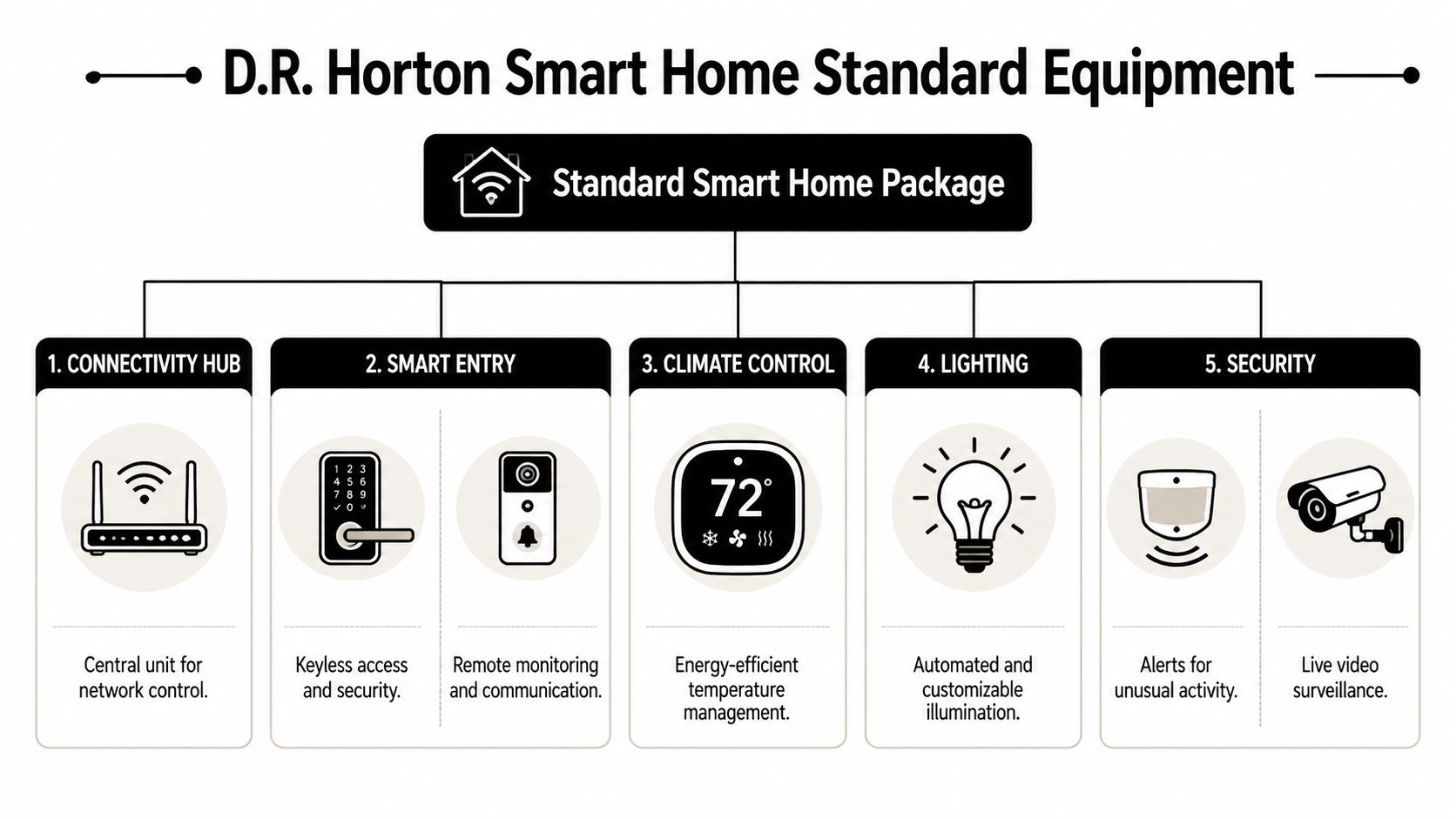
At the center is the Qolsys IQ Panel. In practice, this panel serves as the local command point for security functions and a handful of connected devices that ship with the home. It gives the package structure, which is why the system feels more coordinated than a pile of retail gadgets added one at a time.
Most homeowners use only a few included devices every day:
That list is useful because it shows the package’s priorities. The builder is covering common first-week needs after move-in. Front door access, thermostat control, visitor awareness, and security monitoring.
The devices do not all communicate the same way. The package commonly relies on Z-Wave for low-bandwidth control tasks such as locks, thermostats, and switches, while other features may depend on Wi-Fi, Bluetooth, cellular service, or the Alarm.com cloud. That mix is normal in entry-level smart homes. It also explains why some parts of the system feel dependable while others depend heavily on network quality.
From an integrator’s standpoint, that distinction matters. A lock command or thermostat change is a light control task. Video doorbells, mobile app responsiveness, and future camera expansion place more strain on the network and expose the limits of builder-grade gear faster.
The platform underneath the package is Alarm.com. That is what gives homeowners remote access, alerts, user management, and a more unified app experience. For a standard builder package, that is a real advantage. Setup is simpler, the devices are meant to coexist, and the homeowner starts with one primary ecosystem instead of several disconnected apps.
The trade-off is flexibility. Alarm.com works well for the included package, but homeowners who want deeper lighting scenes, stronger voice control, whole-home audio, motorized shades, or better camera performance usually outgrow the starter setup and begin replacing parts of it. That is the point where a preselected package and a custom system start to separate.
For a side-by-side view of how builder offerings compare with more customized systems, these smart home package options show what gets added when the goal shifts from basic connectivity to long-term reliability and a better daily experience.
You move in, connect the app, lock the front door from your phone, and change the thermostat from work. For the first week, that feels like a smart home. Then real daily use starts. The video doorbell loads slowly when the kids are streaming. A command works in one room and lags in another. The system is doing what the builder package was designed to do, but it is also showing the limits of a starter-level install.
That gap between brochure promise and lived experience is common with production smart homes. Builders need hardware that is easy to deploy, easy to support, and acceptable for a broad range of buyers. The result is a package that handles the basics well enough, but rarely delivers the consistency, speed, or polish people expect after they hear the words "smart home."
The term builder-grade usually points to standardization more than poor quality.
For day-to-day security and convenience, the package often does the job. Homeowners can check the lock status, adjust temperature settings before arriving home, and receive basic alerts. If the goal is simple remote access with a modest learning curve, the included system can be a practical starting point.
That is an important distinction. A starting point is not the same as a finished system.
In the field, the first complaints usually sound like device issues. The lock is slow. The app feels unreliable. The doorbell misses activity. After troubleshooting hundreds of these systems, I can say the same thing I tell clients during takeovers. The problem often sits underneath the devices, in Wi-Fi coverage, router capacity, or poor placement of access points.
That matters because builder packages mix device types with very different demands. A thermostat change is light traffic. Live video, mobile notifications, and future camera expansion are far less forgiving. A home can appear fine during a walkthrough and still struggle once laptops, TVs, phones, tablets, and game consoles are all active at the same time.
Good infrastructure changes the experience more than another app setting ever will. Homeowners planning that next step usually benefit from talking with smart home automation installers who design around reliability and daily use.
Cabling also enters the conversation sooner than many buyers expect. If you are deciding whether to keep relying on wireless backhaul or add proper runs for access points and media locations, this guide on selecting cables for industrial MRO is a useful plain-language reference before you meet with an integrator.
Field note: If a homeowner says, "the smart home is flaky," I check the network before I blame the devices.
A lot of builder packages offer connected control. Fewer offer meaningful automation.
Those are different experiences. Connected control means you open an app and trigger an action. Real automation means the house responds to routines, occupancy, time of day, light levels, or a scene that ties multiple systems together. That is where lighting, shades, climate, audio, and voice control start working as one environment instead of a handful of separate commands.
Builder packages usually stay at the remote-control level, with a few basic rules layered on top. For many homeowners, that is enough at first. For clients who want Lutron scenes that behave the same way every time, Josh.ai voice control that understands room context, or Ubiquiti-backed camera performance that does not fall apart under load, the stock package becomes a temporary phase rather than a long-term solution.
| Feature | Standard Home Is Connected Package | Home AV Pros Professional Upgrade |
|---|---|---|
| Control experience | One builder-selected platform for core devices | Unified design around how the homeowner actually uses the space |
| Network foundation | Basic networking can become the bottleneck | Purpose-built network designed for stability, coverage, and device density |
| Lighting | Limited starter-level control | Lutron lighting and shades with refined scenes and cleaner hardware |
| Voice control | Basic assistant-style interactions | Josh.ai for more natural, room-aware control |
| Audio | Not designed as whole-home music architecture | Sonos and distributed audio planned by zone and use case |
| Video and cameras | Front-door coverage is the usual starting point | Expanded surveillance and networking with Ubiquiti infrastructure |
| Theater and entertainment | Separate from the core builder package | Integrated media spaces, custom theater, and Kaleidescape-ready design |
| Outdoor experience | Minimal to none | Landscape lighting, sound, and permanent lighting design |
There is also a finish-quality issue that does not show up on a spec sheet. Builder-selected keypads, panels, and wall devices are chosen for compatibility and production efficiency. Once the house is furnished and the design comes together, those pieces can look more utilitarian than intentional.
The bigger limitation is planning. A production package is chosen before anyone knows how you live in the house, where you want music, which rooms need better voice pickup, or whether your family uses lighting scenes every day. Custom integration starts with those questions, then builds the system around them. That is the essential difference between a connected house and a home that feels easy to live in.
Most homeowners don’t need to tear everything out on day one. The smarter move is usually to upgrade in layers. Start with the parts of the home that affect reliability every day, then add the systems that improve comfort, control, and enjoyment.
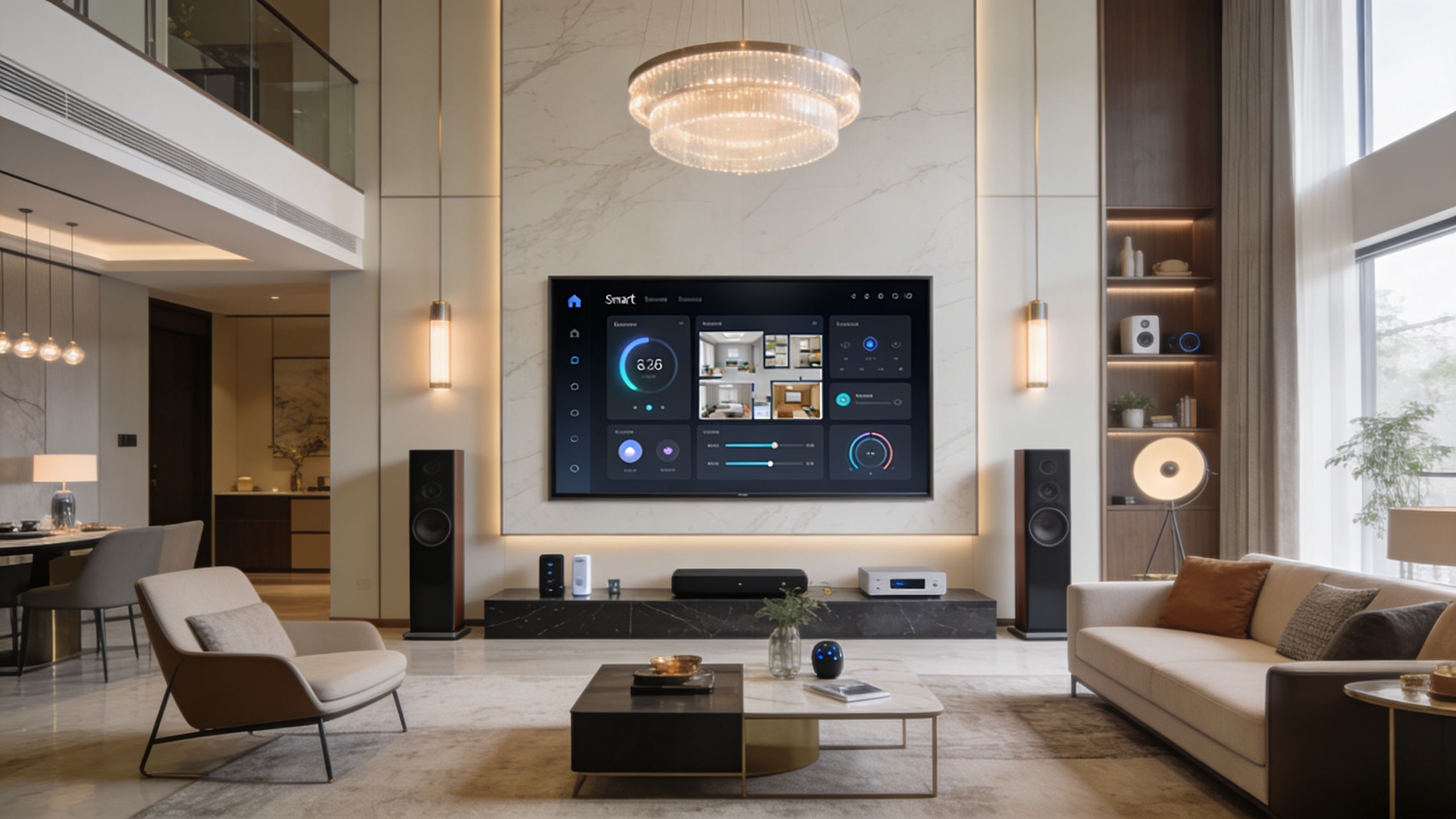
If the dr horton smart home package is the skeleton, the network is the circulatory system. Weak Wi-Fi and entry-level hardware can make even decent smart devices seem unreliable.
That’s why the first professional upgrade is often Ubiquiti. A properly designed network gives connected devices cleaner coverage, more dependable roaming, better management, and a more stable foundation for cameras, music, work-from-home traffic, and mobile control. It also gives the homeowner one of the least glamorous but most important wins in the entire house. Consistency.
Cabling matters here too. In new homes, people often ask whether in-wall network runs are worth it for access points, TVs, offices, and rack locations. They usually are. If you want a plain-language refresher on cable categories before discussing infrastructure, this article on selecting cables for industrial MRO gives useful context on the practical difference between Cat 5 and Cat 6 in structured wiring conversations.
Once the network is solid, the next best upgrades are usually the systems you use constantly.
Lighting changes how a house feels more than almost anything else. Builder packages may offer a smart switch, but that’s a tiny sample of what good lighting control can do. Lutron moves the home from individual device control to scene-based living.
A few examples make the difference clear:
Good lighting control also improves aesthetics. Keypads can replace banks of switches, and shades can disappear into the architecture rather than feel like add-on gadgets.
Music is one of the fastest ways to make a house feel integrated. Sonos works well for distributed audio because homeowners understand it quickly. Open the app, choose a room, group spaces, and play.
What matters professionally is not just the speaker brand. It’s the zone planning. Kitchens, patios, primary baths, theaters, and outdoor areas don’t all need the same type of speaker or amplification. A thoughtful audio design gives each area the right level of performance instead of treating every room the same.
Don’t judge an audio system by whether it makes sound. Judge it by whether each room gets the right sound without clutter, echo, or awkward controls.
At this stage, high-end smart homes begin to feel less like apps and more like environments.
Josh.ai is a strong fit for homeowners who want voice control without the rough edges that come with mass-market assistants. Instead of barking short commands and hoping the platform guesses correctly, the experience can feel more contextual and room-aware.
That matters in real homes. “Turn on the lights” should affect the room you’re standing in. “Watch a movie” should call a scene, not force you to open three different apps and dim lights manually. “Good night” should trigger a routine that makes sense for your house.
For homeowners considering a full-system redesign instead of isolated device upgrades, working with smart home automation installers is what turns those intentions into reliable control logic.
A short example helps show what that higher-end experience can look like:
Not every upgrade has to be about utility. Some of the best projects are about how the home feels at its best.
A media room with a large TV is not the same as a dedicated cinema. Kaleidescape belongs in conversations where homeowners want curated movie performance, clean control, and a theater that feels intentional. Pair it with proper projection, acoustics, seating layout, and lighting control, and the room stops feeling like a bonus room with equipment.
Outdoor living is where many builder homes still leave a lot on the table. Oelo permanent lighting, exterior accent lighting, and properly planned outdoor audio turn a patio or backyard into usable living space after sunset. That’s especially valuable for homeowners who entertain often or who desire the exterior of the home to feel finished.
The same principle applies across the property. Smart homes work best when the theater, audio, network, lighting, cameras, and outdoor systems are designed as one environment instead of a stack of unrelated purchases. That also applies beyond homes. Many of the same disciplines carry into restaurants and other commercial spaces. But the strongest results usually come from residential projects where every room can be customized around daily habits, family routines, and the architecture itself.
Good smart home results usually start before the first upgrade. The biggest mistakes happen when homeowners assume the house is prepped for more than it really is, or when they buy hardware before anyone has mapped the system around the property.
Ask these while details are still easier to confirm:
The conversation changes once you know the house and have lived in it for a few weeks. Then the right questions are more personal.
A good first meeting should start with how you live:
Those answers shape the system better than brand shopping alone.
You’re not just buying hardware. You’re choosing whether the house can grow gracefully.
Useful questions include:
The best smart home plan feels boring on paper. Clear wiring, sensible zones, stable networking, and straightforward control. That’s what creates a house that feels effortless later.
If your project touches power, low-voltage infrastructure, lighting control, or exterior systems, verify who is handling what work and how responsibilities are divided. Homeowners who want a quick explainer on contractor credentials can review this guide for hiring electricians in Nevada. The location is specific, but the basic point applies anywhere. Know who’s accountable before the walls are patched and the invoice is due.
Most homeowners don’t need one giant all-at-once project. The cleaner approach is to break the work into tiers based on what affects daily life first, what improves quality of living next, and what belongs in the luxury category.
This is the part that usually solves the most frustration the fastest. It often includes the network, Wi-Fi design, equipment placement, and planning for future devices such as cameras, TVs, and access points.
If the builder package works but feels uneven, a lot of that gets corrected. Better infrastructure makes existing smart devices behave more predictably and gives future upgrades a real backbone.
Common work in this phase includes:
For a more detailed breakdown of how homeowners typically think through home automation system cost, it helps to compare infrastructure investments with lifestyle and entertainment upgrades rather than treating everything as one line item.
The house starts to feel different instead of just testing better. Lighting control, audio zones, shades, improved video doorbells or cameras, and more intelligent scene programming usually land here.
The budget in this phase can move a lot depending on room count, finish expectations, and whether you want hidden speakers, visible architectural hardware, or a more design-driven result. A kitchen, living room, patio, and primary suite package is a very different project from a whole-home rollout.
Typical timeline variables include:
This is the bespoke end of the project. Home theater, Kaleidescape, advanced lighting and shade design, premium outdoor sound, Oelo permanent lighting, and deeper control integration belong here.
Luxury projects take longer because more decisions matter. Screen size, speaker layout, finish details, rack planning, keypad placement, shading strategy, and control logic all need to align. The work is less about adding devices and more about creating a complete environment.
Budgeting mindset: Don’t ask only “What will it cost?” Ask “Which upgrade will I notice every single day?”
That question often reorders priorities in a smart way. A stable network and great lighting usually improve daily life sooner than the flashiest piece of hardware.
Simple upgrades can move quickly once scope is clear. More customized projects take longer because design choices, wiring paths, programming, and testing all matter. If your house is occupied, labor also has to work around furniture, schedules, and finished surfaces.
The smartest budgeting move is to build a sequence. Start with foundation, then convenience, then entertainment and luxury. That approach usually protects both the experience and the investment.
You move in, connect the front door lock, open the garage from your phone, and ask the voice assistant to turn on a light. That feels good for the first week. Then daily use starts to expose the gaps. Wi-Fi drops a camera, lighting control lives in one app, audio in another, and nobody wants to explain the system to guests or grandparents.
The D.R. Horton package gives homeowners a solid starting point. What changes the experience is the next layer of design. A smart home works best when the network, lighting, audio, security, and control system are planned to behave like one system, not a stack of separate products.
That is the line I see every day in builder homes. The package proves the home is connected. The upgrade path determines whether it becomes dependable, simple to operate, and worth using every day.
Coordination matters more than device count.
A house can have plenty of smart products and still feel clumsy if each one has its own app, its own setup rules, and its own weak point. A better result comes from stronger infrastructure, cleaner control, and room-by-room planning. That is why professional upgrades often start with the parts homeowners do not notice at first, such as Wi-Fi design, lighting control architecture, and how automations are triggered.
The same idea shows up in integrated security systems. The system performs better when cameras, alerts, access control, and remote monitoring are planned to work together instead of being added one piece at a time.
After a few months in the house, upgrade priorities tend to become clear:
The builder package usually reaches its limit. Some components can stay in place for a while. Others are better replaced outright. In many homes, that means swapping builder-grade networking for a properly designed Ubiquiti system, replacing piecemeal lighting control with Lutron, and using Josh.ai or another higher-level control platform to simplify voice and touch interaction across the house.
For homeowners in southern Wisconsin and northern Illinois, Home AV Pros handles that transition from starter package to finished system. The work starts with the home itself, how the family lives, which rooms matter most, and which builder-installed parts are worth keeping. From there, the design can grow into networking, security, lighting, audio, outdoor systems, theater, and automation that feel coordinated instead of patched together.
If you are ready to move past builder-grade smart tech, Home AV Pros designs and installs systems that are clean, reliable, and easy to use, including networking and Wi-Fi, Lutron lighting, Josh.ai control, Sonos audio, Kaleidescape theater, Oelo lighting, and full new-home integration.

Copyright © 2026. Home AV pros. All rights reserved.