
A lot of home offices still run on temporary decisions.
A laptop sits under a wall-mounted TV. The camera angle looks up at your chin. Audio bounces off hardwood floors and glass. One remote controls the display, another controls the soundbar, and a third handles shades if anyone can find it. Then an important call starts, someone asks you to share a presentation, and the room suddenly feels less like a workspace and more like a workaround.
That’s where conference room av installation starts to matter in a residential setting. Not because you want your house to feel like a corporate boardroom, but because you want the same reliability, polish, and ease of use you expect in a professional environment. The difference is that at home, the system also has to respect architecture, furniture layout, lighting, and the fact that the room may shift from work mode to movie night in seconds.
Commercial demand is shaping that expectation. The global conference room solutions market is projected to reach USD 6.7 billion by 2036, driven by hybrid work, and that investment is now influencing high-end residential projects as homeowners look for the same reliability and integration at home, according to conference room solutions market projections.
A good home meeting space shouldn’t feel improvised. It should feel invisible until you need it.
The most successful rooms don’t just add better gear. They solve the weak points that ruin calls in the first place. Network stability is one. If video freezes or audio drops, every premium component in the room becomes secondary. That’s why the first conversation often starts with improving Wi-Fi signal strength and hardwired connections before anyone argues about display size or camera brands.
In practice, the residential version of conference room av installation is less about copying commercial spaces and more about translating the principles. You want clean cable paths, proper power placement, controlled lighting, strong acoustics, dependable networking, and one control layer that makes the room simple to use. You don’t want a tangle of visible hardware that fights the design of the home.
The shift from “work from home” to “run meetings from home” changes the standard.
A casual webcam setup is fine until the room becomes a client-facing space. Then the weak points become obvious fast. A camera mounted too low breaks eye contact. A single tabletop speaker makes voices sound thin. Bright windows behind your desk turn you into a silhouette. Even if the call technically works, the room doesn’t present well.
A proper room corrects the problems people have learned to tolerate:
For executives, consultants, attorneys, remote sales leaders, and anyone hosting sensitive or high-stakes calls, those details matter because the room becomes part of the communication. People notice when you look clear, sound clear, and move through a presentation without technical friction.
The mistake is assuming a home setup has to choose between performance and comfort.
It doesn’t.
A residential system can hide speakers in the ceiling, conceal wiring, automate lights and shades, and still give you the kind of reliability people usually associate with commercial spaces. The room can support work during the day and shift into media, whole-home audio, or private cinema use after hours. That’s the advantage of approaching the space as part of the home rather than as an isolated office project.
Practical rule: If a room needs a cheat sheet taped in a drawer, the control system isn’t finished.
The right equipment won’t rescue a bad room.
A successful install starts with a full needs assessment that covers meeting objectives, room layout, lighting, and acoustics. That planning phase is what prevents expensive rework and helps the finished system match how the space will be used, as outlined in this guidance on planning an AV setup for a conference room.
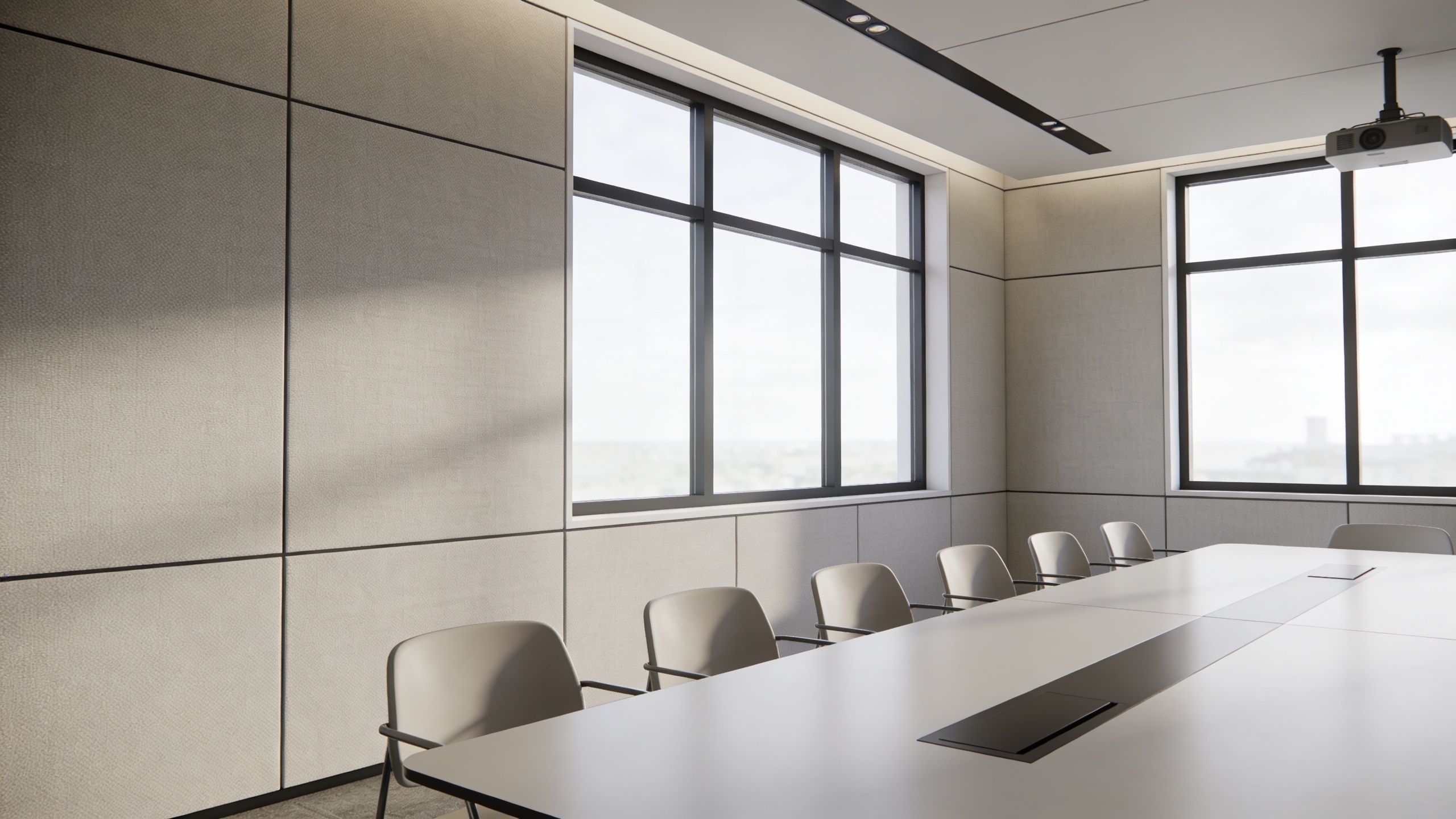
Some residential rooms are dedicated offices. Others are flex spaces that also serve as a library, media room, guest room, or small group meeting area. That changes everything about the design.
A dedicated office can prioritize camera framing, desk orientation, and near-field audio. A multi-use room may need hidden speakers, a larger display, motorized shades, and storage that keeps peripherals out of sight. If the room also doubles as a theater or entertainment space, display height and seating geometry need more care because the ideal line of sight for a work call isn’t always the same as the ideal line of sight for film viewing.
Most DIY setups focus on the camera first. In real use, audio is usually the bigger issue.
Hard floors, drywall, glass, and bare ceilings reflect sound. The result is voice smear, fatigue, and a room that sounds larger than it is. You don’t always need visible acoustic panels, but you do need absorption in the right places. Rugs, drapery, upholstered seating, bookshelves, and targeted treatments can calm the room dramatically. In spaces where speech intelligibility matters every day, purpose-built treatment is often the cleaner answer, especially when integrated early into millwork or wall design. For homeowners weighing those options, this guide to acoustic treatment for home theater overlaps surprisingly well with what makes a conferencing room sound controlled.
Natural light helps a room feel open, but uncontrolled daylight causes trouble on camera. Backlighting darkens faces. Side lighting creates harsh contrast. Midday glare can make a premium display look washed out.
That’s where lighting control becomes more than a luxury. Lutron automated shades and lighting scenes let the room shift into a meeting-ready state quickly. Instead of manually closing blinds, dimming cans, and turning off decorative fixtures, you can create a consistent lighting scene that flatters faces, preserves display visibility, and keeps the space comfortable.
A small design checklist helps avoid the common misses:
There’s also a network planning angle. A polished room still fails if the underlying infrastructure is shaky, especially when the same home network supports streaming, security cameras, and daily work. For a useful outside perspective on protecting critical business systems, it helps to look at networking as core infrastructure, not a background utility.
An executive home office can look immaculate and still fail the first time someone tries to start a call. The common cause is not one bad product. It is a pile of good products that were never designed to behave like one system.
In a residential setting, equipment selection has to do more than pass audio and video. It has to respect the room. That changes the spec. In a corporate conference room, a visible soundbar, tabletop mic, and touchpanel are normal. In a luxury home office, those same choices can make the space feel temporary, cluttered, or too commercial for the rest of the house.
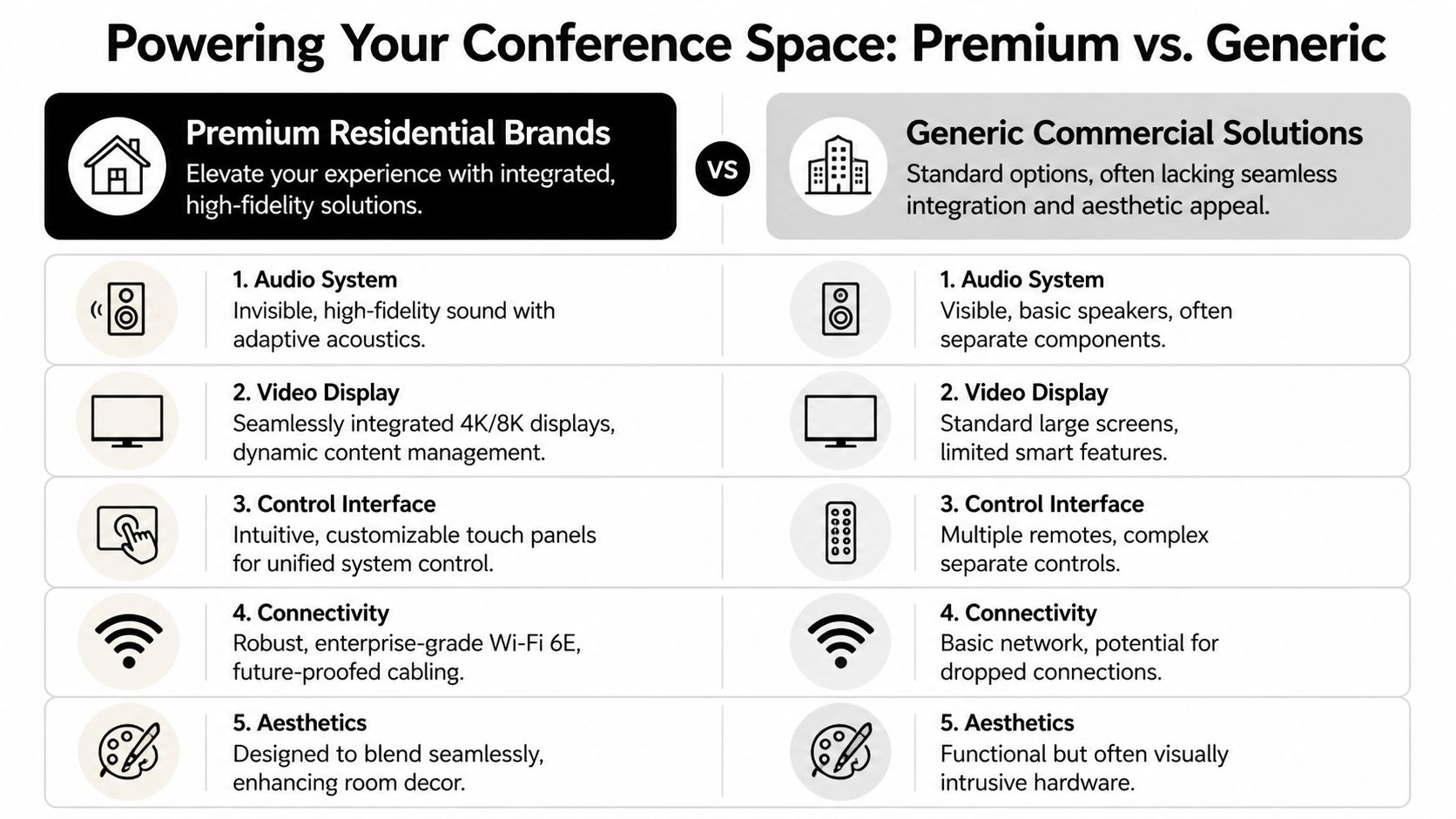
The trade-off is integration versus single-purpose convenience.
Commercial conferencing kits are fast to deploy. They can be the right answer in a detached office, a guest house, or any room where function matters more than appearance. But they usually announce themselves visually. You see the bar under the display, the puck on the table, the extra controller on the credenza. They also tend to stop at the meeting itself, with limited coordination across lighting, shades, media, and the rest of the home.
A well-designed residential system takes more planning and usually costs more up front. It pays that back in daily use. One command can set lighting, lower shades, wake the display, select the right input, and prepare audio for a call without friction. That kind of behavior is what homeowners notice after the install, not the model number on the camera.
A practical comparison looks like this:
| System area | Premium residential approach | Generic conference approach |
|---|---|---|
| Control | Unified scenes through one interface or voice layer | Device-by-device control |
| Lighting and shades | Integrated into meeting presets | Usually separate or manual |
| Audio | Can be hidden in-ceiling or architectural | Often attached to visible bars or tabletop units |
| Aesthetics | Built to disappear into the room | Built to be functional first |
| Multi-use value | Works for work, entertainment, and whole-home automation | Usually optimized for calls only |
Josh.ai is strong when the client wants the room to respond naturally. Voice control is not a gimmick here if it is programmed properly. In a home office, saying “start meeting” and having the room shift modes is faster and cleaner than tapping through several apps. The trade-off is that voice control should sit on top of a reliable control foundation, not replace one.
Lutron solves the environmental side of performance. Good conferencing depends on repeatable light levels and shade positions, and Lutron handles both with the polish high-end homes expect. It also fits the aesthetic standard better than retrofitting a room with mismatched keypads and standalone shade controls.
Ubiquiti often makes sense for the network layer when the home needs business-grade stability without turning into a full commercial rack room. The value is not the access point alone. It is having visibility into traffic, coverage, and segmentation so work devices, guest devices, cameras, and media systems do not interfere with each other.
Sonos fits background listening and whole-home music well. I would not build a serious conferencing room around it alone. For calls, speech intelligibility, microphone pickup, echo control, and predictable switching matter more than casual playback.
Kaleidescape has nothing to do with Teams or Zoom, and that is part of the point. Many of these rooms serve two roles. Board call at 10 a.m., film screening at 8 p.m. Residential platforms handle that kind of dual use better than a straight commercial transplant.
Oelo belongs in the conversation when the office is part of a larger estate-wide system. Exterior lighting scenes, arrival sequences, and property-wide control can tie into the same interface, which matters to clients who want one operating logic across the home.
Furniture also affects equipment choices more than people expect. If the desk floats in the room or the table needs power access for laptops and phones, integrated cable management becomes part of the AV plan. Details like a conference table design that can improve workplace productivity with outlets translate well to a refined home office, especially when the goal is to keep chargers and power strips off the surface.
Hybrid work changed the priority order. The display still matters, but camera position, mic coverage, switching logic, and control simplicity decide whether remote participants feel included. As discussed in this conference room integration guide for hybrid spaces, the room has to serve the people on the far end of the call, not just the person sitting in front of the screen.
That usually means resisting the flashy purchase. A larger display is easy to sell. Fixing poor camera height or bad voice pickup is less visible, but it has a bigger effect on call quality.
In luxury residential projects, I usually favor architectural speakers, a properly placed camera, hidden microphones where appropriate, and a control layer that ties Josh.ai and Lutron into one smooth routine. Then I decide how much commercial conferencing hardware the room can tolerate visually. Some spaces can hide it well. Others are better served by residential-first components with selective business-grade pieces behind the scenes.
If the system includes a visible display, cable management has to be planned at the same time as equipment selection. Clean hardware choices look unfinished fast when cords, wall warts, and patch cables are left exposed. A good reference for how to hide TV wires and cables in a finished space helps frame those decisions before the install starts.
Home AV Pros handles this kind of coordination across smart home automation, networking, displays, audio, and room control. That is often the difference between a room with premium products and a room that works the same way every time.
The part of the job people admire most is usually the part they never see.
Visible technology makes a room feel unfinished. Hidden infrastructure makes it feel intentional. Professional AV installation works best when the wiring, power placement, and mounting strategy are handled before visible components go up. Running cables through in-wall conduit and placing electrical outlets first creates a cleaner result and avoids the usual failures like exposed wires and unstable connections, according to this overview of conference room AV installation best practices.
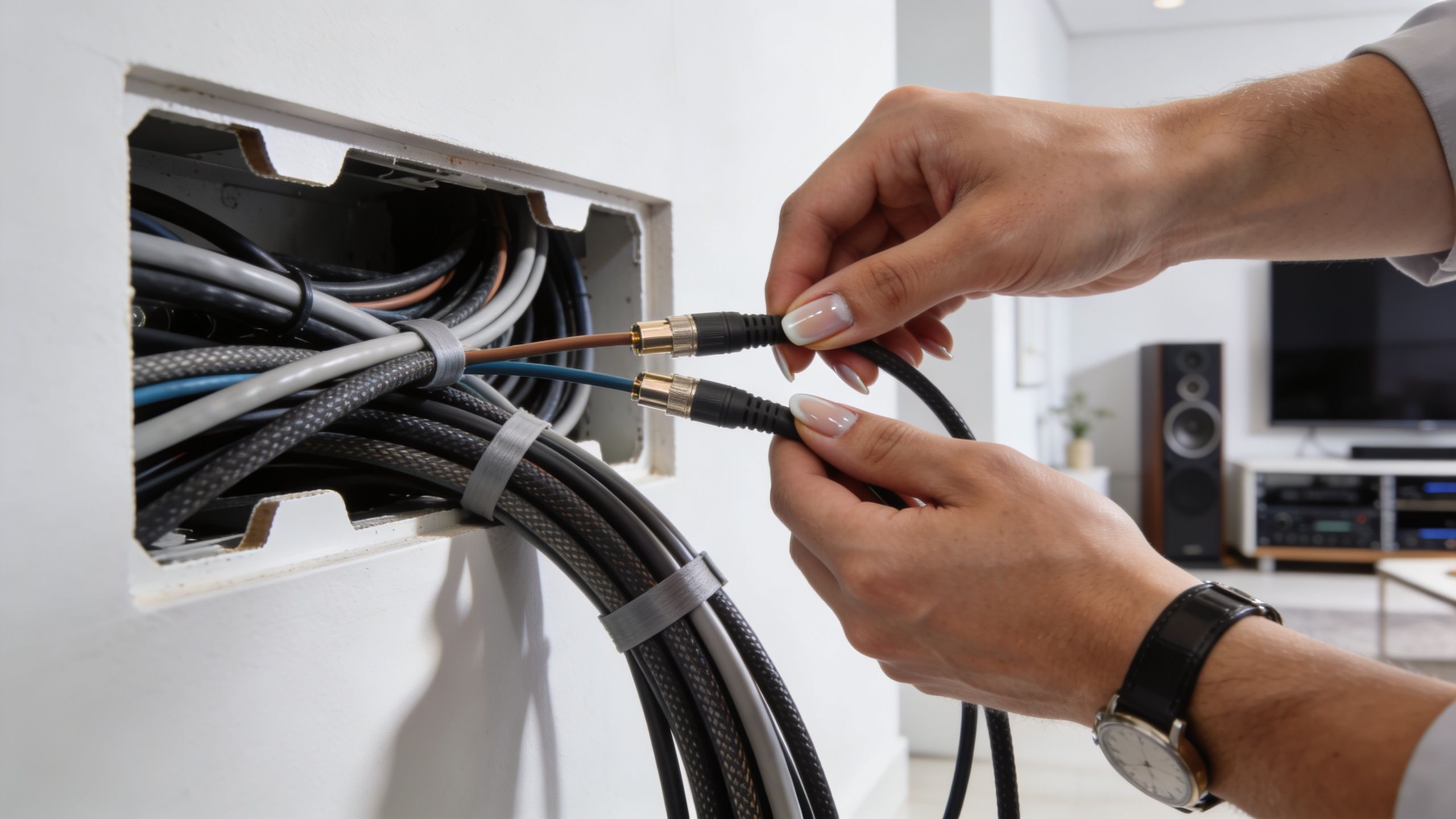
In a new build or major renovation, this is the ideal order:
That sequence sounds basic, but skipping it causes most of the ugly fixes people regret later. Power ends up too far from the display. Network ports land in the wrong bay of millwork. A camera gets mounted where a beam blocks the ideal sightline. Then the room gets patched with extension cords, raceways, and adapters.
Existing homes demand a different skill set.
Sometimes wires can be fished through walls cleanly. Sometimes trim details, insulation, masonry, or finished ceilings make that unrealistic. In those cases, the right answer isn’t forcing a bad path. It’s choosing concealment methods that respect the room, whether that means routing through adjacent closets, using attic or basement access, building cable paths into custom cabinetry, or selecting low-profile surface raceways that disappear once painted.
For homeowners planning a retrofit, ideas for hiding TV wires and cables often overlap directly with what works in a residential conference space.
A table matters too. If people plug in laptops regularly, integrated power access keeps the surface cleaner and avoids cords draped across the room. There’s a good practical argument for improving workplace productivity with outlets when specifying conference tables or custom desks for multi-user spaces.
A clean install still has to be maintainable.
Displays need secure attachment to proper structure, not optimistic drywall hardware. In-ceiling speakers should be placed for even coverage, not just centered by eye. Microphones need positions that capture voices clearly without turning the room into a noise collector. And every rack, cabinet, or wall bay should leave room for service access, because someday a cable will need to be traced or a component replaced.
A short visual example helps show what careful installation looks like in practice:
The same principles apply outside the office. If a project extends into whole-home audio, restaurant spaces, outdoor sound, or lighting around the property, the concealed infrastructure becomes even more important because multiple systems start sharing pathways, power planning, and control logic.
Price matters, but budget conversations improve when the room is treated as a system instead of a shopping list.
Commercial conference room integrations typically range from USD 15,000 to over USD 50,000, while residential smart home technology can deliver a strong integrated experience at a more accessible price point for many homeowners, according to these video conferencing installation cost benchmarks.
That commercial range is useful as a reference, not as a template. A home project may not need every category of commercial hardware, but it may require more finish-sensitive labor, tighter concealment, or deeper integration with shades, lighting, audio, and home control.
Three factors drive most residential conference room av installation proposals.
First is equipment. That includes the display, camera, microphones, speakers, networking gear, control hardware, and any supporting smart home devices.
Second is labor and infrastructure. Fishing wires in a finished home, building invisible cable paths, adding power in the right locations, and mounting equipment cleanly takes time. The more architectural care required, the more labor influences the final number.
Third is programming and calibration. This is the part DIY budgets often ignore. Devices may power on without issue, but they don’t become easy to live with until control scenes, audio tuning, lighting behavior, and input logic are dialed in.
| Integration Level | Key Features | Estimated Budget Range |
|---|---|---|
| Foundational | Display, improved camera, upgraded microphone/speaker solution, basic network improvements, simplified control | Below typical commercial benchmarks |
| Integrated | Display, dedicated audio, camera optimization, lighting and shade integration, concealed wiring, programmed scenes | Often competitive with lower-end commercial projects |
| Luxury multi-use | Architectural audio, premium control, hidden infrastructure, advanced lighting/shade automation, entertainment crossover such as cinema-grade media integration | Can approach or exceed complex commercial-style budgets depending on scope |
That table stays qualitative on purpose because home projects vary widely. A straightforward office retrofit and a fully integrated executive study inside a new custom build are not the same job.
The least expensive proposal often pushes cost into daily frustration.
A room with consumer-grade add-ons may still leave you with visible wires, app-hopping, inconsistent call quality, and no simple way to transition from work mode to family use. A better system costs more upfront, but it reduces friction every day the room is used. That’s the value side homeowners usually feel first.
Budget for the experience you want to repeat, not just the hardware you want to own.
There’s also a property-wide perspective. A room built on strong networking, smart lighting, and centralized control can connect naturally with whole-home audio, security, exterior lighting, and future entertainment upgrades. That’s why these projects often make more sense as part of a broader home technology plan instead of a one-off office purchase.
A finished room isn’t finished when the screen turns on. It’s finished when the room feels effortless.
Calibration is part of that. Displays need proper setup for brightness, color, and ambient light conditions. Audio needs balancing so voices sound natural at the table and on the far end of the call. Control logic needs testing so one command doesn’t trigger a chain of awkward steps or missed devices.
Even a well-designed system can disappoint if the handoff is rushed.
The homeowner should know how to start a meeting, change sources, mute microphones, adjust shades, and recover from the few issues that can happen in normal use. If the room also handles entertainment, there should be clear scenes for that too. A control platform like Josh.ai can simplify the experience dramatically, but the scenes still need thoughtful programming and a real-world walkthrough.
A solid post-install routine usually includes:
That last point is what separates a polished integration from a pretty demo.
People’s habits change. Software changes. Furniture moves. A child borrows the remote. A display gets upgraded. Ongoing support keeps a room from slowly drifting back into a collection of partial fixes. That’s especially important in homes where the office connects to larger systems like whole-home audio, automated shades, security, custom theaters, restaurants, new home builds, outdoor lighting and sound, or other low-voltage infrastructure.
If you’re evaluating partners for that kind of work, it helps to work with an audio visual contractor that can handle design, installation, programming, and support as one coordinated process rather than handing pieces off between trades.
A strong home conference space should do two things at once. It should perform like a serious professional environment, and it should still belong in a well-designed home. When those priorities are balanced correctly, the technology fades back and the room starts doing its job.
If you’re in southern Wisconsin or northern Illinois and want a home office, private meeting room, theater, or multi-use space that works without the usual AV friction, contact Home AV Pros for a free in-home consultation. They design and support residential systems that bring together smart home automation, custom home theater, whole-home audio, networking, automated shades, outdoor lighting, and clean, concealed installation for spaces that need to look as good as they perform.

Copyright © 2026. Home AV pros. All rights reserved.