
A well-designed room can fall apart the moment the TV goes dark. You choose the sofa carefully, dial in the lighting, hang art that fits the space, and then one large black screen takes over the wall.
That’s the problem the samsung frame tv 43 is trying to solve. It isn’t just a smaller television. It’s a design-first display built for spaces where the TV has to live in plain sight every day, not just disappear into a dedicated theater room.
For homeowners around Madison, Milwaukee, and nearby communities, that matters. Many living rooms, kitchens, offices, and bedrooms aren’t built around cinema performance alone. They have windows, architectural details, furniture plans, and sightlines that need technology to cooperate with the room instead of dominate it.
A common scenario goes like this. The room looks finished until you mount the TV. Then the wall feels heavier, the fireplace wall feels busier, and the space starts looking like a media room you never intended to build.
That’s where the Frame earns its place. The 2024 Samsung Frame 43-inch LS03D uses a 42.5-inch diagonal 4K UHD screen at 3,840 x 2,160 with QLED technology, plus a matte anti-reflection display that helps artwork read more like a print and less like a glowing panel, according to Samsung’s product page for the 43-inch The Frame LS03D.
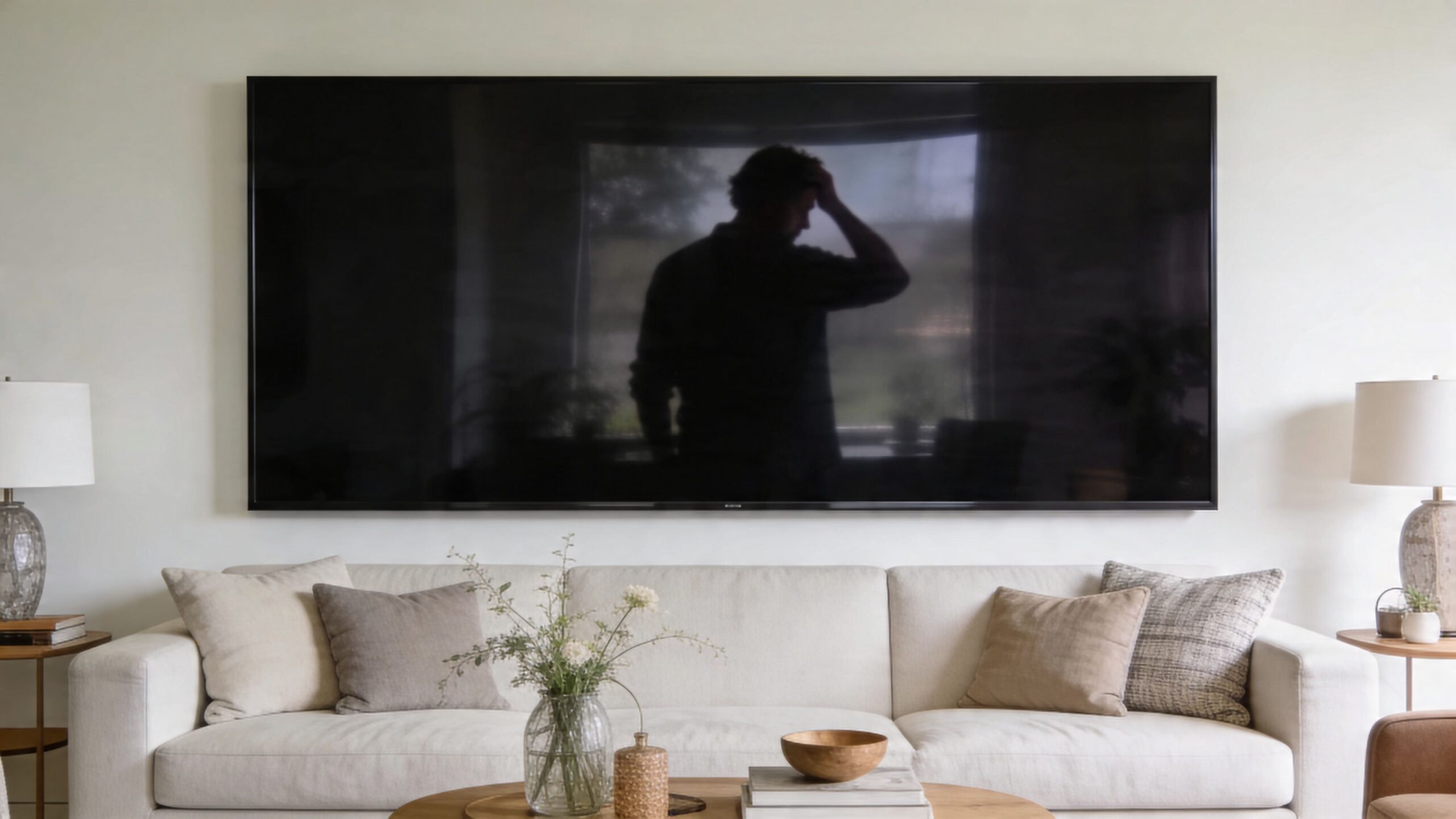
The result is simple. When the TV is off, the wall still feels intentional.
If you’re planning the room from a design angle first, it helps to think about the television the same way you’d think about furniture, lighting, and best wall art for your living room. The Frame fits that conversation better than a standard glossy panel because it’s meant to be seen all day.
It also runs Tizen Smart TV OS and includes a built-in SmartThings Hub, so it can play a role in a larger connected home rather than acting like a standalone screen. That matters once you start tying lighting, shades, audio, and automation into one experience.
A TV in a primary living space has two jobs. It has to look good when it’s on, and it has to stop looking like a problem when it’s off.
The Frame only makes sense if you understand what Samsung is trying to build. This isn’t a conventional TV with a picture mode that happens to show art. It’s a television system designed around two different states of use.
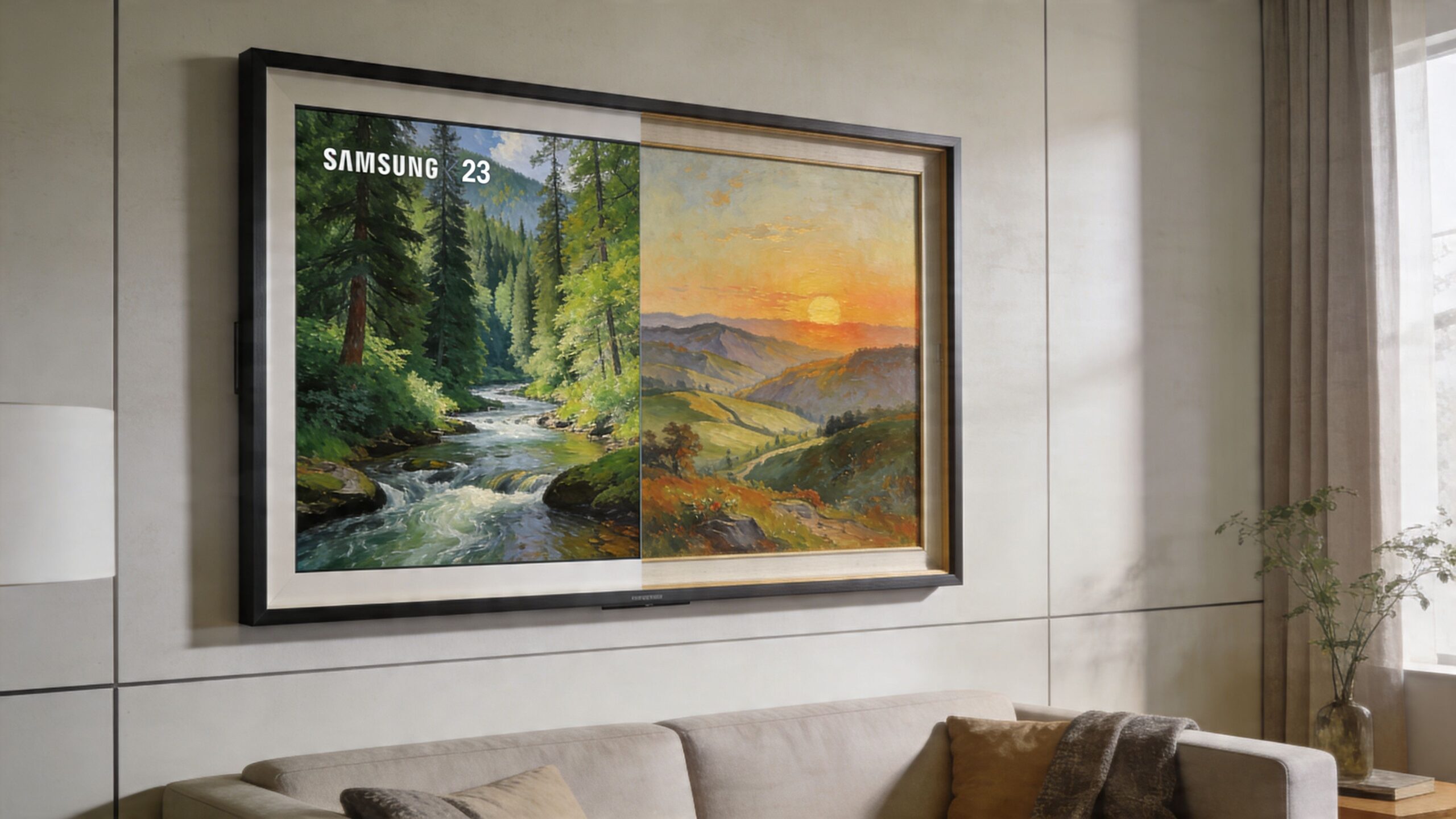
When it’s on, it behaves like a modern 4K smart TV. When it’s idle, it shifts into a décor object that’s supposed to feel quieter, flatter, and less obviously electronic than a normal screen.
Samsung has refined that formula over time. Since the Frame launched in 2017, one of the biggest changes has been the move to a near-zero glare matte display, paired with AI-driven upscaling and motion and light sensors that can adjust brightness or power behavior for art display, as discussed in this Frame TV overview video.
A lot of homeowners focus on resolution first. For the Frame, the more important feature is Art Mode.
Art Mode changes how the TV lives in the room. Instead of dropping to a dead black panel, it displays artwork in a way that’s meant to feel more natural at normal viewing distance. In the right room, that changes the entire wall.
What works best:
What doesn’t:
Glossy TVs reflect lamps, windows, and people moving through the room. That’s one reason most televisions never really disappear.
The Frame’s matte display is different. It cuts reflections enough that wall art and ambient imagery feel plausible in bright rooms. That’s a big reason the samsung frame tv 43 works so well in kitchens, dens, offices, and living rooms with daytime light.
There’s also a practical benefit when you’re watching TV. Daytime sports, news, and casual streaming are easier to live with when the screen isn’t fighting reflections all afternoon.
A closer product walkthrough helps if you want to see how Samsung presents the concept in use.
The third pillar is the One Connect Box. Instead of loading the wall behind the TV with devices and cables, Samsung routes connections through an external box.
That matters because the look people want from the Frame depends on restraint. Fewer visible cables. Less bulk at the wall. Cleaner cabinet planning nearby.
Think of it this way:
| Element | Standard TV | The Frame |
|---|---|---|
| Off-state appearance | Black screen | Art display |
| Screen surface | Usually glossy | Matte, low-glare look |
| Connection strategy | Inputs at the TV | External One Connect Box |
The Frame succeeds when all three pieces work together. Art Mode without the matte display wouldn’t convince many people. The matte display without clean cable planning would still leave you with visual clutter.
The honest answer is that the samsung frame tv 43 is not the TV I’d choose for a blacked-out, dedicated theater where absolute contrast is the goal. In that environment, a high-end OLED still has the advantage in black level and that last layer of cinematic depth.
That doesn’t make the Frame a compromise in the wrong room. It makes it a specialized product that performs best in common living areas.
The 2025 Frame 43 LS03FA uses Samsung’s NQ4 AI Gen2 Processor with 20 AI neural networks to optimize picture and sound, and it pairs that with Supreme UHD Dimming and the matte display to better manage brightness and contrast in bright spaces, according to Samsung’s LS03F product page.
Translated into plain English, that means the TV is built to handle mixed content well. Streaming apps, cable boxes, sports feeds, and everyday viewing all benefit when the processor is cleaning up material that isn’t pristine to begin with.
For many homeowners, that matters more than lab-perfect specs. A living room TV typically isn’t fed a steady diet of reference-grade content. They’re watching a mix of live sports, Netflix, YouTube, news, and older shows.
The Frame tends to shine in rooms where light control is limited.
A bright family room with large windows is exactly where glossy premium TVs can become annoying. You may get excellent contrast at night, then spend the next day looking at reflections. The Frame trades some ultimate dark-room drama for a more consistent daytime experience.
That trade-off usually works in these spaces:
The 43-inch model is a 60Hz set in standard operation, so expectations should stay realistic. It can look smooth for normal sports viewing and general entertainment, but this is not a pure performance display aimed at chasing the most aggressive motion handling on the market.
Color is one of its better traits. QLED gives the Frame a bright, punchy image that suits HDR highlights and vivid streaming content, especially in multi-use spaces. In some rooms, though, that color tuning can look a little assertive out of the box.
Practical rule: If a client wants the Frame because it looks like art, I don’t leave it in a showroom-bright picture mode. The better setup is usually the one that makes daytime viewing balanced and Art Mode believable.
Samsung positions the set well for mixed use. The 2024 LS03D supports HDMI 2.1 bandwidth, VRR, and can support high-frame-rate 4K in supported modes from the verified product details already noted earlier. For a casual or moderate gamer, that’s a nice bonus.
Still, I’d frame the gaming story carefully. If gaming is the primary mission, there are stronger value choices and stronger performance choices. If the mission is a stylish room that also handles movies, streaming, sports, and some gaming without complaint, the Frame makes much more sense.
People often think the hard part is choosing the TV. It isn’t. The hard part is making the Frame look like the product you thought you bought.
That’s where many DIY installs go sideways. The screen itself is only one piece of the result. The wall prep, mount alignment, box placement, cable path, and room geometry determine whether the final look feels architectural or improvised.
Samsung’s concept depends on a clean, art-like presentation. Online homeowner questions repeatedly circle back to the same problems: wall mount compatibility, wire routing, and how to make the installation look finished instead of merely functional. That’s why professional installation is so important for the Frame, especially with the One Connect Box and the goal of a no-gap appearance, as reflected in these recurring questions on Best Buy’s Frame TV Q&A page.
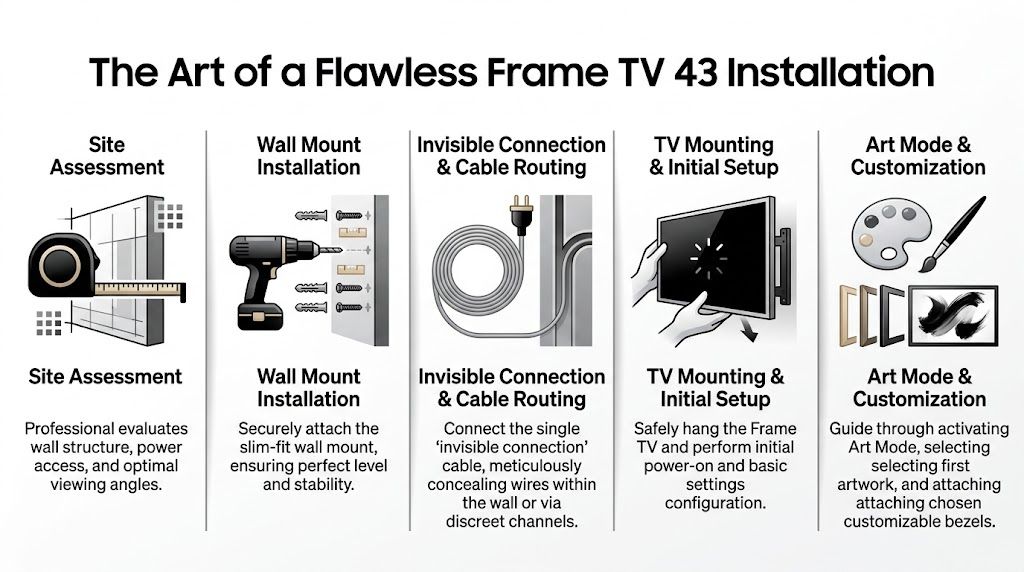
A clean result usually starts before the wall mount goes up.
Site planning
The wall has to be evaluated for structure, stud placement, power location, and where the One Connect Box will live. Fireplace walls, exterior walls, and decorative surfaces all change the plan.
Mount placement
The TV has to be level, centered, and set at a height that makes sense for both watching and visual balance. Art placement is usually different from generic TV mounting.
Cable path design
The cable needs a path that doesn’t force a visible drop or awkward cabinet compromise. These aspects often cause installations to lose their intended appearance.
Box location
The One Connect Box needs an accessible home. That might be a nearby cabinet, built-in millwork, or a closet with proper planning.
Final calibration
Once the TV is on the wall, brightness behavior, artwork, inputs, and control settings need to be adjusted for the room.
The Box is helpful, but it doesn’t eliminate planning. It moves the problem.
Instead of hiding several cables at the TV, you now need one elegant route for the Samsung connection and a smart location for the box itself. That sounds easier than it is. If the box ends up shoved onto a console with no thought to ventilation, source devices, or service access, the install may still look temporary.
This is one reason a flush result often requires framing awareness, low-voltage planning, and furniture coordination. If you want the TV to feel like built-in architecture, the wiring strategy has to be designed at the same level.
The Frame is one of the few TVs where mediocre installation defeats the product. You can buy the right display and still get the wrong outcome.
Some issues show up over and over:
A thoughtful wall-mount project often needs more than a bracket and a drill. If you want a useful primer on general planning before getting into Frame-specific work, this guide on how to mount a TV on wall covers the broader basics well.
In an existing home, the best installation approach depends on how far you want to go.
| Installation approach | Best for | Trade-off |
|---|---|---|
| Surface-neat install | Faster upgrades | Less invisible |
| In-wall cable planning | Cleaner art look | More labor |
| Cabinet or closet box placement | Better overall aesthetics | Requires room-specific planning |
In new construction, the Frame is easier. You can plan power, backing, conduit, and equipment locations before drywall. In finished homes, a good installer has to work backward from the visual goal and find the least disruptive path to get there.
That’s why this TV rewards design discipline more than most.
The samsung frame tv 43 gets more convincing when you stop treating it like a standard television and start finishing it like part of the room.
That starts with the bezel. The default look is clean, but the optional magnetic bezel styles are what help the display read more like framed wall art and less like consumer electronics.
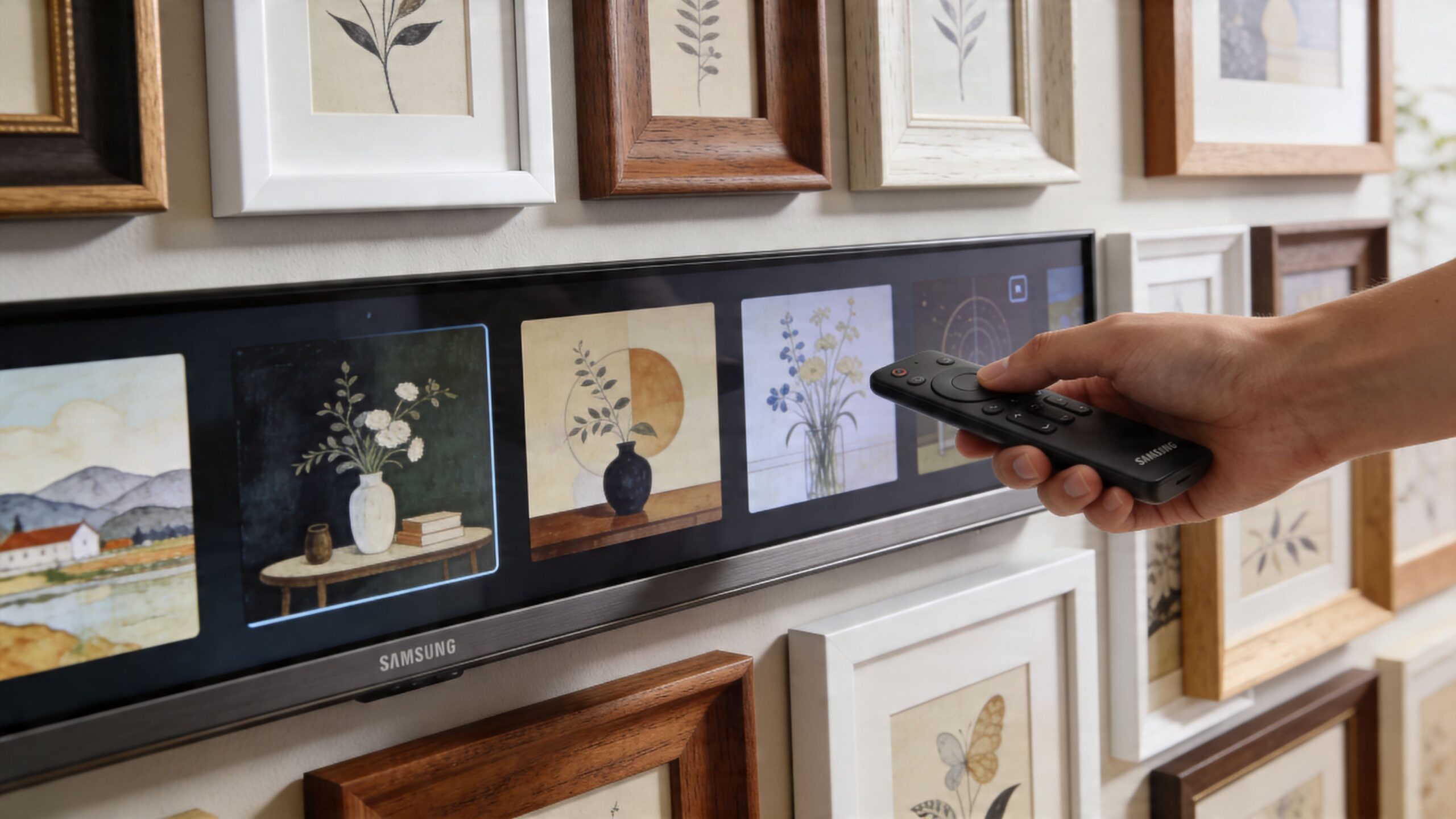
Don’t choose a bezel the way you’d choose a phone case. Match it to the room’s finishes.
A few practical guidelines help:
If you’re comparing trim options and want a visual starting point, this page on the Frame bezel is a useful reference.
Not every image works well in Art Mode. Some pieces feel too digital. Others are too bright, too saturated, or too obviously formatted for a screen.
The most successful choices are usually:
The trick is to choose images that suit the room’s mood. A family room can handle warmer, more expressive work. A home office usually looks better with quieter tones and cleaner compositions.
This is one of the most underused features. Family portraits, travel photography, or black-and-white architectural images can look excellent if they’re prepared with care.
A simple process works best:
Start with a high-quality image
Avoid grainy snapshots or screenshots.
Crop for the screen shape
Compose the image for the display, not for your phone.
Reduce heavy filters
Overprocessed photos tend to look artificial in Art Mode.
Test brightness in the room
An image that looks good at night can feel too strong during the day.
Use your own photography if it deserves wall space. If it wouldn’t make the cut for a printed frame in that room, it probably won’t look right on the Frame either.
A standalone Frame TV is nice. An integrated Frame TV is where the product starts making sense in a higher-end home.
The 2024 LS03D includes Tizen Smart TV OS and SmartThings Hub, Matter Hub, and IoT sensor functionality, based on Samsung’s product specifications already referenced earlier. That gives the TV a foundation for smart home participation.
For an elegant home, though, its main value comes from how the TV interacts with lighting, shades, audio, networking, and voice control.
The wrong way to build a smart home around a TV is to ask what menu options exist. The right way is to ask what the room should do.
For example, a living room scene might do all of this at once:
That’s a better experience than juggling remotes, dimmers, and app screens.
A Frame TV pairs well with Josh.ai because Josh isn’t limited to TV commands. It’s useful when the homeowner wants one request to affect multiple systems with clean logic behind it.
A command like “turn the living room into gallery mode” can be far more interesting than “turn on the TV.” The screen can switch into art display, selected lights can shift toward picture-friendly levels, and shades can adjust to cut glare without darkening the room too aggressively.
That kind of control feels effortless when it’s programmed well. It feels clumsy when every device is added separately with no real system design.
Lighting has a huge effect on whether the Frame looks elegant or obviously electronic.
If overhead cans are blasting the wall, even a matte screen has limits. If the room lighting is layered properly, the art effect becomes much more believable. This is why Lutron matters so much in Frame projects.
A well-designed scene can change the room depending on what the TV is doing:
| Scene | TV state | Lighting behavior | Shade behavior |
|---|---|---|---|
| Gallery | Art Mode active | Softer wall-friendly lighting | Reduce direct glare |
| Movie | Streaming input active | Dim task lighting | Lower for contrast |
| Everyday | Casual daytime use | Balanced general lighting | Partial daylight control |
That’s the difference between owning a design TV and designing around it.
The audio side often gets oversimplified. People assume they can add a soundbar or Sonos product later and everything will just cooperate.
Sometimes it does. Sometimes it becomes a chain of small annoyances.
Samsung support and owner discussion around the Frame point to a real challenge here. Optimizing the motion and ambient light sensors, especially when integrating with systems like Sonos, is an area many guides miss, and owner feedback reflects noticeable Art Mode brightness inconsistencies that often call for professional tuning and reliable networking, as noted on Samsung’s support page for Frame owners.
The practical issue is that great TV integration depends on timing and consistency. If the room audio lags, wakes unpredictably, or behaves differently depending on source, the system stops feeling premium.
What helps:
Most smart home frustrations look like device issues at first. They’re often network issues.
The Frame may be switching between apps, cloud art services, control commands, firmware behavior, and audio handshakes with other gear. Add whole-home Sonos, a Josh.ai system, doorbells, lighting hubs, and security devices, and weak Wi-Fi starts showing its age fast.
That’s why a solid Ubiquiti network matters in larger homes and why reliable mesh planning matters in retrofits. The prettier the room gets, the less tolerance there is for visible troubleshooting.
The Frame isn’t usually the first TV people associate with Kaleidescape, because Kaleidescape is often discussed in dedicated theaters. But there’s a strong use case in a high-end living space.
Some homeowners want the elegance of the Frame by day and a polished movie experience at night. A premium media source lets the room shift roles without becoming a man-cave or sacrificing aesthetics.
That’s also where system design matters. The TV should know how to behave when a premium source becomes active. The lights should react correctly. The shades should respond. The control interface should feel predictable for everyone in the house.
A Frame TV often sits inside broader lifestyle projects:
If you’re thinking through the automation side more broadly, this guide to home entertainment automation is a good companion read.
Smart home integration isn’t about giving the TV more commands. It’s about making the room behave correctly without constant user effort.
The Frame is easy to like. It’s not always easy to dial in.
Most owner frustrations fall into a few predictable categories. The good news is that many of them can be improved with better setup and room-aware adjustment.
This is the complaint I hear most often. The screen either glows too much and looks like a TV, or it gets so subdued that the image feels lifeless.
Try this:
If the room has heavy daylight shifts, this often needs more than a menu tweak. It may need lighting and shade coordination too.
Sensor behavior can seem too sensitive in one house and not responsive enough in another. Furniture placement, hallway traffic, sunlight, and room depth all affect how the TV reacts.
A few checks help:
If the TV is part of a smart home scene, sensor logic may need to work alongside automation logic rather than independently.
When app loading is slow or control handoffs are inconsistent, many people blame the TV first. Sometimes that’s fair. Often the network is the hidden issue.
Start with:
In larger homes, a stronger network design often does more than repeated app troubleshooting.
If a source cuts out intermittently, don’t assume the source device is the only problem. Check the entire signal path.
That includes:
A Frame install can look finished while still being vulnerable behind the scenes. The best professional work solves both.
The samsung frame tv 43 is one of the few TVs where buying the product is only the beginning. The final experience depends on design decisions outside the box.
That’s why professional planning matters so much. The TV needs the right wall, the right height, the right cable strategy, the right nearby equipment location, and the right room lighting if you want the art concept to hold up in daily life.
It also benefits from being treated as part of a complete home system. In the right project, the Frame can work alongside Josh.ai, Lutron, Sonos, Kaleidescape, Ubiquiti networking, automated shades, outdoor lighting, and distributed audio without turning the house into a tangle of apps and workarounds.
That broader view matters whether you’re upgrading a single living room or planning a larger property. Some homeowners start with one Frame TV and later expand into whole-home audio, custom home theater, new-build wiring, restaurant AV, outdoor sound, or permanent and outdoor lighting. The common thread is the same. Good technology should look clean, work reliably, and fit the home.
If you’re comparing installers or deciding whether to tackle a project yourself, look for a partner that handles more than mounting. An experienced audio visual contractor should be able to think through aesthetics, infrastructure, programming, and long-term support together.
Yes, if the room is modest in scale or the TV is one element in a more design-driven space. It’s especially strong in condos, secondary living areas, offices, kitchens, and bedrooms. In a large open-concept family room, some homeowners may want a bigger size for primary viewing.
It can. The verified product information for the 2024 LS03D notes low input lag and HDMI 2.1 bandwidth supporting up to 4K at 120Hz with VRR on the 43-inch version from Samsung’s specs already cited earlier. For mixed-use households, that’s a solid feature set. For gaming-first buyers, there are still better purpose-built displays.
That depends on the room and your priorities. If your top priority is dark-room movie performance, OLED usually has the edge. If your top priorities are aesthetics, glare control, wall integration, and making the TV disappear into the room when it’s not in use, the Frame has a different advantage.
Yes, but only when the conditions are right. The display, room lighting, mount height, artwork choice, and cable concealment all matter. The TV itself gets you part of the way. The room and installation finish the job.
Not always. The 2024 LS03D includes 40W 2.0.2 channel speakers, and Samsung’s verified specs position it as capable enough for general use. For homeowners who care about fuller dialog, better bass, and a more immersive presentation, external audio is still the better route.
It’s harder to install well than many people expect. The challenge usually isn’t just hanging the display. It’s achieving the clean no-gap look, routing the connection elegantly, placing the One Connect Box intelligently, and making the room feel finished.
No. It can work in design-conscious offices, hospitality spaces, and some restaurants. Still, the strongest use case is residential. Homes benefit most from the combination of décor value, Art Mode, smart home coordination, and daily lifestyle use.
If you want the samsung frame tv 43 to look right and behave like part of a complete smart home, Home AV Pros can help. They design and install custom home theater, smart home automation, whole-home audio, TV mounting, networking and Wi-Fi, security, exterior lighting and sound, permanent holiday lighting, and low-voltage systems for new home builds across southern Wisconsin and nearby northern Illinois. Schedule an in-home consultation to plan a clean, reliable solution that fits your room and the way you live.

Copyright © 2026. Home AV pros. All rights reserved.