
You bought smart lights because you wanted convenience. Then came the thermostat. Then a video doorbell. Then a speaker in the kitchen. Now your phone has a folder full of smart home apps, and half the time you can't remember which one controls what.
That’s usually the moment homeowners start asking a better question. Not “what gadget should I add next?” but what is a smart home hub, and do I need one?
If you live in the Madison to Milwaukee area, you’ve probably seen both sides of this. Some homes have a handful of disconnected devices that work fine until the Wi-Fi gets crowded or an app changes. Other homes feel effortless. Lights, shades, music, security, and theater all respond like they were planned together from the start. The difference is usually the foundation.
A lot of people start the same way.
You install a smart thermostat. Then you add Sonos for music. Later, you put in a video doorbell and a few smart bulbs. Each product works on its own, and each one looks impressive in the store. But once they’re in your house, the experience gets clunky fast.
Your thermostat app handles temperature. Your speaker app handles music. Your lighting app handles scenes. Your voice assistant kind of helps, but only if the devices all play nicely together. If they don’t, you end up doing the same thing manually, just through a phone instead of a wall switch.
That isn’t a smart home. It’s a collection of smart products.
A smart home hub is what turns that collection into a system. It gives devices a common place to connect, coordinate, and automate. Instead of opening three apps before bed, you tap one command or say one phrase and the home handles the rest.
That shift is why so many homeowners are moving past one-off gadgets. The US smart home hub market was valued at USD 42.6 billion in 2024 and is projected to reach USD 94.6 billion by 2034, growing at a CAGR of 8.3%, with security and automation holding a 42.1% market share according to US smart home hub market data. That tells you this isn’t a niche hobby anymore.
Most frustration comes from one of these problems:
If your home already struggles with weak coverage or dead spots, improving the network matters before anything else. That’s why many homeowners start by looking at ways to improve Wi-Fi signal strength before expanding automation.
A messy smart home usually isn’t caused by buying the wrong products. It’s caused by buying products that were never given a common brain.
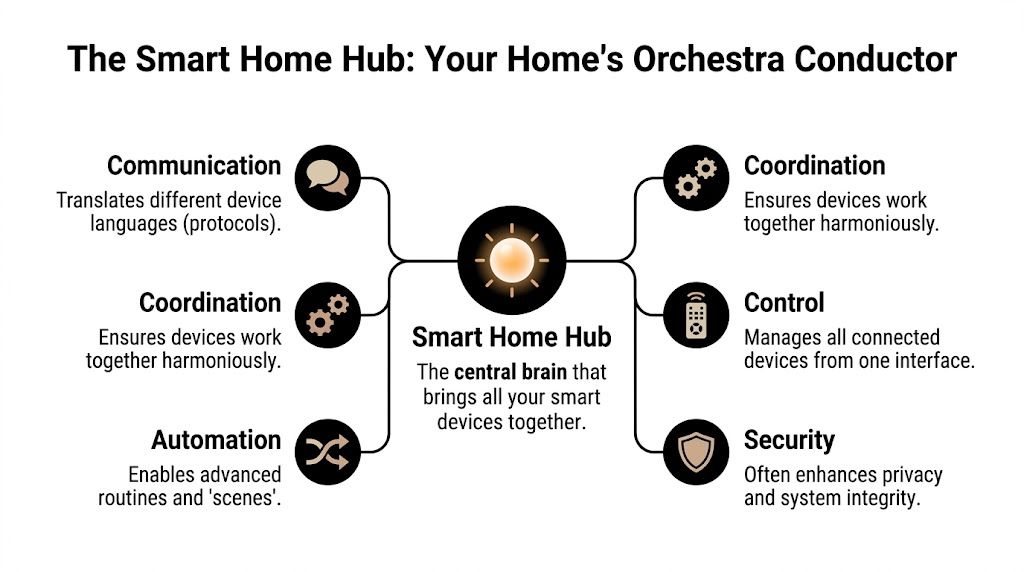
The easiest way to understand what is a smart home hub is to think of an orchestra.
You have violins, drums, brass, and piano. Each instrument can make sound on its own. But without a conductor, timing falls apart. One section starts early, another comes in late, and the whole performance feels disjointed.
A smart home hub does the same job inside your house. It coordinates all the smart devices so they act like one system instead of a pile of separate products.
Smart devices don’t all speak the same language.
Some use Wi-Fi. Others use Zigbee, Z-Wave, Thread, or Bluetooth. A hub acts like a translator between them. That’s why a motion sensor can trigger lights from another system, or why a shade can respond as part of a larger scene even if it wasn’t built by the same manufacturer.
That translation role is one of the biggest reasons hubs matter in professionally integrated homes. Without it, many devices stay trapped in their own little ecosystems.
The second job is central control.
Instead of juggling different apps, a good hub lets you use a single interface. In luxury home environments, that may be a dedicated control platform such as Josh.ai, a clean in-wall keypad, or a carefully designed mobile app. The point isn’t just convenience. It’s consistency.
You don’t want to remember where each command lives. You want one predictable way to run the home.
For homeowners trying to understand the bigger picture, this overview of what is home automation system helps connect the hub to the full automation stack.
A real hub separates itself from a simple smart speaker.
A dedicated hub can process commands inside the home instead of sending everything out to the cloud and waiting for a server to respond. According to Aeotec smart home hub technical specifications, a smart home hub can bridge Z-Wave, Zigbee, and Wi-Fi, use hardware such as an ARM Cortex-A7 CPU, and process local automation in milliseconds, which makes it faster and more reliable, especially when internet service is down.
That matters in daily life.
If a hallway motion sensor detects movement at night, you want the lights to respond right away. You don’t want that command traveling out of the house, up to a cloud service, and back again just to turn on a dim pathway.
Practical rule: If a device controls comfort, lighting, entry, or security, local processing is worth caring about.
A central hub also changes where your data goes and how often your home depends on outside servers.
That’s one reason privacy-conscious homeowners ask more detailed questions now than they used to. If you want a useful non-manufacturer read on connected device concerns, this article on privacy issues in IoT is worth your time.
In plain terms, the more decisions your home can make locally, the less your everyday routines have to leave the house.
When people hear terms like Zigbee, Z-Wave, Thread, and Matter, their eyes usually glaze over. That’s normal. Most homeowners don’t need to memorize protocol charts.
You only need one idea. Protocols are the communication methods smart devices use to talk.
If the hub is the conductor, protocols are the different languages spoken by the musicians. Some are common. Some are specialized. Some are better for small battery devices. Others are better for streaming audio or video.
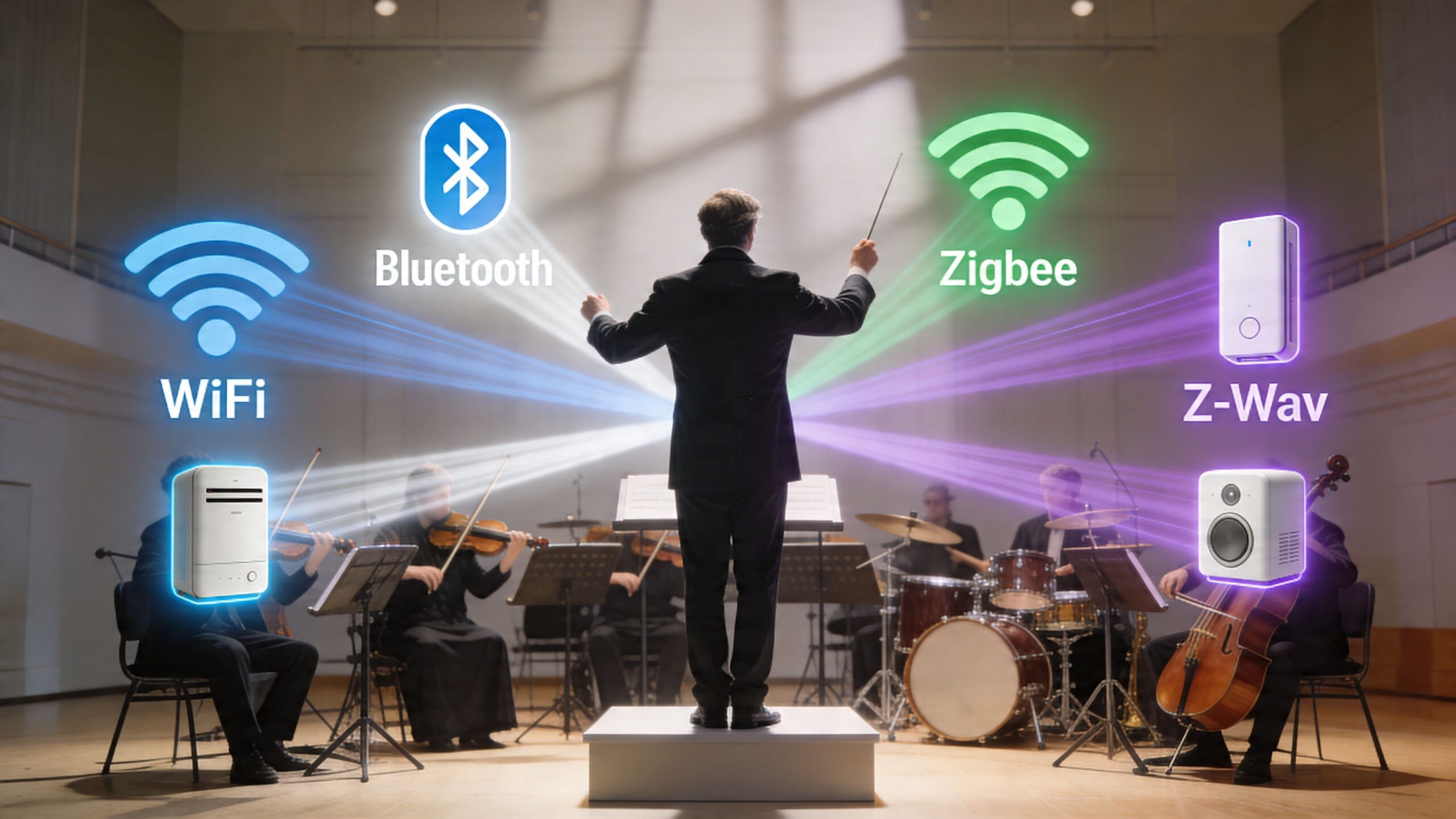
Wi-Fi is the one most homeowners already know.
It’s everywhere. Your phone uses it. Your TVs use it. Streaming gear uses it. In home AV, products that move a lot of data often depend on a strong network backbone. Think of devices like Sonos speakers, video doorbells, and components in a media setup.
If you’re using devices that constantly send video, music, or app control traffic, solid networking becomes part of the smart home conversation. The same is true when planning systems around cameras, which is why homeowners often compare automation gear with guides on what is PoE security camera.
A Wi-Fi device is easy to add, but that doesn’t mean it’s always best for every role. If you stack too many devices on the same wireless network, you can create congestion.
Zigbee and Z-Wave are common in automation because they’re designed for device-to-device communication, not just internet access.
A simple way to think about them:
| Protocol | Good fit | Why it matters |
|---|---|---|
| Zigbee | Lights, sensors, smaller automation devices | Built for responsive smart home communication |
| Z-Wave | Locks, sensors, reliability-focused control | Popular in automation and security use cases |
| Wi-Fi | Speakers, cameras, app-heavy devices | Uses existing home network infrastructure |
You don’t need to choose a favorite protocol as a homeowner. You need a system that can manage several of them well.
One helpful reference point is range. Earlier in this article, we covered that Z-Wave and Zigbee can differ significantly in direct indoor range, which is one reason hub choice and device placement matter so much in larger homes.
Bluetooth usually plays a smaller role in full-home automation.
It’s often useful for direct phone-to-device communication, quick setup, or local pairing. It can be handy, but it’s rarely the backbone of a polished whole-home system. Most luxury environments lean harder on protocols built for broader coordination.
Matter gets attention because it promises something homeowners have wanted for years. Less brand drama. Less guesswork. Fewer “works only with” headaches.
According to Omdia’s smart home market trends coverage, Matter 1.3 is expected in 2025 to 2026 and aims to reduce compatibility issues across ecosystems such as Zigbee and Thread. The same source notes that Wi-Fi is projected to hold a 49.6% market share in 2026, which is a reminder that older and newer communication methods will continue to live side by side for a while.
That’s why multi-protocol hubs still matter. Matter helps, but it doesn’t erase the existing mix of devices people already own.
Matter is promising, but it doesn’t magically reorganize an existing house full of mixed-brand devices overnight.
Here’s where homeowners get tripped up.
Your Sonos system may live comfortably on Wi-Fi. Your automated shades may rely on a different control path. Your voice control platform may sit above both. Without a hub or control platform that can coordinate those pieces, each one remains smart only inside its own lane.
In a professionally integrated home, that’s the difference between saying “goodnight” and having the house respond, versus manually closing shades, pausing music, checking locks, and adjusting lights one by one.
A lot of products get called a hub, but they don’t all do the same job.
Some are really just app containers. Some are cloud gateways. Some are dedicated hardware controllers built to keep the house responsive even when your internet is having a bad day.
That difference matters more than most homeowners realize.

Here’s the simplest way to separate them:
| Type | What it feels like | Main limitation |
|---|---|---|
| App-based setup | Several brand apps loosely connected | No real central brain |
| Cloud-dependent hub | Convenient voice control and remote access | Slower response and internet dependence |
| Dedicated hardware hub | Local automation and structured control | Requires better planning up front |
The first category is what many people already have. A handful of apps, maybe tied together with a voice assistant. It works, but only up to a point.
The second category is common in consumer smart homes. It’s easy to start with, and for basic routines it may be enough. But when homeowners add shades, theater control, security, whole-home music, and more detailed scenes, the cracks show.
The third category is where serious integration begins.
Cloud systems have one big convenience advantage. They’re easy to buy and easy to start.
Their weakness is that they often depend on remote servers for logic and command handling. If your connection stalls, your automation can stall with it. If the service changes, your experience changes too.
According to Best Buy’s smart hub overview, over 80% of popular consumer hubs transmit user data to corporate clouds, and local-first systems are growing in popularity. The same source notes response times of under 100ms for local systems compared with over 500ms for some cloud-based actions.
That gap is easy to feel in real life. A half-second delay may not sound dramatic on paper, but it feels sloppy when you hit a scene button and stand there waiting.
In this scenario, brands like Josh.ai and Lutron make more sense than a patchwork of consumer gadgets.
They’re typically part of a system designed around stable control, not just flashy setup. A well-planned hub can coordinate shades, lighting, music, and theater gear in a way that feels immediate and predictable. That matters in a main living area, but it matters even more in a dedicated theater or whole-home setup.
If you want a quick visual primer on how different smart home control styles compare, this video is useful:
The first benefit isn’t technical. It’s emotional.
You stop wondering whether the command will go through.
That’s why a dedicated hardware hub isn’t just “more advanced.” It solves the part that annoys people most. Uncertainty.
The most interesting thing about a smart home hub isn’t that it controls devices. It’s that it can coordinate experiences.
That’s the leap from convenience to design.
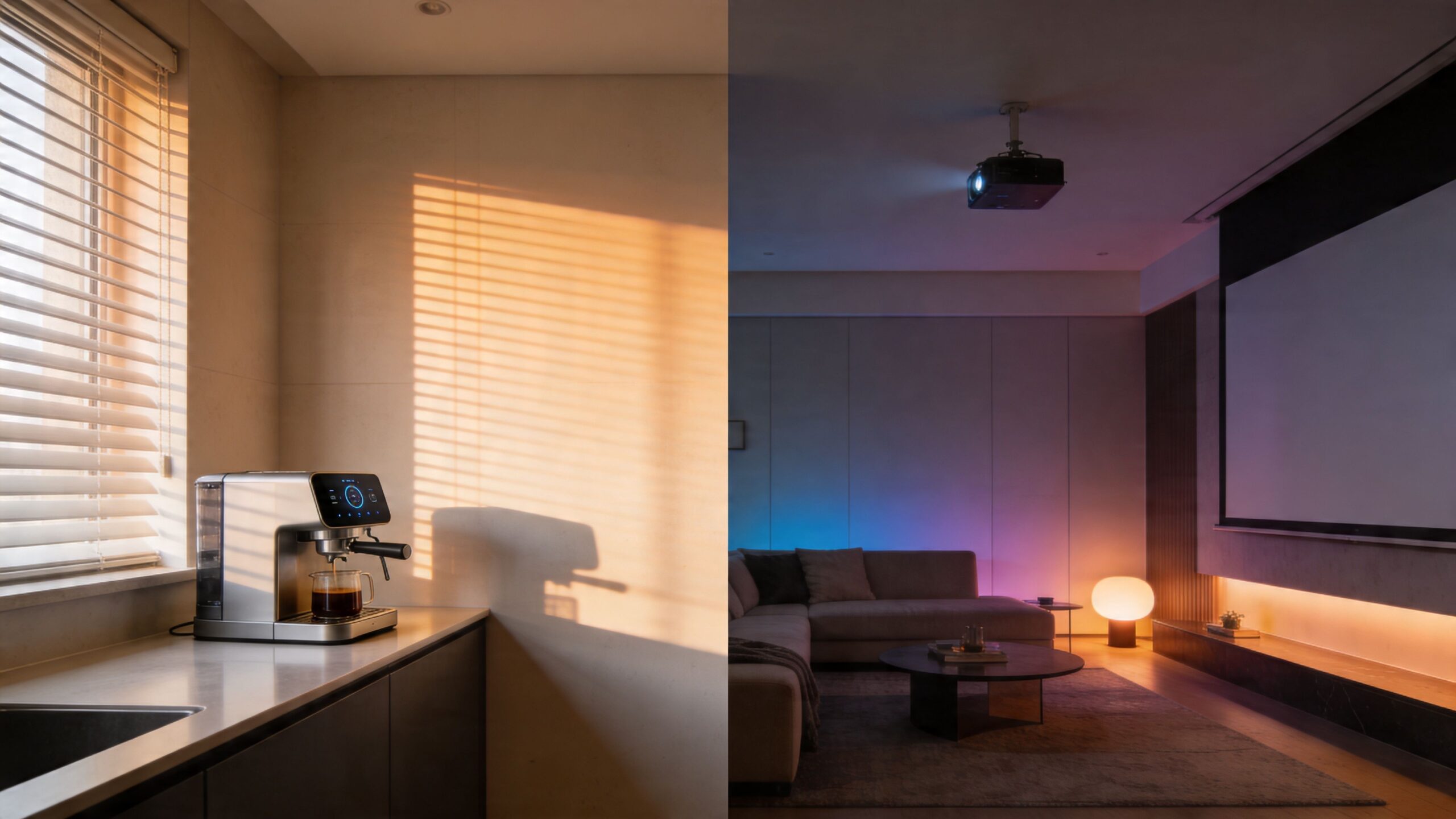
A professionally integrated home doesn’t ask you to think in terms of apps and brands. It lets you think in terms of moments. Morning. Away. Dinner. Movie Night. Bedtime.
Take a real home example.
You tap “Movie Night” on a keypad or say the command through Josh.ai. The Lutron shades close. Accent lighting drops to a preset level. The projector and screen sequence starts. Kaleidescape is ready for playback. Sonos or a dedicated surround system shifts to the right source.
You didn’t launch four apps. You triggered one scene.
That’s what homeowners are usually hoping for when they start buying smart devices. Not remote control for individual products. Coordination.
A polished home system usually relies on more than wireless convenience.
Professional hubs often use Ethernet for stable communication with the network. According to Aqara hub specifications, professional hubs with Ethernet ports can minimize Wi-Fi congestion and packet loss, support under 100ms latency for real-time AV control, process logic-based automations offline, and provide 99.9% reliability during internet outages.
That’s a big deal in rooms where timing matters.
A delay is annoying when you’re turning on a lamp. It’s far more noticeable when you’re trying to control distributed audio, a custom theater, automated shades, and security responses at the same time.
In a well-designed home, the technology should disappear. You notice the experience, not the system behind it.
Professional automation isn’t only about scenes you trigger manually.
It’s also about rules that make sense in the background:
Home-focused integration stands apart from generic smart gadgets. The system starts reflecting how you live.
For homeowners planning larger projects, that often ties into more than automation alone. It may involve custom home theater, new home builds, whole-home audio, outdoor lighting and sound, and even exterior lighting systems such as Oelo. In some properties, the same planning mindset also extends to restaurants or mixed-use spaces, but the strongest value is usually in the home where daily habits and comfort matter most.
Even the smartest hub can’t rescue a weak foundation.
That’s why professionally integrated homes often include structured networking with hardware from companies like Ubiquiti or other managed network solutions. The goal isn’t just internet speed. It’s dependable communication between all the parts that now rely on one another.
When that foundation is right, automation stops feeling experimental. It feels built in.
DIY smart home setups aren’t bad. For the right homeowner, they’re fun.
If you like tinkering, enjoy testing devices, and only need a few automations in one area, a DIY hub can absolutely make sense. You can learn a lot that way, and for a modest setup it may be all you need.
The trouble starts when the system becomes important.
A DIY route often works well if your goals look like this:
That’s a perfectly valid category of smart home use.
If you’re weighing that route, it helps to read a balanced take on do it yourself home automation before you commit to a full-house plan.
The equation changes when automation touches core living functions.
Lighting, shades, security, networking, theater control, whole-home music, and entry systems don’t feel like hobby devices once the family uses them every day. At that point, reliability matters more than experimentation.
A common concern is whether the hub itself becomes a weak link. That concern is fair. According to Wikipedia’s smart home hub overview, DIY hubs can become a single point of failure, with user forums reporting 10% to 20% failure rates over several years. The same source notes that if the hub fails, connected non-Wi-Fi devices can become unresponsive, while professionally installed systems are typically designed for 99%+ uptime through local controls and redundancy.
| Your situation | DIY may be enough | Professional integration is smarter |
|---|---|---|
| A few smart plugs and bulbs | Yes | Probably not necessary |
| Whole-home lighting and shades | Maybe at first | Usually yes |
| Security and entry tied to automation | Risky | Strongly recommended |
| Custom home theater control | Limited | Yes |
| New home build or renovation | Possible but fragmented | Usually the cleaner path |
A professional integrator doesn’t just install devices.
They usually solve several hidden problems at once:
A hub is only risky when it’s dropped into a house without a plan. In a planned system, it becomes the control point that makes the house more dependable.
This is the tipping point. If you want something to experiment with, DIY can be enjoyable. If you want the house to work the same way every morning, every night, and every time guests come over, professional integration becomes easier to justify.
It usually starts the same way. You walk into the house, open one app for the lights, another for the thermostat, a third for music, and a fourth for cameras. The technology is all there, but it does not feel like one home.
A well-planned hub fixes that by giving the system a shared brain and a clear set of instructions. The result is a house that responds in a calm, predictable way instead of making you manage every device one by one.
That difference stands out most in professionally integrated homes. In higher-end spaces, homeowners are not looking for a pile of smart gadgets they can tinker with on weekends. They want lighting, shades, voice control, audio, security, and theater to work together reliably, with controls that feel natural in daily life and fit the design of the home.
Around Madison, Milwaukee, and nearby northern Illinois, that often means choosing products built for polished, long-term use. Josh.ai can handle voice control with more intent and privacy than many DIY assistants. Lutron is a common choice for lighting and shades because it is designed for dependable performance. Sonos, Kaleidescape, Oelo, and Ubiquiti each fill a specific role too, but the true value comes from how those pieces are planned as one system.
That planning matters most during new construction, major remodels, and dedicated media room projects.
It also matters when you want several categories to behave like one experience. Maybe "Goodnight" lowers the shades, turns off main-floor lights, locks doors, and arms the security system. Maybe movie night dims the room, starts the projector, sets the audio, and closes the blackout shades with one command. Those results usually come from design decisions made early, not from stacking products together later and hoping they cooperate.
A local integrator like Home AV Pros handles that design work for homeowners across the Madison to Milwaukee corridor and nearby northern Illinois. The company installs and coordinates home automation, TV mounting, theater, audio, cameras, networking, shades, and lighting, with a strong focus on residential systems where dependable control changes how the house feels to live in.
So what is a smart home hub in practical terms?
It is the control layer that helps premium systems act like parts of the same house. For Wisconsin homeowners building or upgrading a home, the hub is less about adding another gadget and more about creating a reliable foundation, especially when comfort, performance, and ease of use matter as much as the features themselves.

Copyright © 2026. Home AV pros. All rights reserved.