
You bought a smart doorbell, opened the box, and expected a quick swap. Then the questions started. Does the existing chime work with it? Is the transformer strong enough? Why is the Wi‑Fi solid inside the foyer but unreliable at the front brick wall? If the camera misses packages or reboots on cold mornings, was the device bad, or was the install wrong from the start?
That's where most “doorbell installers near me” searches really begin. Homeowners usually aren't looking for someone to tighten two screws. They're looking for someone who can make the system work the way it should, every day, without constant app alerts, power problems, or weak video at the front door.
A smart doorbell sounds simple until it meets a real house.
The common version goes like this. A homeowner upgrades from a basic push-button doorbell to a camera doorbell, gets through the app prompts, mounts the unit, and then hits a wall. The chime stops working. Live video lags. Motion zones don't catch deliveries. The app says the device is online, but notifications arrive late. At that point, the issue usually isn't the doorbell alone. It's the power, placement, Wi‑Fi, or all three.
That shift matters because smart doorbells are no longer a niche add-on. SafeHome's 2026 market report says 58.9 million U.S. households use video doorbells, and 61% of U.S. households have at least one security camera, with that camera adoption rising from 52% in 2024 in the same report on the home security market. The front door has become part of the home network, not just part of the trim carpentry.
The old job was straightforward. Replace a button, check the chime, maybe swap a transformer.
The current job is different. A proper install now has to account for:
A smart doorbell is a small device with whole-home consequences. If it's unreliable, the problem is rarely “just the doorbell.”
That's also why the right installer thinks past the immediate task. In a home environment, the doorbell often becomes the first visible piece of a larger automation plan. It can tie into lighting, audio, cameras, locks, and voice control. For homeowners in Southern Wisconsin, especially in houses with older wiring or challenging exterior construction, getting the first step right saves a lot of frustration later.
DIY works when the house already cooperates. Many don't.
A clean installation depends on conditions that most homeowners can't confirm by sight. The old transformer may look fine but still be undersized for a modern camera doorbell. The chime may be physically present but wired in a way that creates inconsistent behavior. The front porch may sit at the edge of your wireless coverage, which is enough for occasional app access but not enough for dependable live video and prompt alerts.
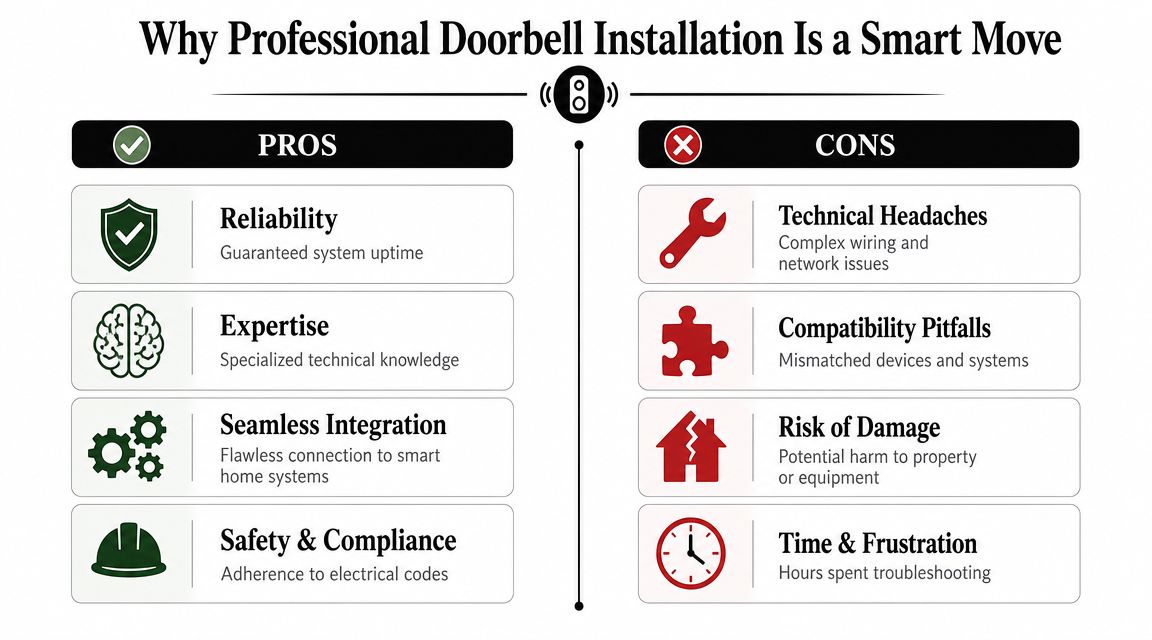
Many homeowners find their project stalls on wiring, transformer, or chime issues. That's a practical gap in this category, because basic mounting services often stop at setup while a true installer can diagnose and correct the underlying electrical problems, as reflected in this overview of video doorbell services and installation scope.
In the field, the trouble spots usually look like this:
A professional install isn't just about convenience. It changes the order of operations. The installer checks the house first, then the product.
That means looking at voltage, transformer condition, chime compatibility, mounting surface, and wireless performance before the final location is locked in. It also means knowing when a problem belongs to low-voltage wiring, when it belongs to networking, and when the better answer is to integrate the doorbell into a broader home automation installation strategy instead of treating it like a standalone gadget.
Here's the practical difference:
| DIY approach | Professional approach |
|---|---|
| Mount first, troubleshoot later | Assess power and network before mounting |
| Reuse old wiring and hope it works | Verify the circuit can support the device |
| Place the unit where the old button was | Choose placement for visibility and detection |
| Stop at app connection | Finish with testing, setup, and handoff |
Practical rule: If the installer can't talk clearly about transformer output, chime behavior, and front-door Wi‑Fi, you're probably buying a mounting appointment, not a system installation.
That distinction matters most in older homes. Those are the houses where “simple install” often becomes “why doesn't my indoor chime work anymore?” or “why does the video freeze when someone is at the door?”
A good smart doorbell answers the front door. A well-integrated one participates in the house.
That's the difference between a product install and a home automation install. On its own, the doorbell sends alerts and records video. Integrated properly, it can trigger lighting responses, push announcements to the right rooms, work alongside access control, and fit into the same control experience as the rest of the home.
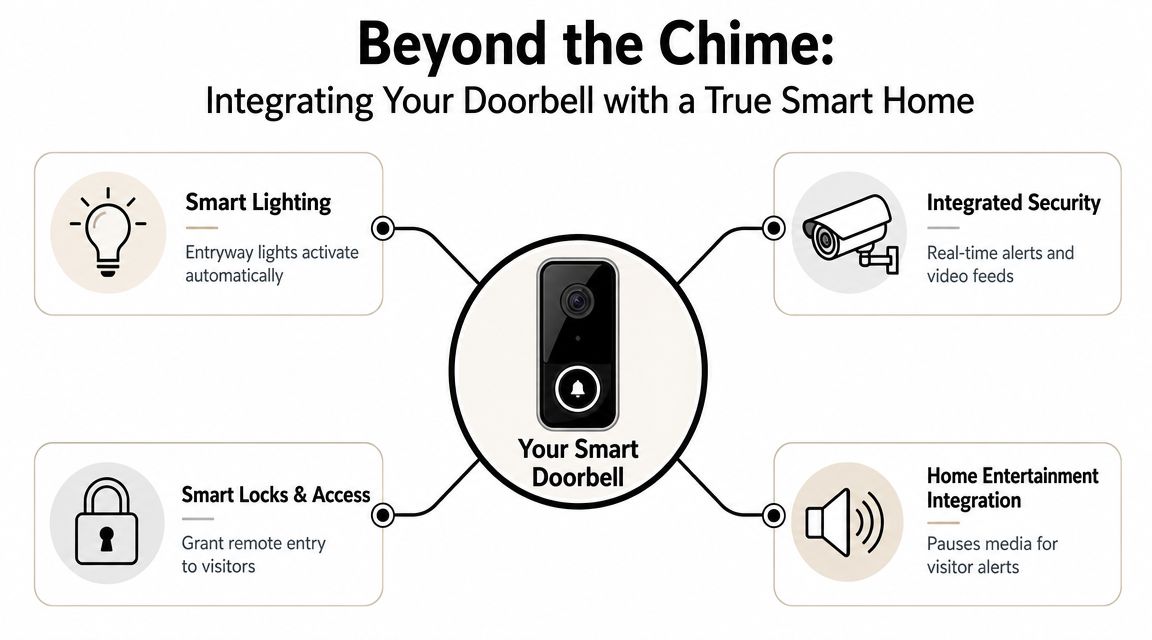
In a home-focused system, the front door can trigger useful actions without becoming annoying.
A few examples:
Here's a short look at how connected systems are evolving at a broader level. This overview from Nutmeg Technologies on IoT is useful if you want context for why single devices increasingly perform better as part of a coordinated ecosystem.
A short visual helps make that whole-home logic easier to picture.
Post-install support is one of the least discussed parts of the job. Homeowners often need answers about privacy, cloud storage, account control, and network security. That's why a professional integrator should plan for secure setup and a clean handoff for long-term management, as noted in this guidance on smart home security wiring and support.
That matters even more in homes with mixed platforms. One family may have Sonos in common areas, Lutron lighting throughout, Ubiquiti networking, and voice control layered over the top. If the doorbell is added casually, it becomes one more app with one more login and one more point of failure.
The front door is a bad place for weak Wi‑Fi and loose account management. It's one of the first systems you rely on when you're away from home.
If your entry has poor signal, fix that before expecting a camera doorbell to behave. A quick review of how to improve Wi‑Fi signal strength makes the point clearly. Reliable front-door devices depend on reliable front-door coverage.
A proper doorbell installation is usually quick for the homeowner because the work happens in the right sequence.
Best Buy lists an estimated 60 minutes for a video doorbell install, and that timeline is realistic when the house is already compatible. The same practical standard applies more broadly. A professional install is often fast because the installer confirms power and network conditions first, including whether the wiring provides 16–24 V AC and whether Wi‑Fi is stable at the door, based on the installation expectations outlined for video doorbell installation.
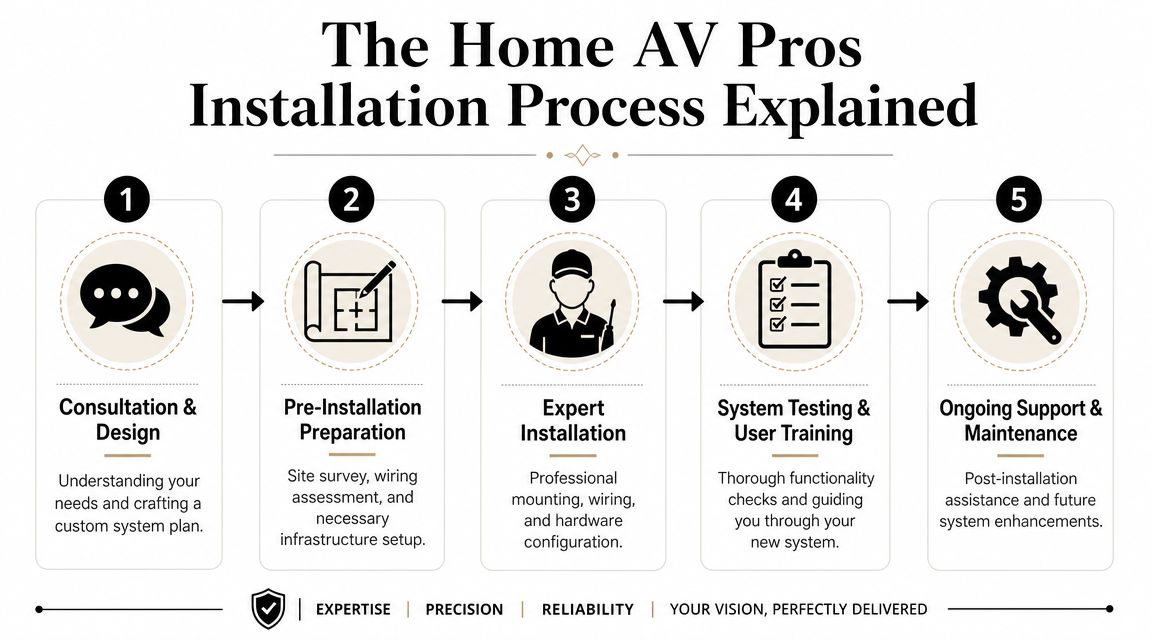
Before anything gets mounted, the job should start with assessment.
That usually means checking the existing button location, transformer path, chime type, siding or trim surface, and wireless coverage at the exact mounting point. In a lot of homes, that front location is where problems finally show up. The phone gets a usable signal there, but the doorbell needs more consistency than a quick speed check suggests.
A solid pre-install visit should answer these questions:
For homes that need wiring work, the discussion often moves into low-voltage wiring contractor services rather than simple device setup. That's the right move when the issue is infrastructure, not hardware.
Once the conditions check out, the physical install is usually straightforward. Remove the old button, prep the mounting surface, connect and secure wiring, install any required chime components, mount the unit cleanly, then complete setup in the app.
The handoff matters just as much as the hardware. A good finish includes:
Fast is fine. Rushed is not. The shortest installs are usually the ones with the best pre-checks.
Cost matters, but the right way to judge it is by scope.
Homewyse's 2026 cost data estimates the national average cost to install a doorbell at $357–$503 per doorbell in May 2026, according to its doorbell installation cost calculator. That's a useful benchmark because it reflects real variation in labor and site conditions instead of pretending every home gets the same install.
A basic replacement costs less than a problem-solving install. That part is straightforward.
The factors that usually move the number are:
The cheapest installation is often the one that leaves the most unfinished. That can mean no proper power check, no discussion of viewing angle, no help with app ownership, and no support when the house network changes.
For homeowners comparing options, it helps to look beyond the invoice and compare scope. If you're evaluating a local service for a doorbell camera installation near you, ask what is included. Testing, troubleshooting, clean setup, and integration work have value because they reduce repeat visits and daily frustration.
A smart doorbell should feel boring after it's installed. It should just work.
Those seeking doorbell installers in their vicinity typically look for professionals with sufficient local understanding of housing stock, a realistic approach to explaining trade-offs, and a versatile skill set capable of handling multiple devices.
That's especially relevant across Southern Wisconsin. Homes around Madison, the Milwaukee metro, and nearby northern Illinois communities can vary widely. Some have recent structured wiring and strong wireless coverage. Others have legacy low-voltage circuits, masonry entryways, detached garages, and dead zones right where a camera doorbell needs stable connectivity.
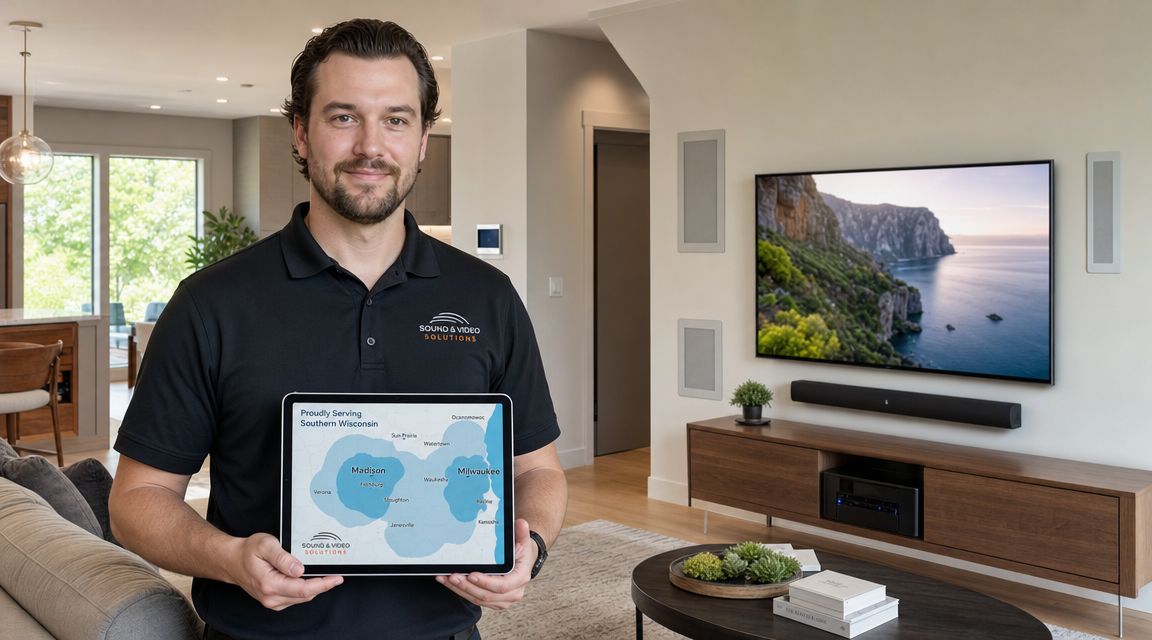
For homeowners, the doorbell is often the first conversation, not the last one.
The same integrator who handles a smart doorbell may also be the right fit for:
The home side should stay the priority. Commercial work like restaurants can benefit from AV, lighting, networking, and audio design too, but the most demanding integration details often show up in residences where aesthetics, family routines, privacy, and long-term usability all matter at once.
A local team also understands what “near me” means operationally. It means service area clarity, realistic scheduling, and support after the initial appointment.
For homeowners trying to understand how local service businesses build trust online, this resource on improving local visibility offers a useful look at why location signals, reviews, and service-area clarity matter so much in search.
In practical terms, local experience shows up in small decisions. Mounting on old trim without making a mess. Knowing when cold-weather performance complaints are power-related. Recognizing that a front porch enclosed by brick is often a Wi‑Fi issue before it becomes a camera issue.
Yes, in many cases that's completely workable.
The key question isn't where you bought it. The important questions are whether it fits the home's wiring, whether the transformer and chime are compatible, whether the mounting location gives the camera a useful view, and whether the network at the front door is stable enough to support the device. A purchased device can still become a poor install if those checks never happen.
Usually, yes, but older homes are where the details matter most.
Many older homes have a doorbell circuit that was adequate for a mechanical chime and not much else. That doesn't mean the project is impossible. It means the installer needs to check the low-voltage path carefully, confirm the existing hardware condition, and decide whether the project needs repair work instead of a simple swap. Sometimes the right answer is a clean hardwired install. Sometimes it's a broader fix to the entry circuit and surrounding network conditions.
Older homes don't scare experienced installers. Hidden assumptions do.
That usually points to compatibility, wiring, or setup. It's one of the most common signs that the device was mounted before the system was fully evaluated.
Some smart doorbells need specific chime handling, bypass components, or transformer support. If the indoor chime behaves inconsistently, the fix is often in the supporting hardware and configuration rather than in the camera itself.
The doorbell may need to be reconnected, and that's exactly why ownership and handoff matter.
The installer should leave the system with the homeowner in control of the app account, credentials, and recovery path. In an integrated house, network changes also affect other connected devices, which is why it helps to think of the doorbell as part of the home system instead of a standalone gadget.
Sometimes, if the home is straightforward and the goal is basic mounting and first-time setup.
If the house has older wiring, inconsistent chime behavior, weak signal at the entry, or plans for broader automation, a basic install often falls short. That's when homeowners benefit from an integrator who can think across low-voltage power, networking, control platforms, and long-term support rather than stopping at the first successful app connection.
Absolutely. In many homes, it's one of the best starting points.
It sits at the intersection of security, convenience, networking, lighting, and control. Once that front-door experience works properly, homeowners often look at related upgrades like better Wi‑Fi, integrated cameras, Lutron lighting scenes, Sonos audio, Josh.ai control, outdoor lighting, or a larger whole-home automation plan. One well-executed device tends to reveal what the rest of the house could do if it were designed as a system.
If you want help evaluating a smart doorbell install, wiring issue, or broader automation plan, Home AV Pros handles residential AV, networking, security, lighting, audio, and integrated smart home systems across Southern Wisconsin and nearby northern Illinois.

Copyright © 2026. Home AV pros. All rights reserved.