
You're probably looking at the same thing many homeowners see after moving into a nicer home or upgrading one over time. You have smart lighting, strong Wi-Fi, maybe distributed audio, maybe a theater room, and then security gets treated like a separate add-on. A few battery cameras go up, a doorbell gets installed, and suddenly the house has multiple apps, uneven coverage, and gear that doesn't behave like the rest of the home.
That approach works for basic awareness. It doesn't work well for a polished, reliable smart home.
A professionally designed camera system should fit the house the same way the rest of your technology does. It should respect sightlines and finishes, stay online, integrate with lighting and control, and give you useful footage instead of random alerts and bad angles. For homeowners building around platforms like Lutron, Josh.ai, Sonos, Kaleidescape, Oelo, and Ubiquiti, that difference matters.
You get home after dinner, ask Josh to lock the doors, dim the exterior lights, and pull up the front gate camera. Instead of one clean response, you are bouncing between camera apps, delayed alerts, and feeds that drop at the edge of the property. That is usually the moment a homeowner realizes the camera purchase was easy. Building a camera system that behaves like the rest of the house is the harder part.
DIY security is popular for good reason. Hardware is easy to buy, setup has become simpler, and many homeowners are comfortable mounting a camera and scanning a QR code. SafeHome's industry data reflects that shift. 49% install systems themselves versus 42% hiring professionals, and 43% identify Ring as their primary system or camera brand, according to SafeHome's home security industry data.
In a high-end home, popularity is not the same as fit.
A camera system has to work with the rest of the technology stack. In homes built around Lutron, Josh.ai, Sonos, and business-grade networking such as Ubiquiti, the goal is not just video coverage. The goal is reliable coverage, clean control, and hardware that does not look tacked onto finished architecture. A professional installer handles camera selection, field of view, cable routing, PoE switching, recording design, remote access, and how all of that shows up on the interfaces you already use.
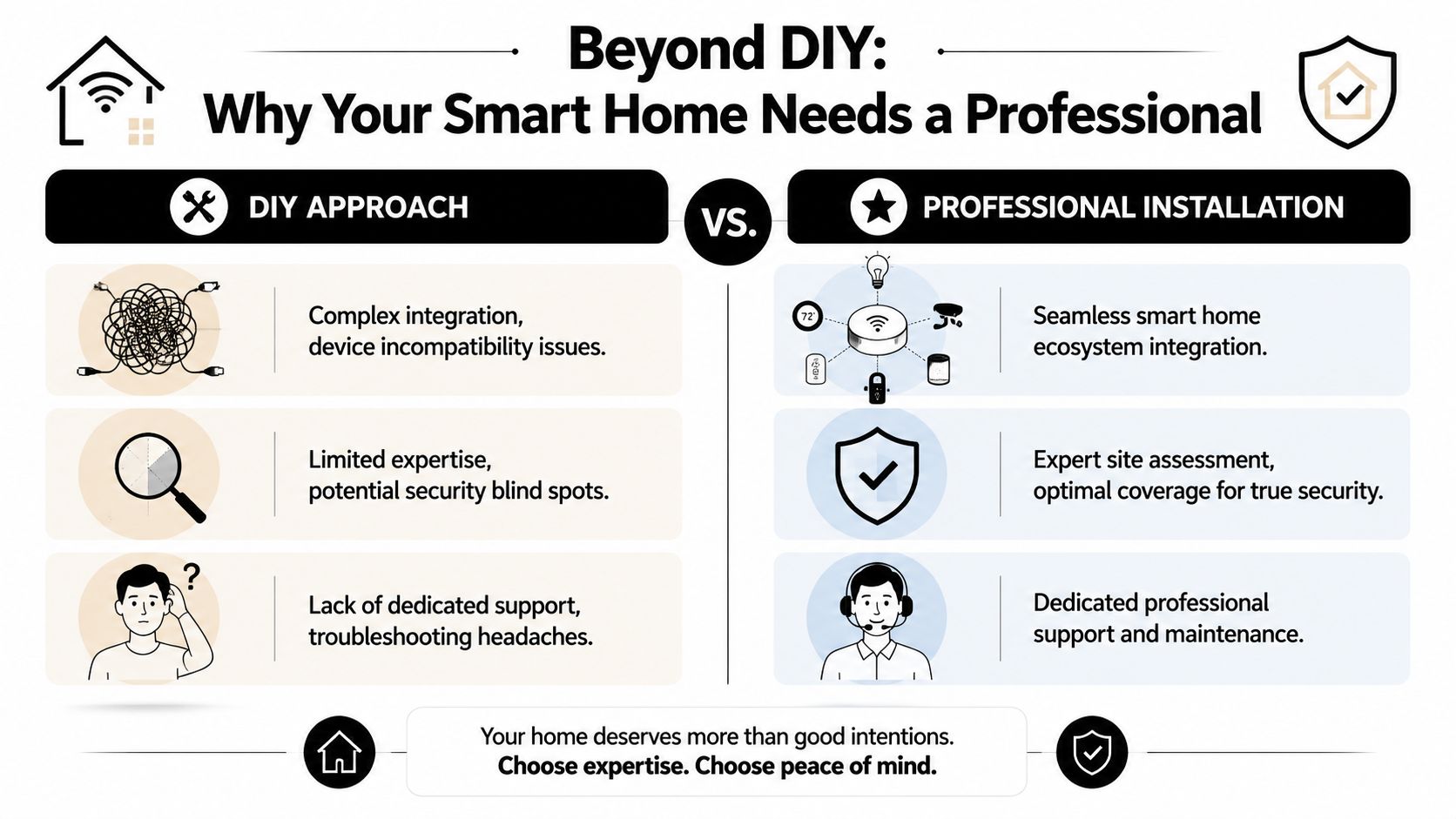
Standalone cameras can cover a door. Integrated cameras support the way the house operates.
That distinction matters more than many homeowners expect. If a driveway camera sees motion after midnight, should the system record only, trigger a lighting path through Lutron, send a push alert, or make that feed available by voice through Josh.ai on the kitchen display? Those decisions affect daily use far more than the spec sheet on the box.
A professional installer looks at questions DIY purchases usually skip:
At Home AV Pros, this is usually where the conversation changes. Homeowners start by asking which camera brand to buy. They end up asking how the camera system should fit into the home they already invested in.
The wiring side matters too. A premium system depends on clean terminations, proper cable paths, and enough network capacity for constant video traffic. Small shortcuts during install often create the problems people blame on the camera brand later. Even something as simple as avoiding cable splicing risks can prevent intermittent failures that are frustrating to diagnose once walls are closed and landscaping is finished.
The expensive part is usually not the camera. It is the rework.
We see the same pattern in retrofits. Cameras are mounted too high for identification, too low for tamper resistance, aimed into glare, fed by weak Wi-Fi, or installed in places that looked convenient from the ladder but miss the actual approach path. Then the homeowner calls a pro to relocate hardware, pull cable properly, add switching, clean up app sprawl, and make the system usable.
That is why the DIY versus pro decision should be measured against the whole smart home, not just the price of a box from a big-box store. If you are comparing options, this guide to self-install security cameras for smart homes helps clarify where a simple DIY setup can work and where professional design starts paying for itself.
A good professional install gives you more than recorded video. It gives you a camera system that stays online, looks right on the house, and works like it belongs there.
The first serious sign of a qualified installer is what happens before any hardware is ordered. A proper site assessment should feel like a design meeting, not a sales call. The house gets evaluated as a whole property, not as a list of walls where cameras can be screwed in.
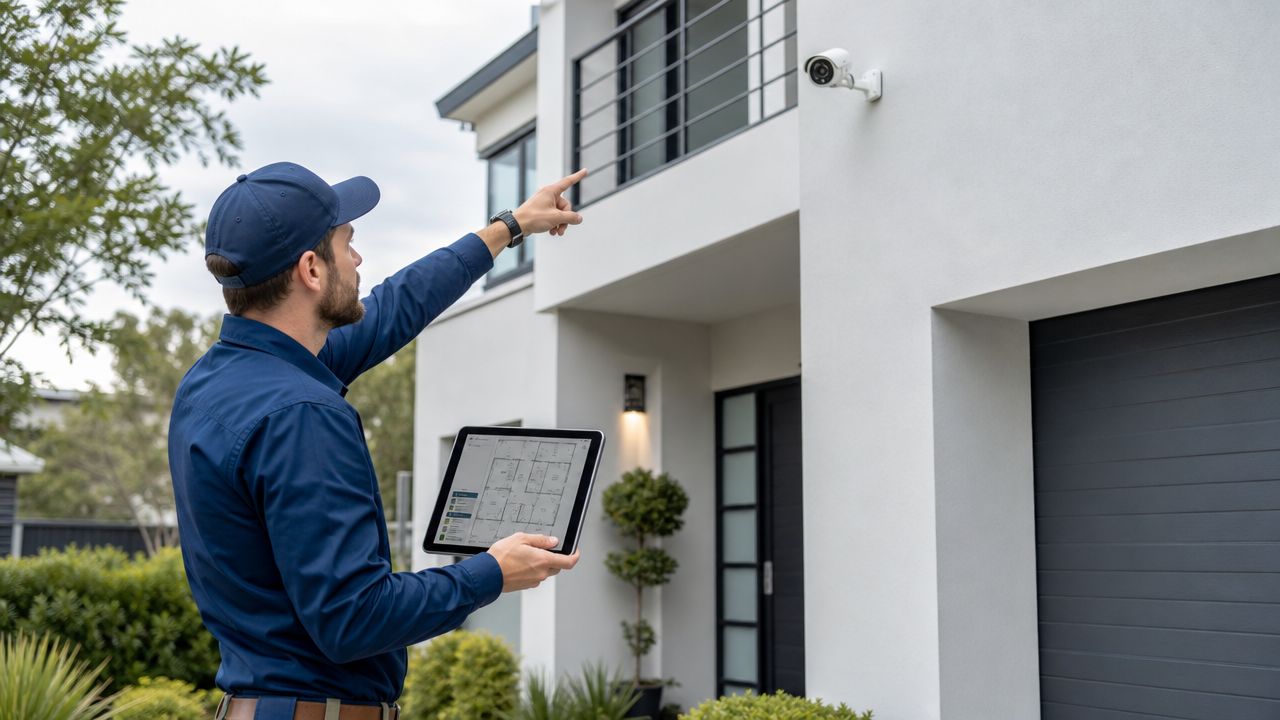
A useful assessment starts with a vulnerability map. That means identifying doors, first-floor windows, side and rear access routes, detached garages, drive approaches, package-drop areas, and any place where someone can approach the home without being easily seen. High-value interior zones can matter too, but most residential systems fail or succeed at the perimeter.
Industry guidance also points to a common failure mode: poor camera placement. Recommended residential mounting height is typically 8 to 10 feet to balance facial or detail capture with tamper resistance, as explained in New England Security's guidance on common camera mistakes.
A camera can technically see an area and still be badly placed. That's what many homeowners discover after the first incident, not before.
A professional assessment checks for issues like:
The installer should test the coverage area in motion, not just stand back and admire the framing. Walk the path. Check the face angle. Review day and night views. If there's foliage, weather exposure, or strong backlighting, adjust for it now instead of after the system is live.
Most consumer articles stop at placement. That's incomplete. The camera may be mounted well and still fail because the network plan was weak.
In larger homes, detached structures, and outdoor zones, wireless performance can become the expensive problem. A camera that drops offline near a garage, gate, patio, or pool area isn't protecting anything. That's why many professional designs start with the backbone first, often using structured cabling, PoE where it makes sense, and a managed network layer such as Ubiquiti for visibility and control.
For homeowners trying to understand how the backbone gets planned, this overview of low-voltage wiring is a useful starting point.
A reliable camera is often a network project wearing a security label.
That matters even more in homes that also rely on streaming audio, theater distribution, voice control, and remote access. Cameras compete for attention on the same property-wide infrastructure. If the network was never designed for that traffic, adding more devices won't fix it.
A short walkthrough of professional placement principles helps make that clear:
By the end of a site assessment, you should have more than a rough quote. You should have a design rationale.
That usually includes:
That's the blueprint. Without it, even expensive cameras can turn into an expensive guessing exercise.
A well-installed camera system does more than record. In a high-end home, it should behave like a connected layer of the broader automation stack.
That changes how equipment gets selected. The question isn't only resolution, field of view, or app quality. The question is whether the cameras can work sensibly with the rest of the house, including control interfaces, lighting scenes, audio zones, and remote access habits.
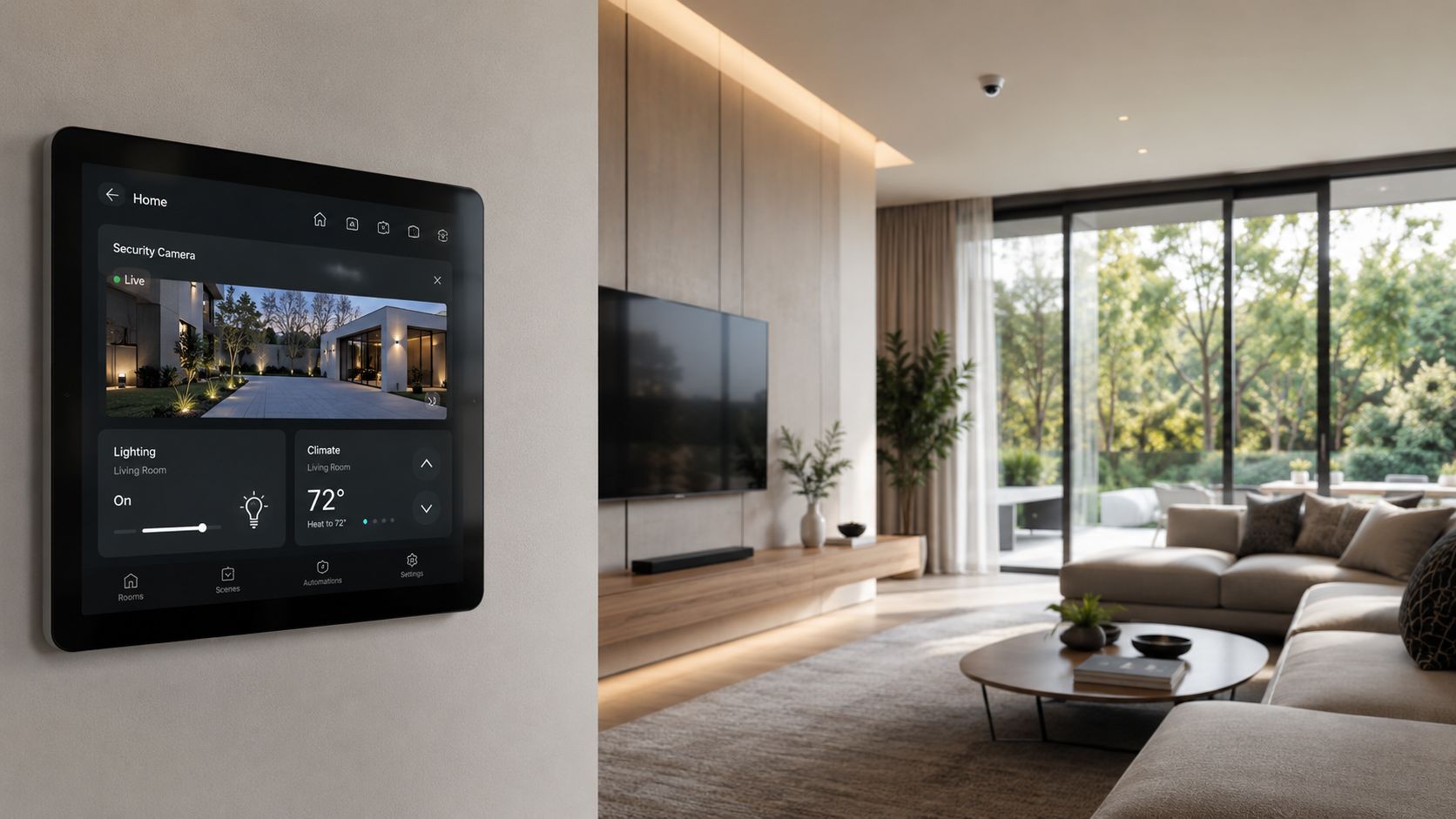
The value of integration shows up most clearly in daily use. A homeowner doesn't want to think in product categories. They want the home to respond appropriately.
Here's where professional design separates itself from a pile of smart devices:
The important part is restraint. Good integration doesn't mean every detection event should trigger a house-wide reaction. It means the system is programmed around your routines.
The best smart-home security feels calm. It gives the right information, in the right place, at the right moment.
The effectiveness of cameras often depends on integration, not just hardware. ACLU-cited research notes mixed results overall across multiple studies, but it also cites findings such as homes with security cameras being 300% less likely to be burglarized in one study, underscoring why layered systems can outperform isolated devices.
For a homeowner, layered design usually means this:
| Layer | Role in the home | Example in practice |
|---|---|---|
| Perimeter detection | Watches approaches before someone reaches the house | Driveway, gate, side-yard, and rear access coverage |
| Targeted identification | Captures useful detail at key points | Front entry, garage service door, package area |
| Environmental response | Makes the home react visibly | Exterior lights or selected scenes activate |
| User control | Keeps access simple | Voice, touchscreen, mobile, and room-based control |
That's why an installer shouldn't pick cameras in isolation. They should also consider whether the rest of the system can support the experience you want. In some homes, that may mean prioritizing a Ubiquiti-centered network and camera approach. In others, it may mean integrating mainstream hardware into a broader automation layer with carefully managed expectations. Companies like Home AV Pros also approach camera planning as part of the home's overall control and networking design, not as a single-trade add-on.
Many disappointing systems are built around attractive spec sheets. The camera sounds impressive. The app looks slick. The install seems simple.
Then the homeowner discovers the trade-offs:
That's why experienced security camera system installers spend so much time on compatibility. In a home with Lutron, Josh.ai, Sonos, Kaleidescape, outdoor lighting, and reliable Wi-Fi, the best camera is often the one that fits the system cleanly and stays dependable over time.
Most homeowners don't need to become security experts. They do need to know how to separate a careful installer from someone who mainly sells boxes.
Start with the quote, but don't start with the price. Professional labor is a major part of this work. Angi reports that installation typically accounts for 50% to 70% of the total security camera budget, with average installation costs around $1,293, typical ranges from $591 to $2,040, and wired-system labor commonly running $80 to $200 per camera in its security camera cost guide. Those numbers explain why a suspiciously cheap proposal often means corners are being cut somewhere in planning, wiring, placement, or support.
A good interview is simple. Ask specific questions and listen for specific answers.
| Category | Question to Ask | What to Listen For |
|---|---|---|
| Smart home integration | How will the camera system interact with platforms like Lutron or Josh.ai? | Clear explanation of control options, event behavior, and any limits |
| Network design | Do you recommend Wi-Fi cameras, PoE, or a mix for my property? Why? | A property-specific answer, not a blanket rule |
| Placement strategy | How do you decide where each camera goes? | Discussion of entry paths, lighting, height, blind spots, and night testing |
| Aesthetics | How will you hide wiring on a finished home? | Specific methods, realistic limitations, and finish-sensitive planning |
| New construction | What changes if we're still in framing? | Coordination with builder, low-voltage planning, and future-proofing |
| System management | Where will recordings live, and how will I access them? | Straight answer on storage, user access, and ongoing usability |
| Service | What happens if a camera drops offline or a switch fails? | Defined support process, not vague reassurance |
| Privacy | How do you handle neighbor-facing or public-facing views? | Practical placement guidance and respect for privacy boundaries |
If you're also comparing broader automation partners, this overview of home automation installation companies helps frame the conversation beyond cameras alone.
Some installers look polished in a proposal and weak in person. The warning signs usually show up fast.
Watch for these:
If an installer never asks how you want the house to behave, they're probably planning a hardware sale, not a system design.
The best proposals usually aren't the shortest. They show thinking.
Look for detail in three places:
Scope clarity
Each camera should have a purpose. “Exterior camera” isn't enough. The quote should indicate what zone it covers and why.
Infrastructure detail
You want to see how the installer is handling switching, power, cabling, mounting accessories, and any network upgrades needed to support the system.
Programming and handoff
If integration is part of the project, the quote should reflect that work. Configuring app access, user permissions, control interfaces, and notifications takes time.
The cheapest quote often ignores what makes the system pleasant to live with. In camera work, the ugly details are often the entire difference between regret and long-term value.
A lot of homeowners make the mistake of assuming all installation labor is interchangeable. It isn't.
In a finished home, the installer needs skill in concealment, drilling strategy, attic or basement routing, and minimizing disruption. In a new build, the focus shifts to prewire, rack planning, future access, and coordination with electricians, builders, and trim teams.
That distinction matters even more if your project includes more than cameras. Many homeowners planning security are also evaluating whole-home audio, home theater, outdoor lighting and sound, or shade and lighting control. Some integrators also handle restaurants and commercial spaces, but the residential discipline is different. A home system has to disappear into architecture and daily living, not just function.
Installation day should feel organized, not chaotic. The crew should know where every run is going, where equipment lives, what surfaces need protection, and what the finished visual standard is supposed to be.
In a polished residential project, the work usually happens in layers. Cable paths get built first. Cameras get mounted and dressed carefully. Network and recording hardware are configured in a central location. Then the system gets tuned. Angles, motion zones, night views, and user access all need adjustment before the job is complete.
A clean install usually includes these visible signs of care:
That standard matters in homes where the technology package extends beyond security. If you already have or plan to add custom home theater, whole-home audio, garden lighting, outdoor sound, permanent lighting such as Oelo, or smart-home control, sloppy camera work rarely stays isolated. It usually reflects a broader lack of system discipline.
A camera system isn't finished when the last device comes online. It's finished when the homeowner can use it confidently.
That handoff should include:
A professional handoff replaces trial and error with confidence.
For second homes and busy households, this stage matters as much as the installation itself. If the system is confusing, people stop using it correctly.
Cameras live outdoors, ride on your network, depend on software, and interact with changing property conditions. Trees grow. Wi-Fi conditions shift. Firmware changes. Lighting gets updated. Family routines change too.
That's why ongoing support matters. A good installer should be able to help with changes such as adding coverage to a new patio door, reworking motion behavior after landscaping, or adjusting remote access after a device upgrade. Over time, the installer becomes less like a one-time contractor and more like the home's low-voltage partner.
That relationship matters even more if the property includes future phases like a new theater room, whole-home audio expansion, outdoor lighting, new home construction planning, or other integrated technology projects.
Yes, but placement matters. A professional consultation should include a plan that focuses on your property boundaries while avoiding areas where privacy is expected, as noted in this guidance on privacy-conscious camera placement. Side yards, shared fences, and windows near lot lines usually need extra care.
Not automatically. Audio creates privacy and legal questions that are often more sensitive than video. For most homeowners, the safer approach is to decide deliberately where audio is necessary and where it should be disabled. This is one of those areas where local legal guidance matters.
Sometimes, but not always. Detached garages, deep backyards, basements, and exterior corners often expose weak network design. In larger or more complex homes, a wired or partially wired design usually creates a more dependable result.
That's exactly where professional integration helps. Cameras can be part of a broader routine with lighting control, voice access, audio announcements, and touchpanel viewing. The right setup depends on the control platform and the behavior you want, not just the camera brand.
Yes. It's much easier to hide wiring, prepare network locations, and reserve equipment space before finishes are complete. Preplanning also makes future additions easier if you later expand into audio, theater, shades, or outdoor entertainment.
If you want a camera system that fits the house instead of fighting it, Home AV Pros can help plan security as part of a larger smart-home design. That includes cameras and doorbells, networking and Wi-Fi, smart lighting, home audio, custom theater, outdoor lighting and sound, and new-home low-voltage planning for homeowners across southern Wisconsin and nearby northern Illinois.

Copyright © 2026. Home AV pros. All rights reserved.